---
title: Manage Subscription Actions Based on Status
url: https://docs.maxio.com/billing/subscriptions/management/state-management/manage-subscription-actions-based-on-status
applies_to: Advanced Billing
updated: 2026-10-22
---
# Manage Subscription Actions Based on Status
Match a Subscription's available actions to its current state (Active, Past Due, Canceled, Trial Ended, or Expired), and reactivate it to restore full access.
> If your Subscription is in a dead state (Trial Ended, Canceled, Expired), reactivate it to expose further Subscription action options.
See Subscription Actions Overview for the full list of Subscription actions.
## Active Subscriptions
When the Subscription is in the **Active** state, the following options are displayed:
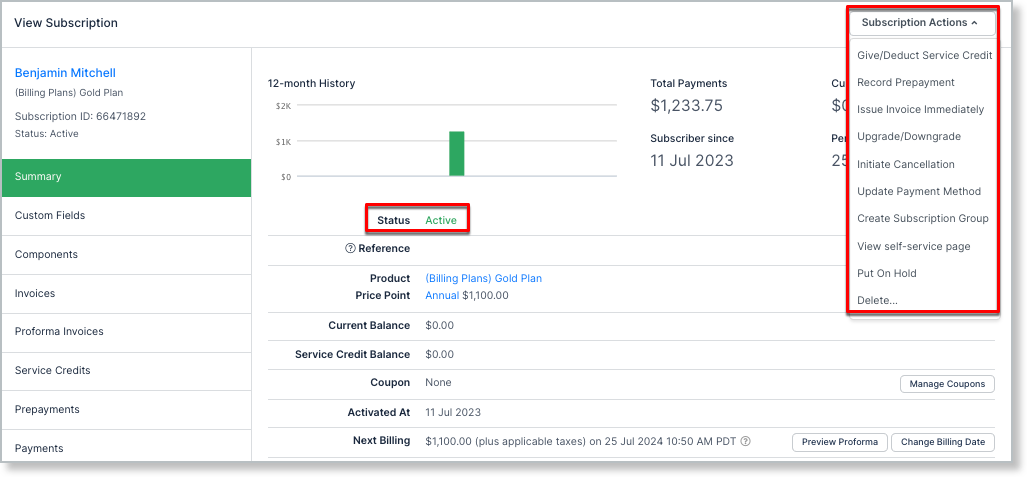
*Options for Active Subscriptions*
## Past Due Subscriptions
The options available under **Actions** for Past Due Subscriptions are more limited than for Active Subscriptions.
**Put On Hold** is missing; you can only suspend a Subscription while it's in the **Active** state. See Put a Subscription on Hold for how it works.
A new option, **Cancel Dunning**, is available instead. This takes the Subscription out of dunning by resolving the dunning process and moving the Subscription from **Past Due** to **Active**. See Cancel Dunning on Past-Due Subscriptions for special interactions with this feature.
## Canceled Subscriptions
Actions become more limited once a Subscription enters the Canceled state. As with Past Due, **Put On Hold** is missing; it only becomes available again once the Subscription is Active.
**Initiate Cancellation** is replaced with **Reactivate Subscription**, which brings the Subscription out of the Canceled state and back to **Active**.
**Add Charge** is also unavailable while a Subscription is in a dead state. To issue a one-time charge for a Subscription, it needs to be in an **Active** state.
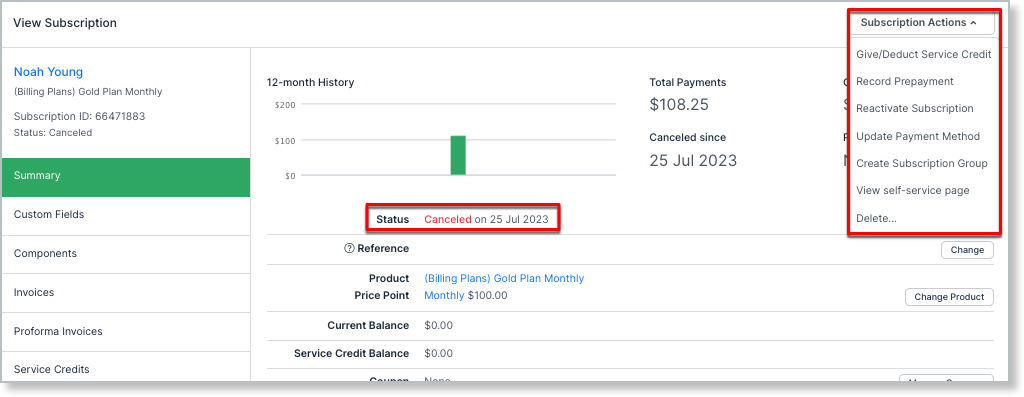
*Options for Canceled Subscriptions*
## Trial Ended Subscriptions
Trial Ended Subscriptions show the same set of actions as Canceled Subscriptions. Reactivate the Subscription to see further options.
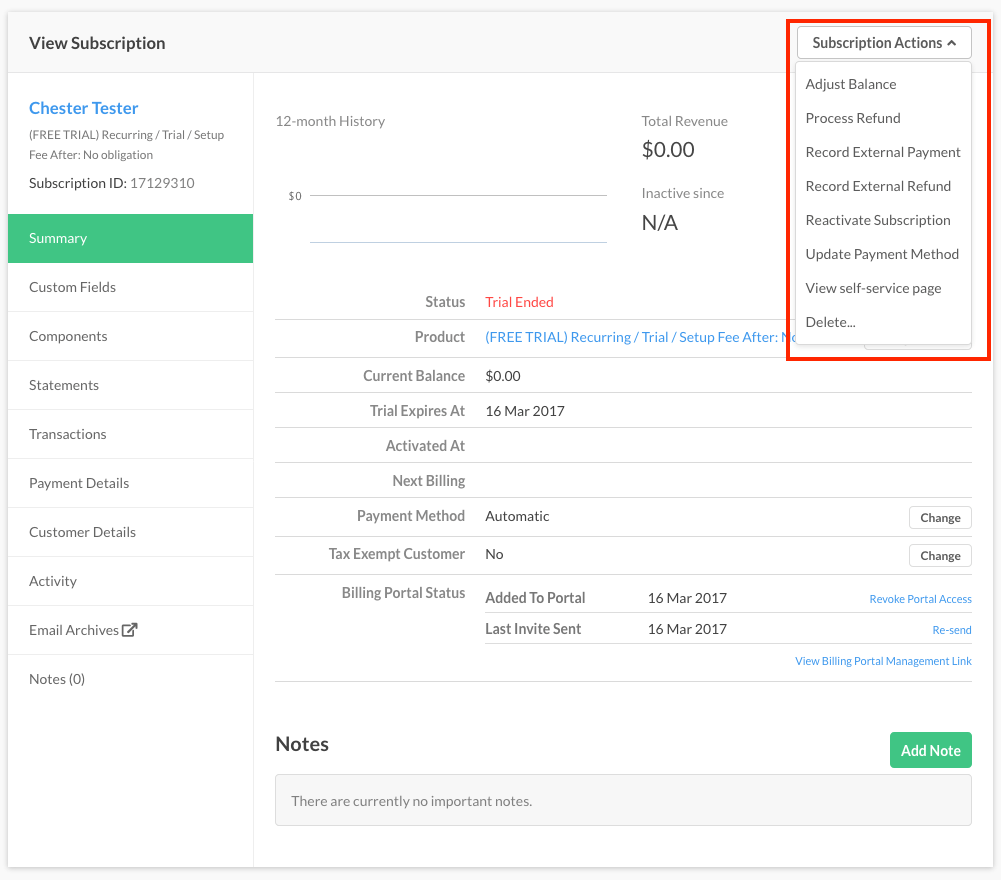
*Options for Trial Ended Subscriptions*
## Expired Subscriptions
Expired Subscriptions show a slightly different set of options. To expose further options, first cancel the Subscription; once canceled, you can reactivate it.
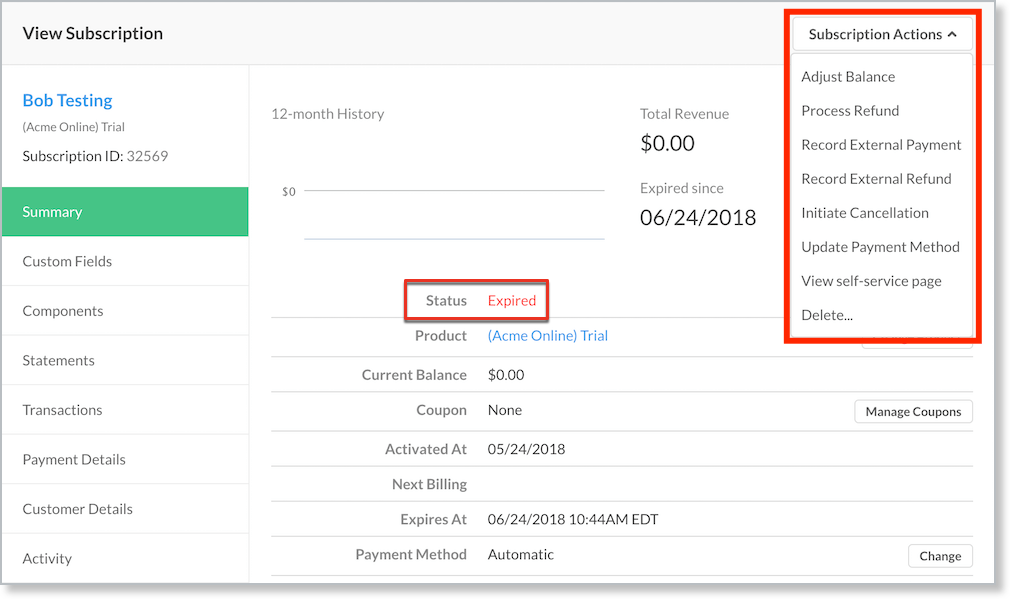
*Options for Expired Subscriptions*
## Reactivate Subscription
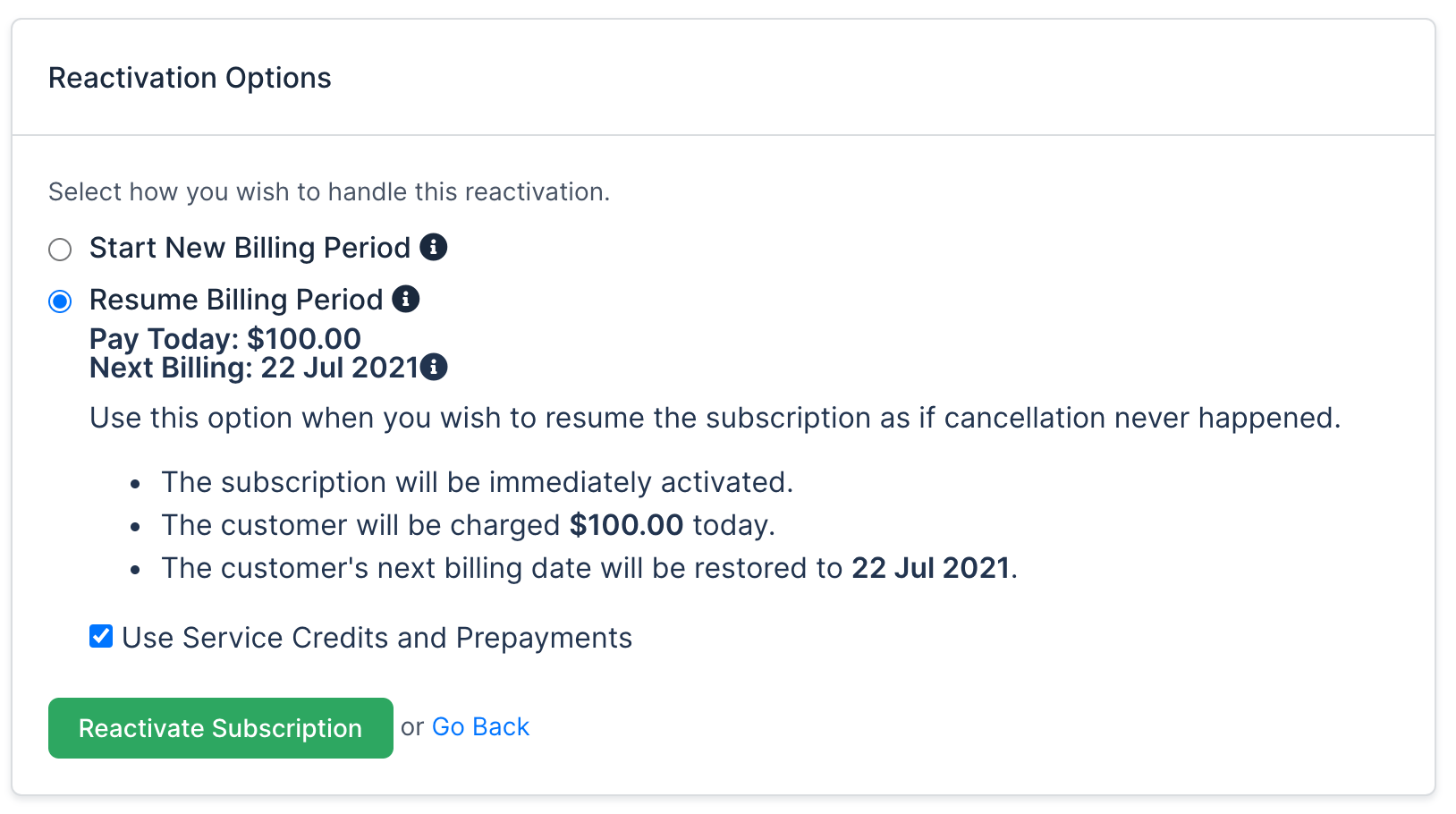
If a Subscription is in a Canceled state, **Reactivate Subscription** appears in the **Subscription Actions** dropdown. Selecting it presents options to reactivate the Subscription.
- **Start New Billing Period** - Starts a new period, so a renewal payment is expected. Options to collect previous balances and restart the trial are also presented. Any existing Service Credits or Prepayments are automatically applied to this renewal.
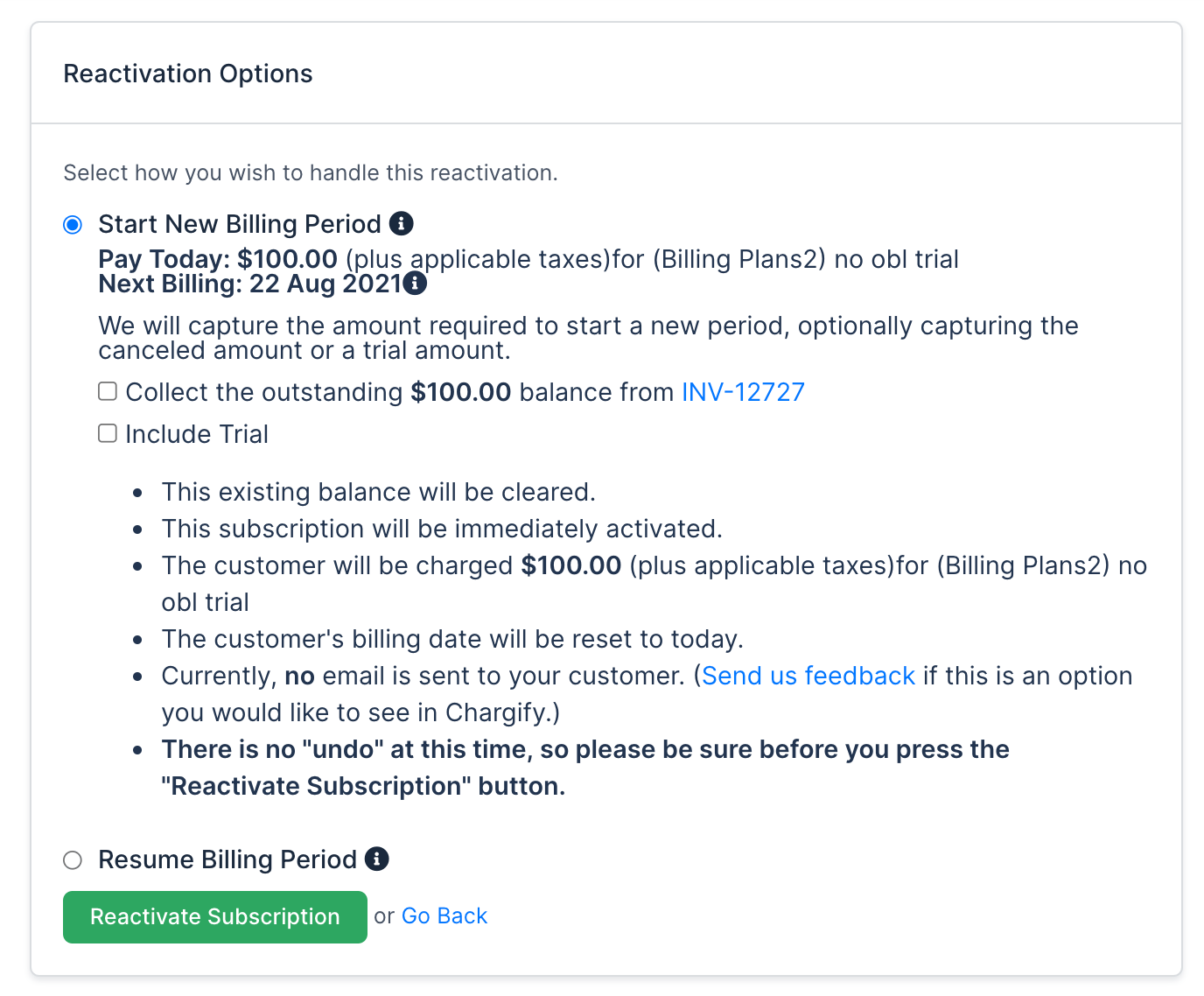
- **Resume Billing Period** - Only appears if the Subscription's current billing period hasn't elapsed. The Subscription's renewal periods remain the same as before cancellation and resume on those dates; any outstanding balance is expected to be paid at this time. If the Subscription has Service Credits or Prepayments, you can also select **Use Service Credits and Prepayments** to consume them before Advanced Billing attempts the Subscription's payment profile.