
Test and Implement 3D Secure
Applies to: Advanced Billing
Last updated on Sep 19, 2026
Test the 3D Secure (3DS) experience before rolling it out on your live Advanced Billing site. See Understand PSD2, SCA, and 3DS for more on the underlying PSD2 and SCA requirements.
Advanced Billing currently supports 3DS on the following gateways: Stripe, Braintree, CyberSource, Windcave (formerly Payment Express), Adyen, and BlueSnap.
Steps to test and implement 3D Secure
Complete each step below, in order, to test and implement 3D Secure. Select each link for more information:
- Enable and Configure 3D Secure for Your Gateway
- Determine Your Access Points
- Test and Implement the Applicable Access Points
- Implement on Live Advanced Billing Sites
PSD2 flows: pre-authentication and post-authentication
Advanced Billing offers two ways to authenticate your customers' PSD2 transactions: a pre-authentication or post-authentication flow. There are several differences in how each of these authentications handles transactions that are flagged for SCA.
The authentication path controls when the customer is authenticated through 3D Secure.
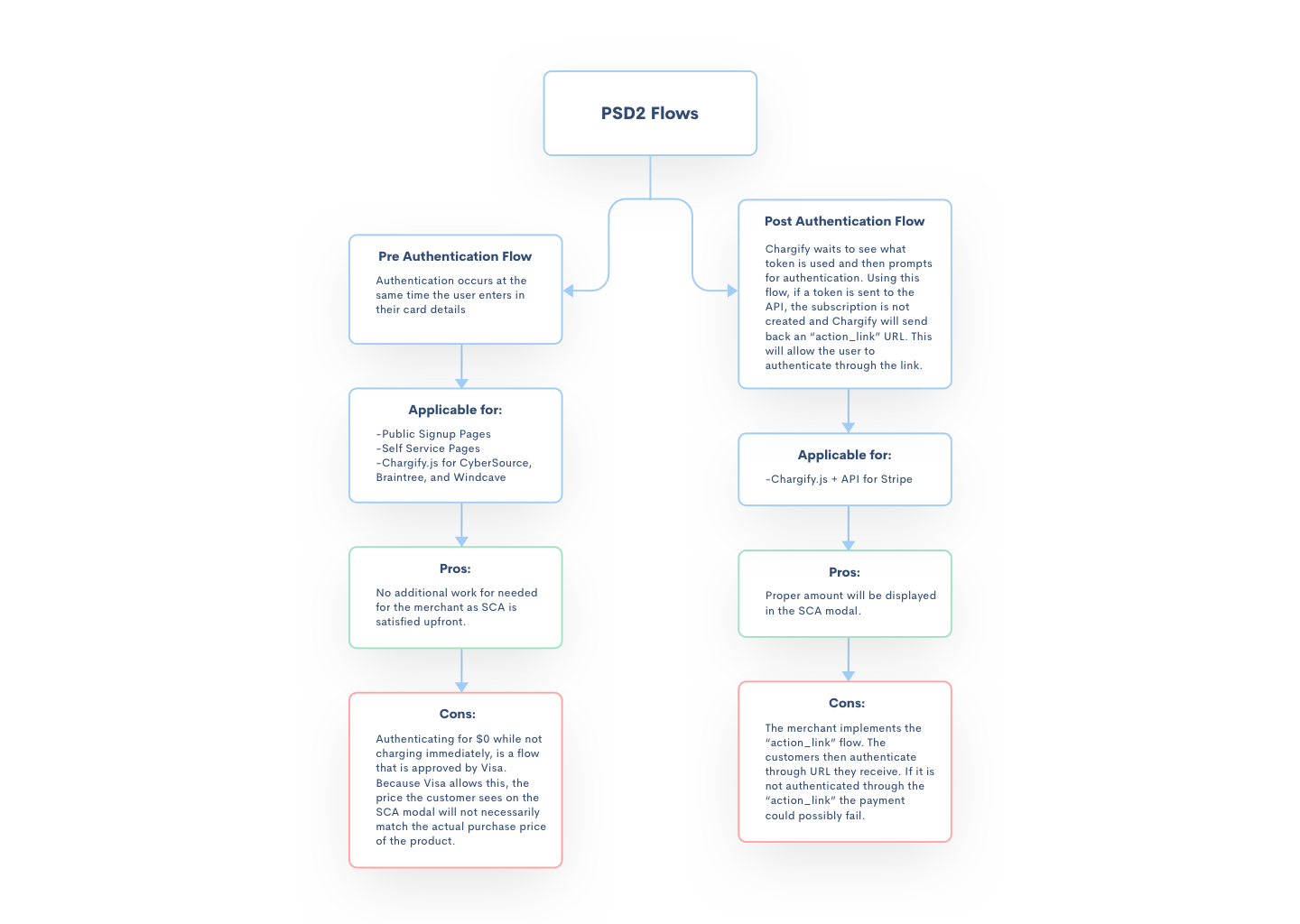
Pre-authentication occurs at the same time the user enters their card details. This makes it easy for you, the merchant, since no further action is required on your end. This method surfaces a pop-up that authenticates the customer for $0, which does not necessarily match the final purchase price of the product.
Pre-authentication is applicable for:
- Public Signup Pages (PSPs)
- Self-Service Pages (SSPs)
- Maxio.js (formerly Chargify.js) for CyberSource, Braintree, Windcave, Adyen, and BlueSnap
To enable pre-authentication for supported gateways on Maxio.js, add the flag threeDSecure: true to your load.js form.
With post-authentication, Advanced Billing waits until the token is used to check the need for SCA. In other words, a Maxio.js token is not authenticated until it is used. For API Subscription creation requests that fail due to SCA, Advanced Billing returns an action_link URL that you can share with the user. This URL leads to a page where authentication can be completed. See Handle the 3D Secure Post-Authentication Flow for details on implementing this workflow.
Post-authentication is applicable for:
- Maxio.js + API for Stripe
- Maxio.js + Braintree
Still need help?
Reach out and our support team will take it from here.