
Manage Entity Use Codes for Tax Exemptions
Applies to: Maxio Core
Last updated on Aug 24, 2026
Entity Use Codes define why a Customer or Contract is tax-exempt and ensure Avalara applies the correct exemption rules during tax calculation. By syncing and assigning these codes, you can maintain accurate tax logic for exempt Customers directly within Maxio.
For example, charities, government entities, and religious organizations are commonly exempt from taxation in certain jurisdictions, so each of these categories has its own Entity Use Code.
Add and manage Entity Use Codes
A default list of Entity Use Codes syncs in from Avalara. You can also add your own custom Entity Use Codes by clicking the plus icon, and edit or delete a custom code via the hamburger menu to its left. Codes synced in from Avalara can't be edited or deleted from Maxio.
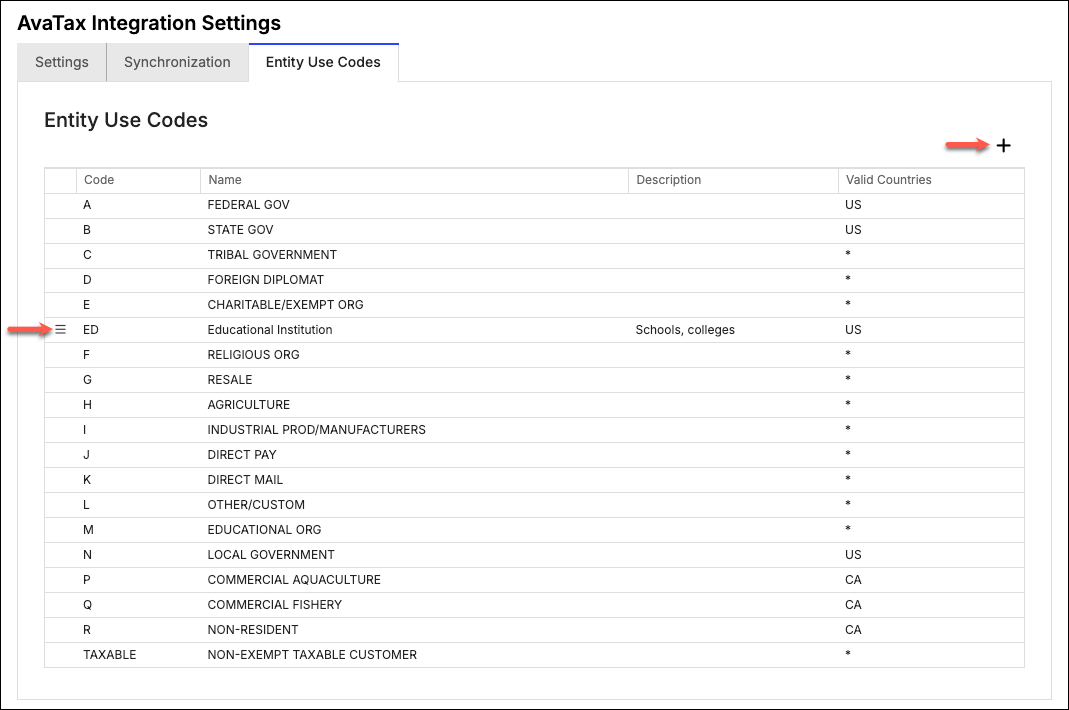
A custom Entity Use Code isn't synced back to Avalara as a code definition. Only the code value is sent along with each transaction, so you must still go into the Avalara Admin Console to configure that code's exemption logic before it has any effect on tax calculation.
Assign Entity Use Codes to Customers and Contracts
You can assign an Entity Use Code to a Customer while adding or editing the Customer. See Customer Fields Reference for details on this field.
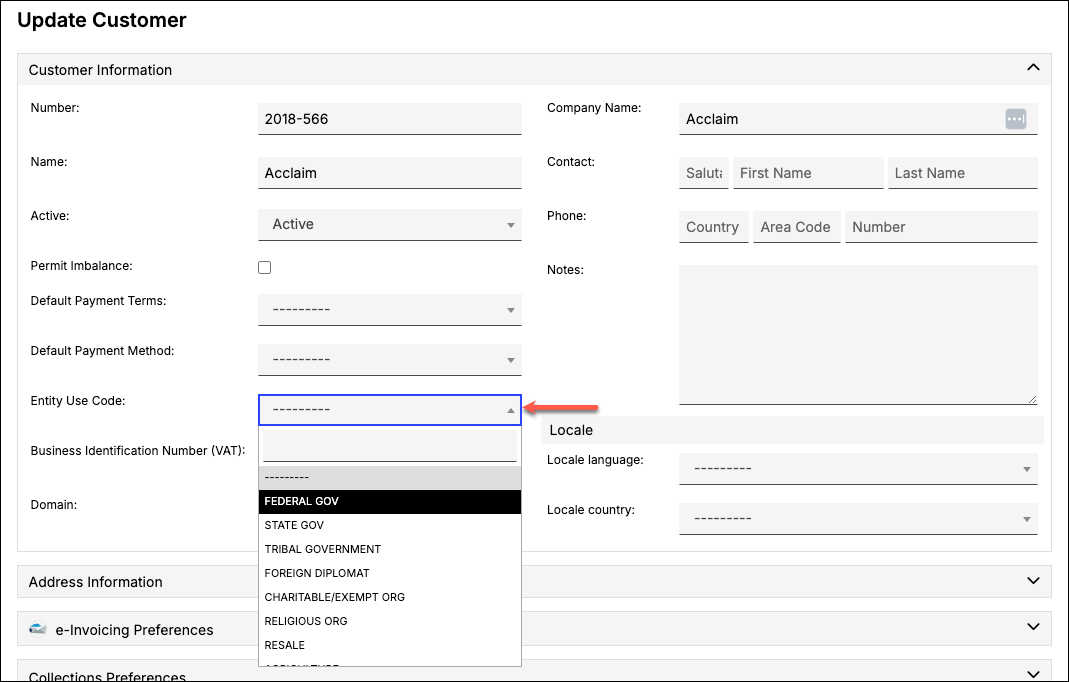
A Contract can have its own Entity Use Code if it has its own Billing Profile. See Set a Contract-level Billing Profile to set one up. When a Contract has its own Entity Use Code, it takes precedence over the Customer's Entity Use Code for that Contract's Invoices.
Related information
To configure the rest of your AvaTax settings, see Configure the AvaTax Integration.
Still need help?
Reach out and our support team will take it from here.