
Set a Contract-level Billing Profile
Applies to: Maxio Core
Last updated on Sep 19, 2026
In the event that you need to set your billing or shipping addresses at the Contract level (as opposed to the Customer level), you can check Use Contract Billing Profile when adding or editing a Contract. Once enabled, this profile is used to populate Invoice fields and calculate sales tax instead of the Customer's billing information. The due date those Invoices carry comes from the terms list — see Create and Manage Payment Terms — and how they can be paid comes from Create and Manage Payment Methods.
Contracts serve as containers for key records like Transactions and invoices. A Customer can have one or more Contracts and each Contract can hold one or more Transactions and invoices.
Enable a Contract billing profile
To set a Contract-level billing profile when adding or editing a Contract
-
When adding or editing a Contract, check Use Contract Billing Profile. This isn't limited to Contract creation, you can also enable it later on a Contract that was saved without one.
-
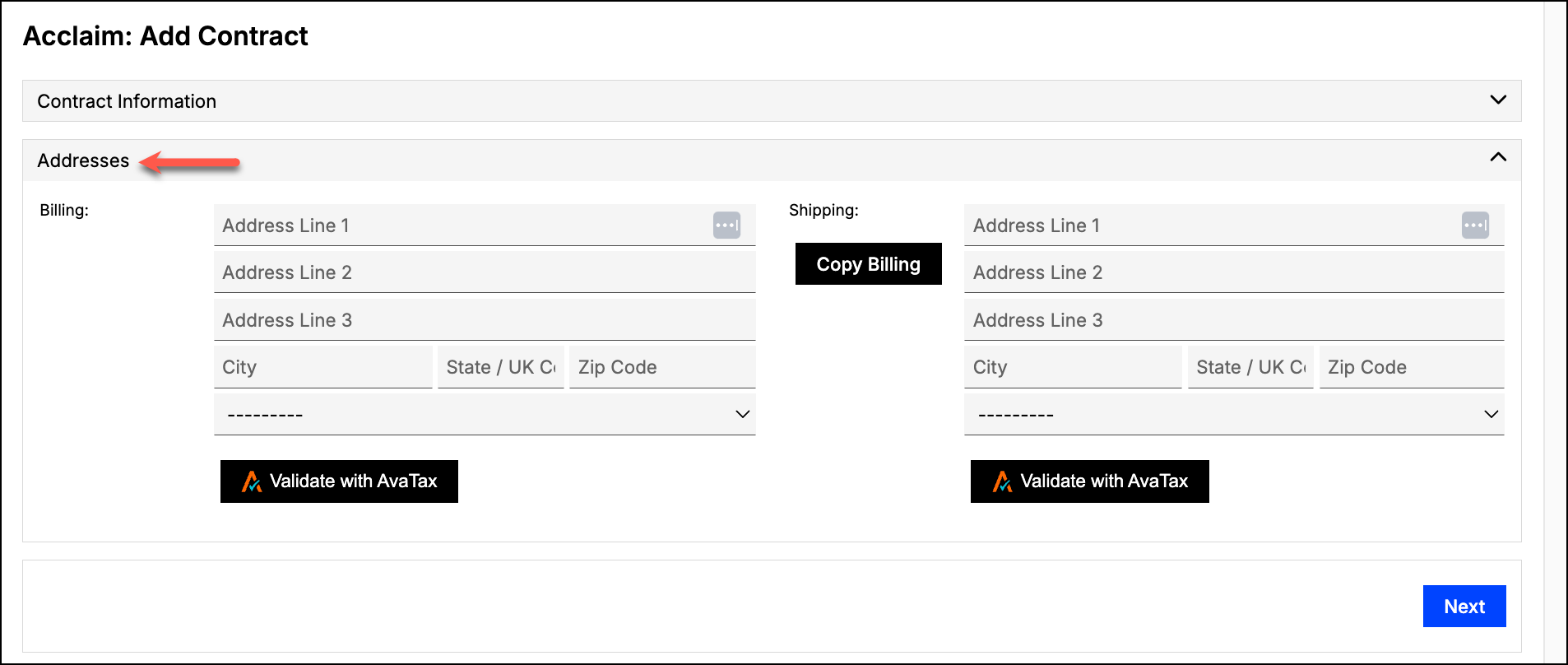
Enter the Billing and Shipping address in the Addresses section that appears.
-
(Optional) Click Validate with AvaTax next to either address to confirm it, if the AvaTax Integration is enabled for your account.
QuickBooks Jobs and SubCustomer accounts see a different option
Use Contract Billing Profile is available only when your account does not have QuickBooks Jobs (or SubCustomers, for QuickBooks Online) enabled.
If your account uses QuickBooks Jobs or SubCustomers, the same checkbox instead ties the Contract to a QuickBooks Job or SubCustomer profile, a different feature with its own fields (Entity Use Code, Payment Terms, and others). See Configure QuickBooks Integration Settings to check whether Jobs is enabled for your account, and the Contract Fields Reference for how Billing Address, Shipping Address, and Entity Use Code behave on a QuickBooks Job Contract.
Billing information and Invoices
An invoice uses either the Contract's or the Customer's billing information, not both. When a Contract has a billing profile, its Invoices use that profile's information instead of the Customer's. Make sure the Contract's billing profile is complete and accurate, since Maxio does not fall back to the Customer's billing information for a Contract that has one.
Related information
For a conceptual overview of how Contracts work in Maxio, see Understand Contracts.
Still need help?
Reach out and our support team will take it from here.