
Estimate Sales Tax on Invoices
Applies to: Maxio Core
Last updated on Aug 24, 2026
Use Sales Tax estimation to preview how AvaTax will calculate tax on an Invoice before committing it. Re-estimating tax helps you validate changes to Items, addresses, or exemption settings, and ensures your tax amounts are accurate and up to date. This works even if you have Commit Sales Tax disabled in your AvaTax settings.
Important: Sales Tax estimation is disabled if you have a missing or invalid Merchant Address. You can update your Merchant Address in your AvaTax integration settings.
Re-estimate your Sales Tax any time you change an Invoice, Customer, Item, or Entity Use Code that could affect the calculation. While you're not required to re-estimate before committing, it's recommended whenever something could have impacted the Sales Tax calculation, including changes made directly in Avalara, such as updates to Item tax codes or nexus jurisdictions.
Estimate Sales Tax for a single Invoice
You can re-estimate an Invoice's Sales Tax at any time.
WARNING: Re-estimating Sales Tax for an Invoice cannot be undone.
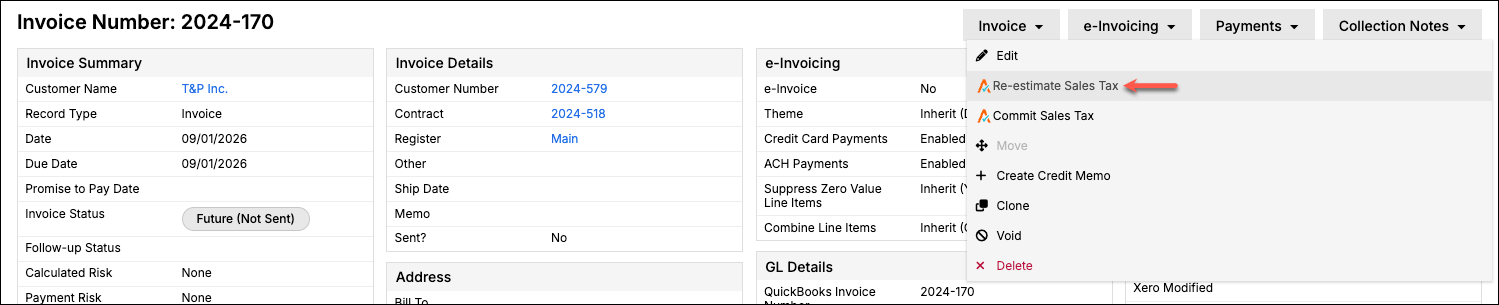
To re-estimate Sales Tax for a single Invoice
- Click Re-estimate Sales Tax in the Invoice's drop-down menu.
- Review the Sales Tax address shown on the confirmation screen.
- Click Re-estimate only if you're sure you want to update the Sales Tax.
Estimate Sales Tax for multiple Invoices
You can also re-estimate Sales Tax for multiple Invoices at once from your Invoice List.
WARNING: Bulk re-estimating Sales Tax skips the confirmation screen and updates immediately once you click the button. Double-check your selection before continuing.
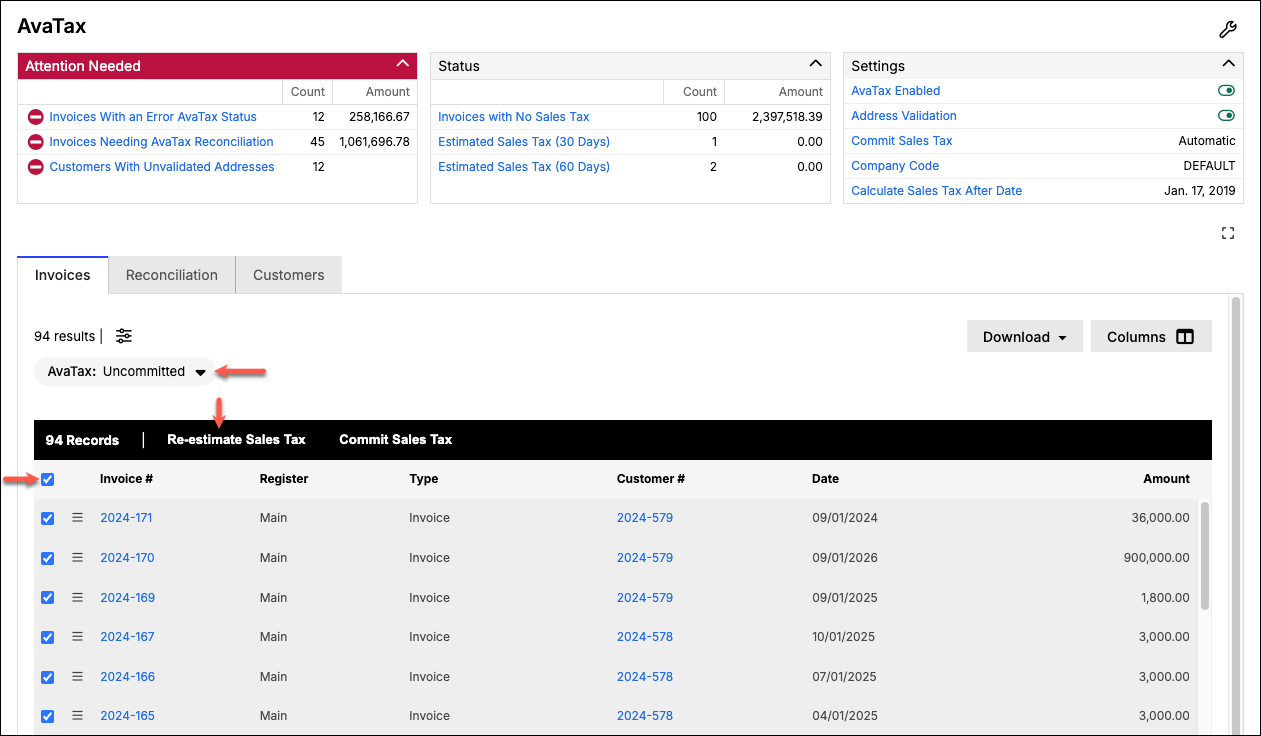
To re-estimate Sales Tax for multiple Invoices
- In your Invoice List, apply an AvaTax filter of Uncommitted.
- Use the checkboxes to select the Invoices you want to re-estimate.
- Click the button at the bottom of the list to re-estimate Sales Tax for those Invoices.
Related information
To commit Sales Tax after estimating it, see Commit Sales Tax to AvaTax.
Still need help?
Reach out and our support team will take it from here.