
Create and Manage SSP Lists
Applies to: Maxio Core
Last updated on Aug 28, 2026
A Standalone Selling Price (SSP) list defines the rules for allocating revenue across items in a contract, including formulas, carve-outs, and recognition methods used in Advanced Revenue. You can have multiple SSP Lists within a single RevenueBook. Create and manage SSP Lists to control how revenue is distributed and exported for analysis.
Advanced Revenue is a Maxio feature that lets you re-allocate revenue across your contract population using flexible, fixed, and dynamic formulas.
Create an SSP List
You create SSP Lists from the Advanced Revenue admin area.
To create an SSP List
-
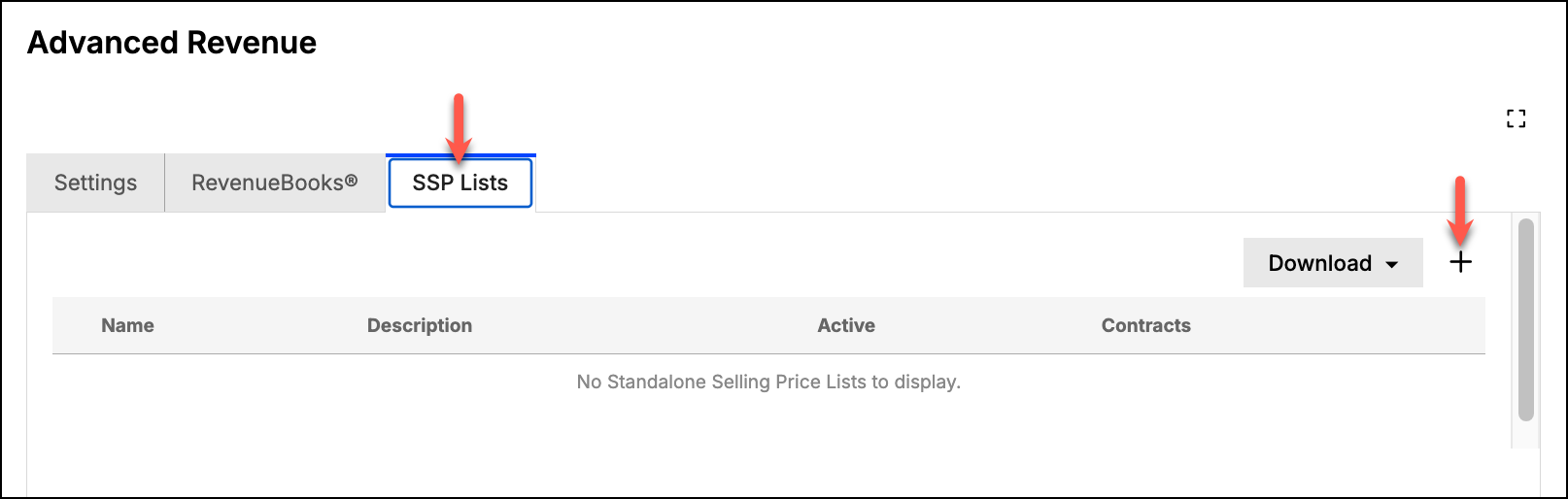
Navigate to Admin > Advanced Revenue > SSP Lists, and click the Add action ("+").
-
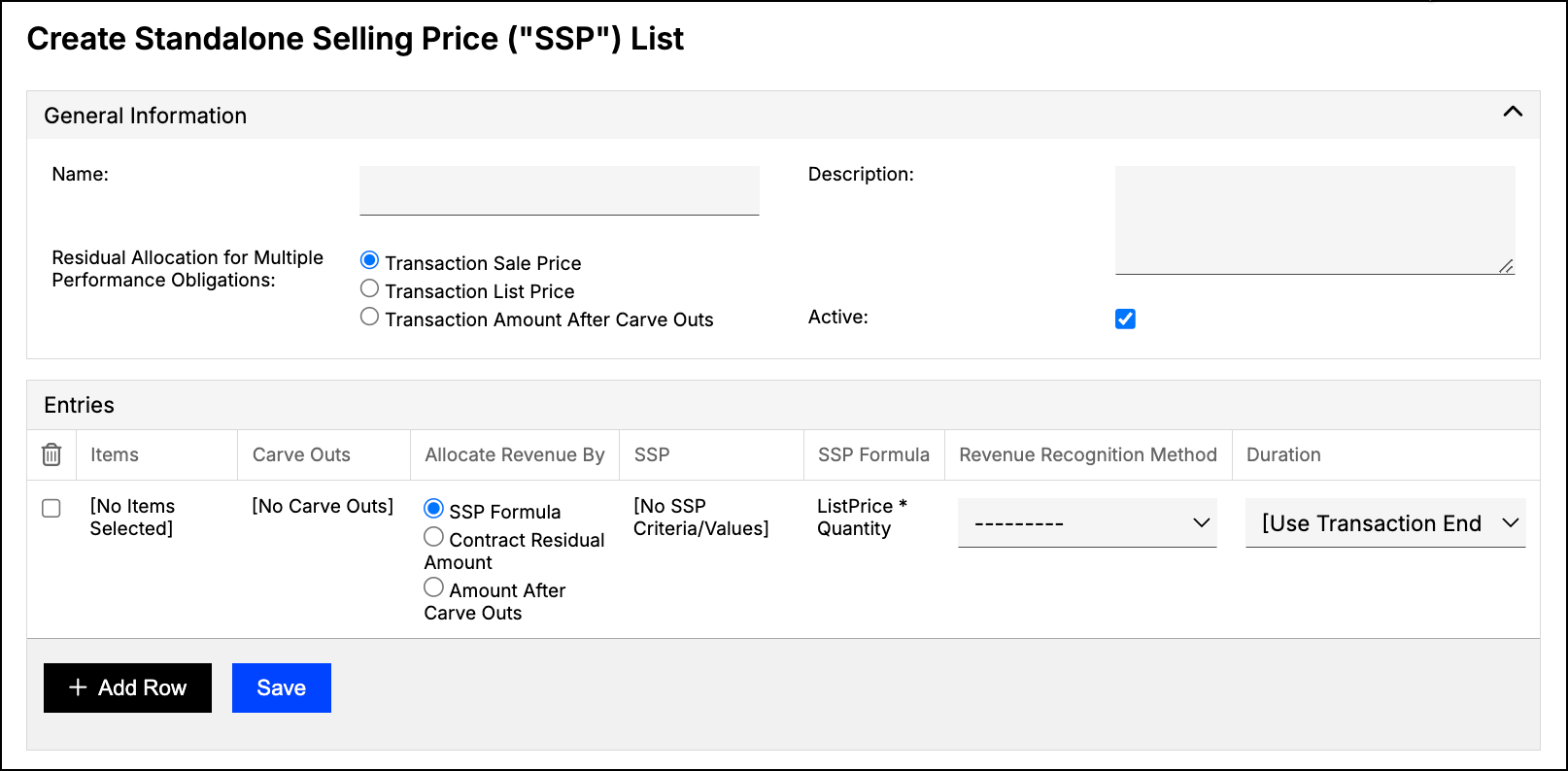
On the Create Standalone Selling Price ("SSP") List screen, fill in the General Information and Entries sections. See SSP List Fields Reference for details on each field.
-
Click Save.
Download an SSP List
You can export an SSP List's full field data for use outside Maxio.
To download an SSP List
-
From the SSP Lists screen, click the Download action for the list you want to export.
-
Select Export All Columns - Download to download a CSV file, or Export All Columns - Google Sheets to export to Google Sheets.
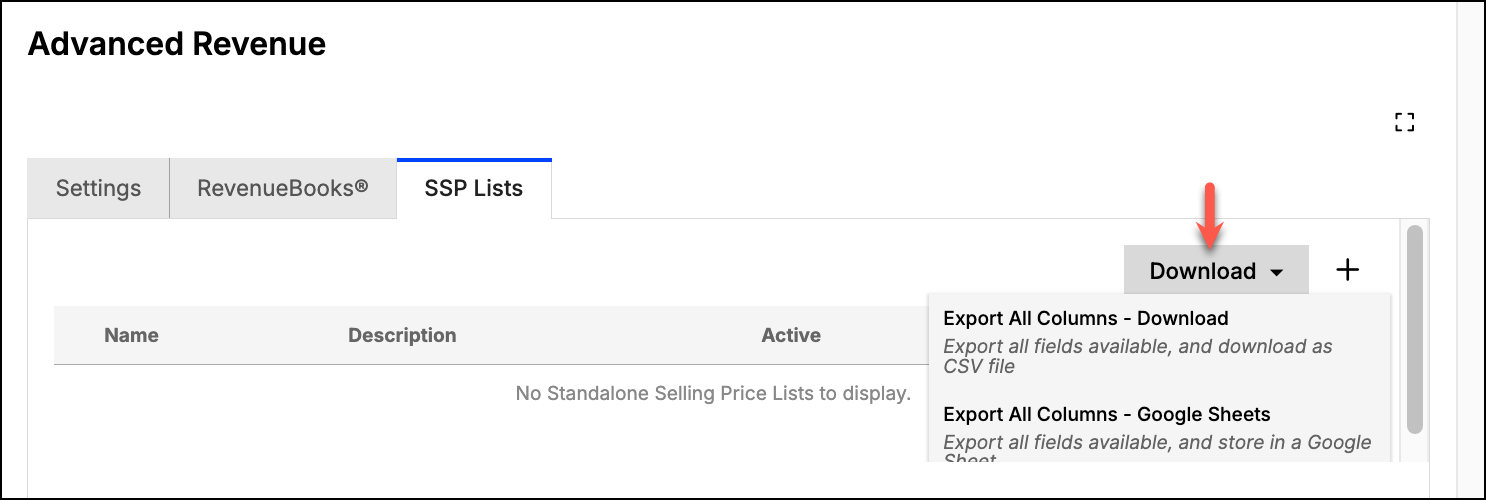
The exported list includes all records, unfiltered.
Related information
To learn more about how RevenueBooks and SSP Lists work together, see Understand RevenueBooks.
For a full reference of every field on the SSP List creation screen, see SSP List Fields Reference.
Once a list exists, see Assign SSP Lists to Contracts for how to put it to work on a contract.
Still need help?
Reach out and our support team will take it from here.