
Create and Manage Proforma Invoices
Applies to: Advanced Billing
Last updated on Aug 25, 2026
Proforma Invoice tools let you generate draft proforma documents, share static URLs, email customers, download PDFs, review event history, and void drafts when needed. They support both individual subscriptions and consolidated group billing.
Create a Proforma Invoice
Generate a Proforma Invoice directly from a subscription any time before its next renewal.
To create a Proforma Invoice
- Navigate to the desired subscription.
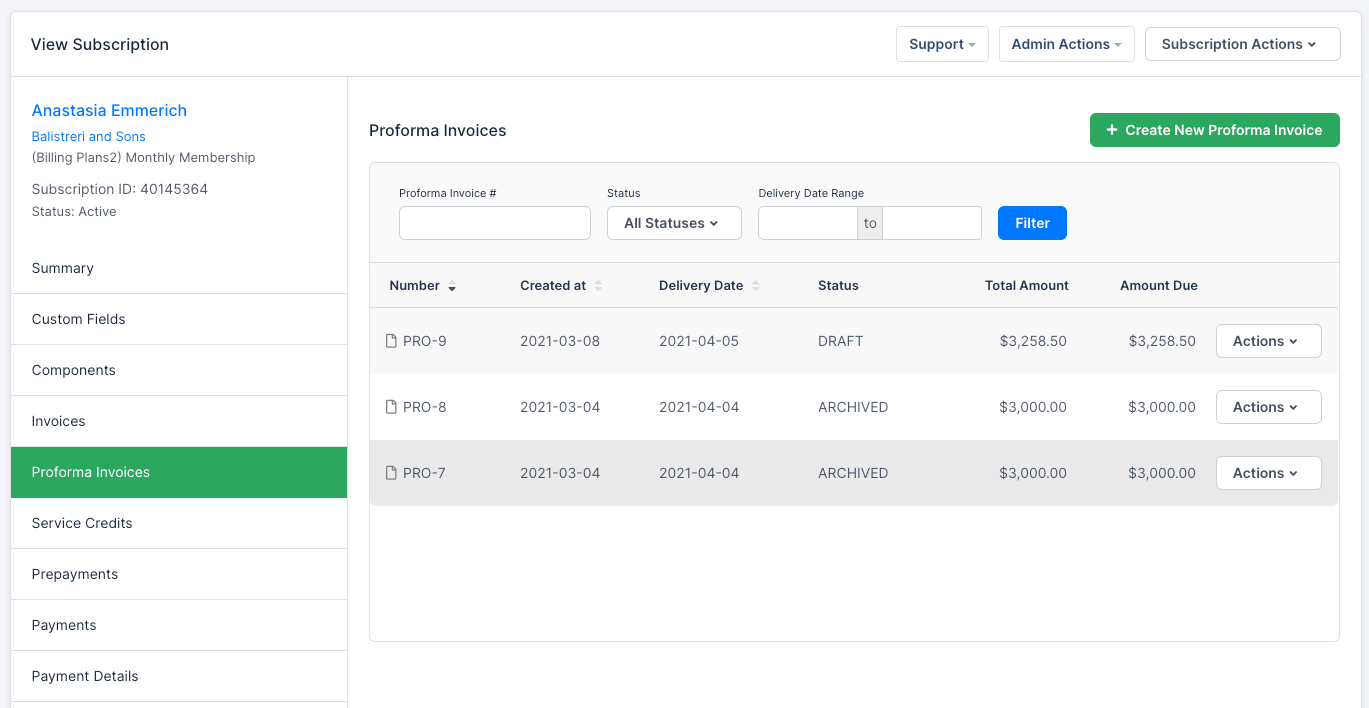
- Click into the Proforma Invoices tab.
- Click Create New Proforma Invoice.
This generates a Proforma Invoice based on the charges currently expected at the subscription's next renewal.
Download a Proforma Invoice as a PDF
Download any Proforma Invoice as a PDF to save or share outside Advanced Billing.
To download a Proforma Invoice as a PDF
- Navigate to the Proforma Invoice you want to download.
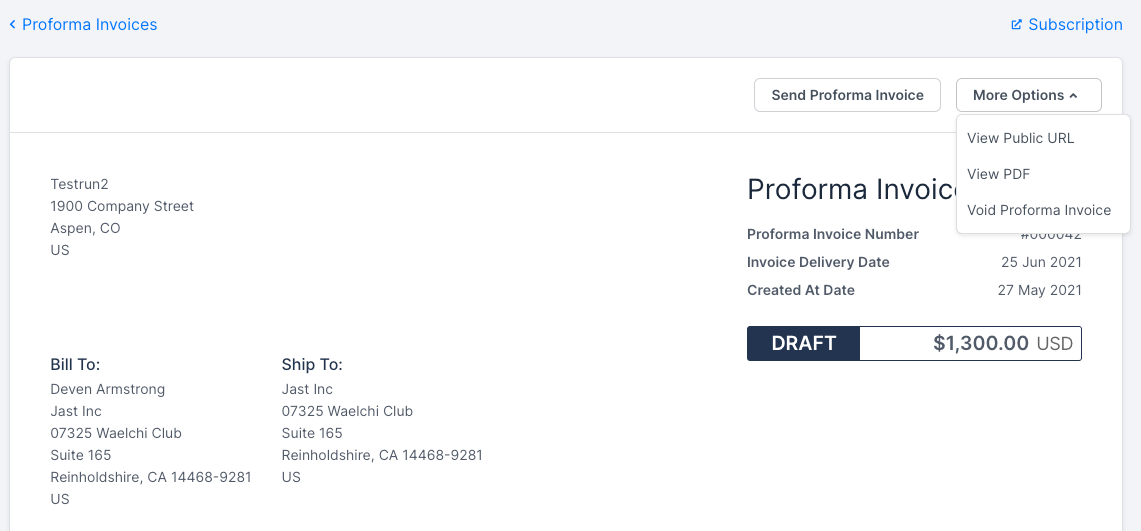
- Click More Options, then select View PDF.
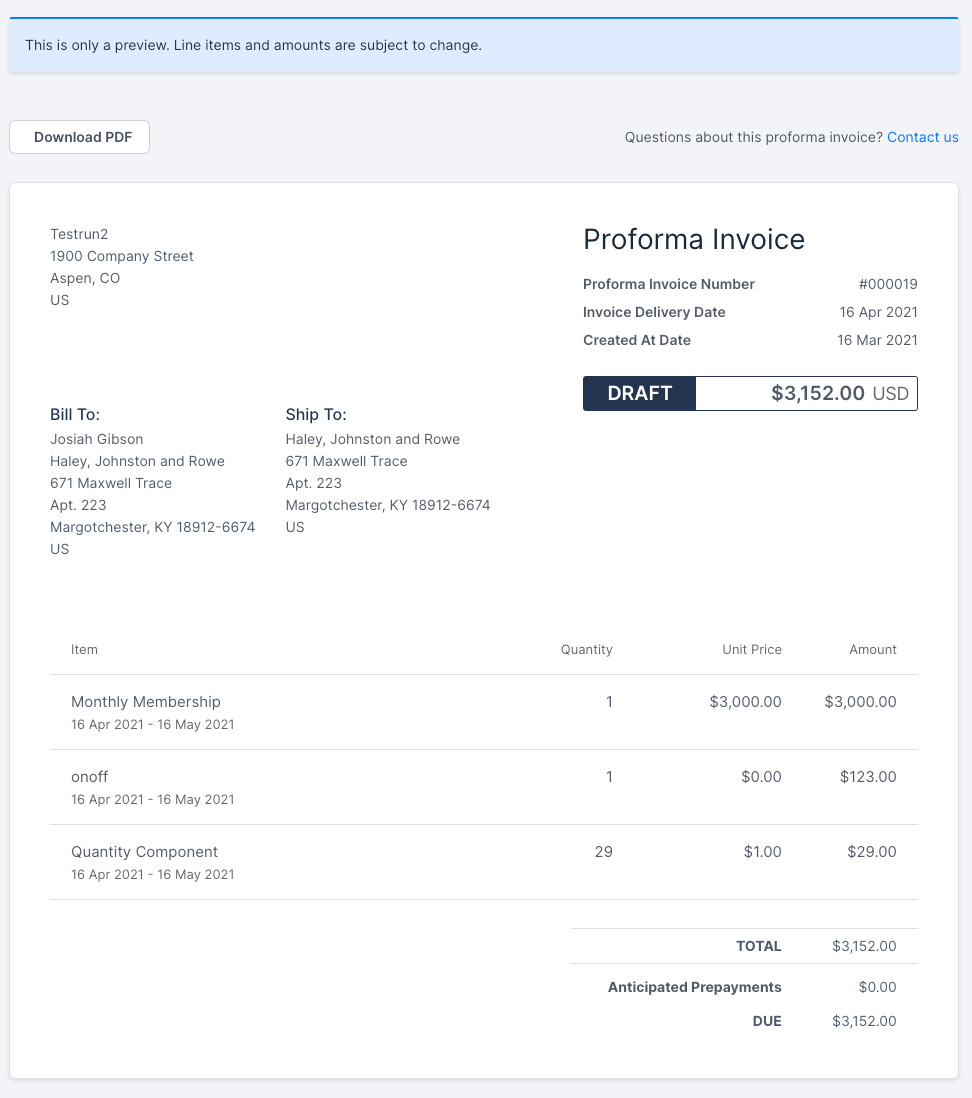
This opens a PDF of the Proforma Invoice for download. Customers can also download a PDF from the Proforma Invoice's public URL by clicking Download PDF.
Get a Proforma Invoice's public URL
Every generated Proforma Invoice has its own static URL to send directly to a customer.
To get a Proforma Invoice's public URL
- Navigate to the Proforma Invoice.
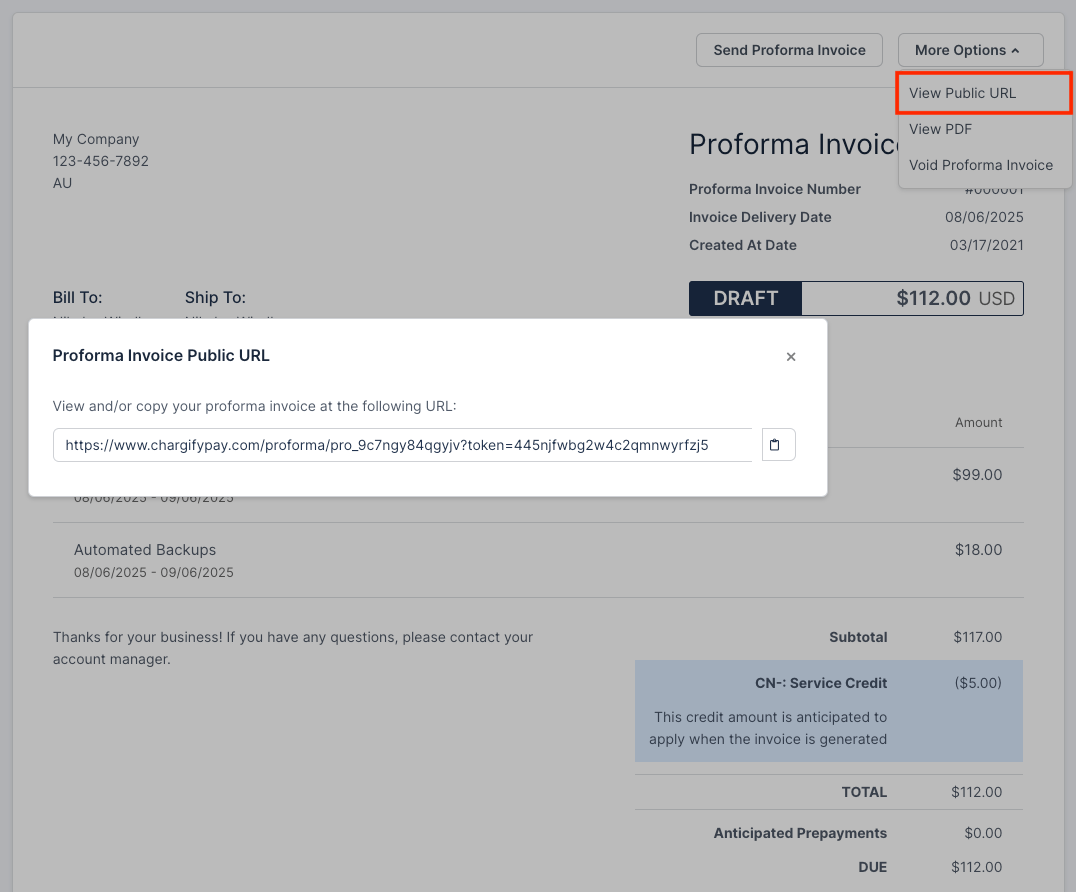
- Click More Options, then select View Public URL.
This shows a link to share with the customer, so they can view the Proforma Invoice. Use this URL in email templates too.
This is the page a customer sees when they open the link.
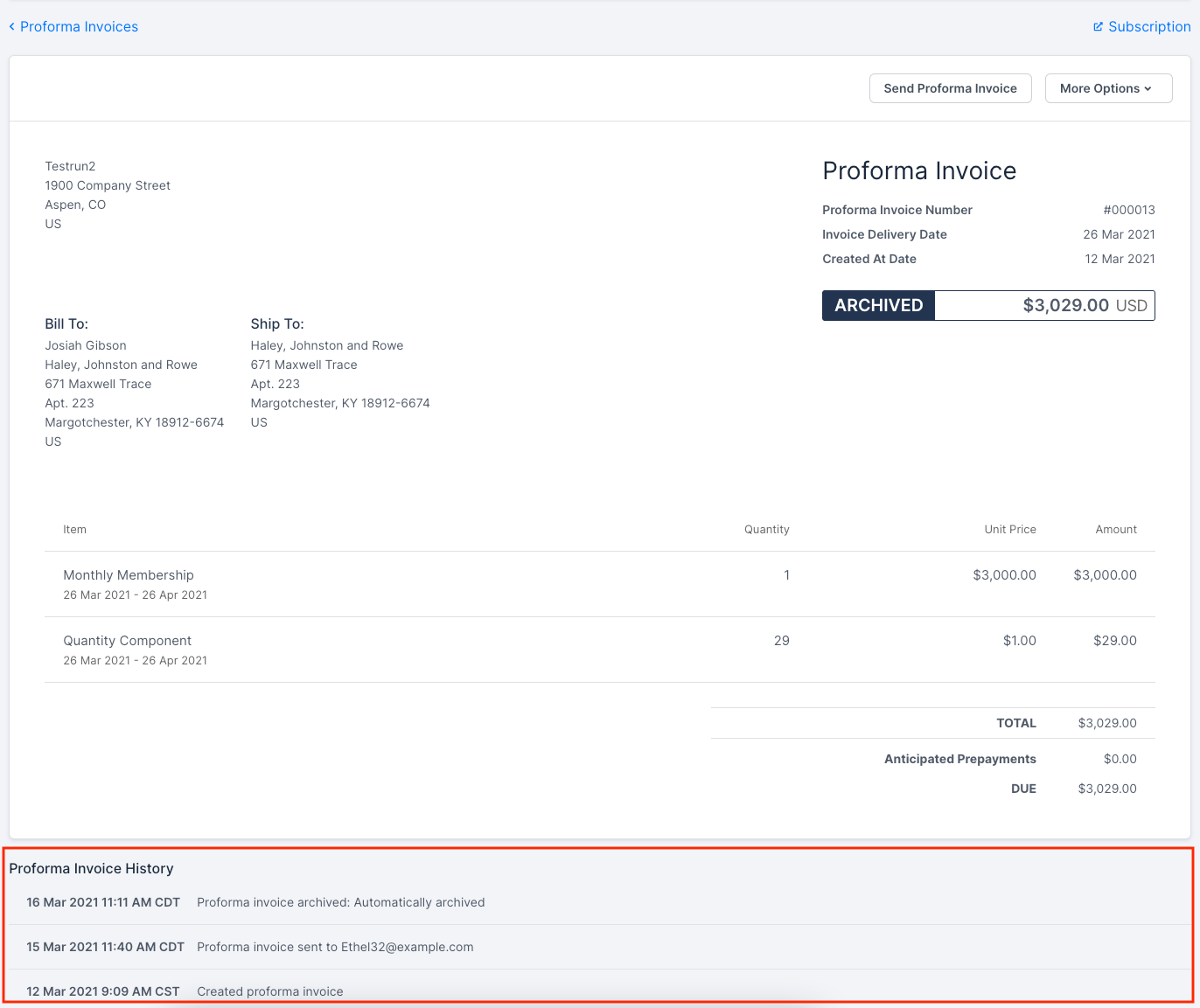
Proforma Invoice History
At the bottom of a Proforma Invoice is the Proforma Invoice History section, which lists actions taken on it, such as when it was created, emailed, or voided, for quick reference.
Send a Proforma Invoice
Email a Proforma Invoice to the customer directly from Advanced Billing.
To send a Proforma Invoice to a customer
- Navigate to the desired Proforma Invoice.
- Click Send Proforma Invoice.
Void a Proforma Invoice
Void a Proforma Invoice that was created by mistake or is no longer needed.
Important: A Proforma Invoice must be in the Draft state to void. Voiding also marks the customer-facing Proforma Invoice as voided.
To void a Proforma Invoice
- Navigate to the Proforma Invoice you want to void.
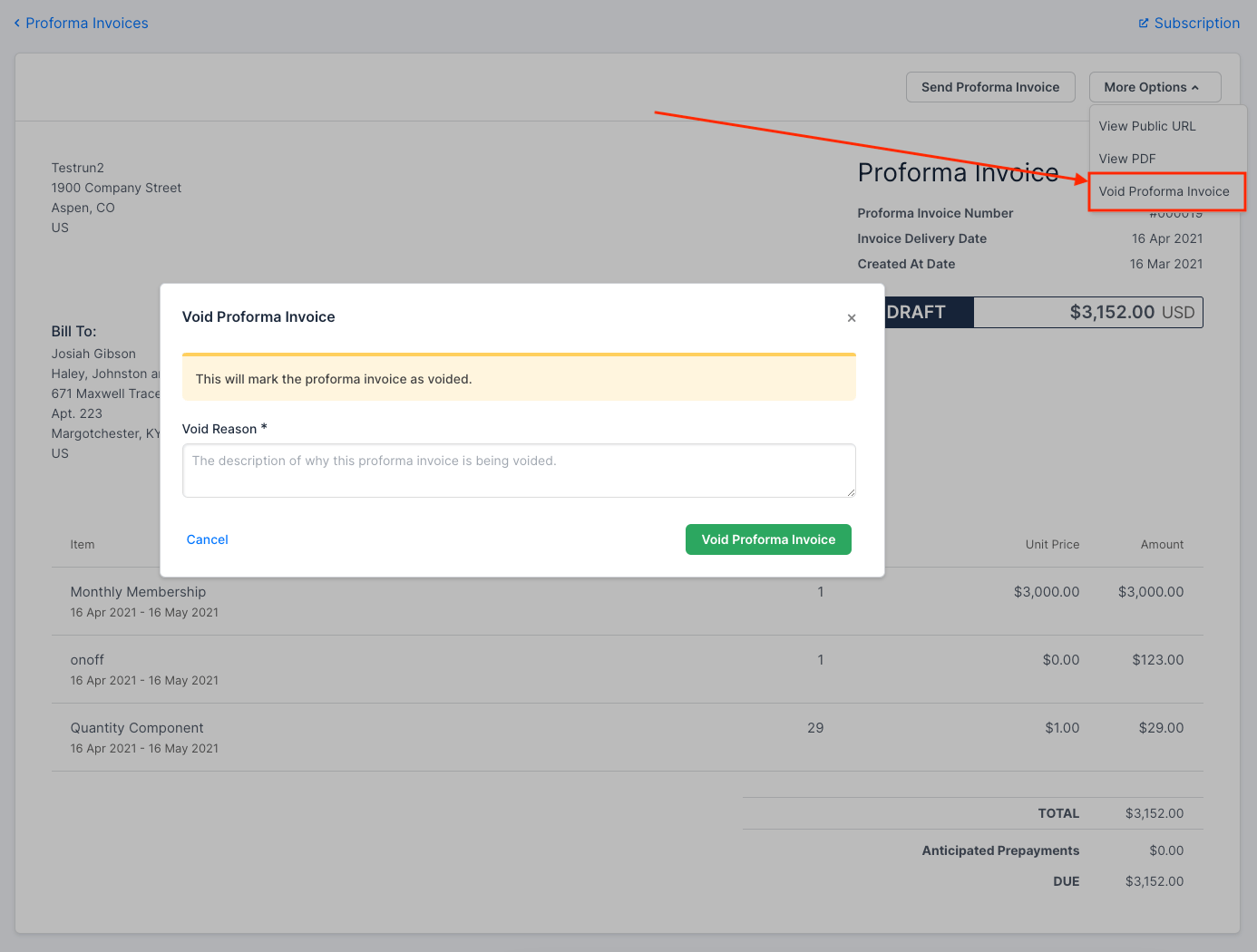
- Click More Options, then select Void Proforma Invoice.
- Enter a Void Reason.
- Click Void Proforma Invoice to confirm.
Automatic archival at renewal and cancellation
A new Proforma Invoice starts in the Draft state and stays there until the subscription's next renewal or cancellation. At that point, Maxio automatically archives every Draft Proforma Invoice for that subscription, since a Proforma Invoice only reflects charges expected at the next renewal.
For a subscription in a Subscription Group, this happens when the primary subscription renews or cancels.
Proforma Invoices for Subscription Groups
Generate Proforma Invoices for Subscription Groups too, consolidated across every member subscription.
To create a Proforma Invoice for a Subscription Group
- Navigate to the desired Subscription Group.
- Scroll to the Proforma Invoices table.
- Click Create New Proforma Invoice.
Generating a consolidated Proforma Invoice takes a couple of seconds; the table refreshes automatically once it's finished.
Like consolidated invoices, a consolidated Proforma Invoice consists of the main consolidated Proforma Invoice plus a proforma segment invoice for each subscription set to renew. If a member subscription is on a different billing cycle than the primary subscription, the consolidated Proforma Invoice only includes segments from subscriptions that renew before or with the primary subscription. Group-level Prepayments and Service Credits are also factored into the final totals.
A consolidated Proforma Invoice has the same options as a single-subscription Proforma Invoice: email the customer, view the public URL, view the PDF, and void it.
Related information
To understand what a Proforma Invoice is and where to find one, see Understand Proforma Invoices.
To configure numbering, email templates, and automated generation rules for Proforma Invoices, see Configure Proforma Invoice Settings.
Still need help?
Reach out and our support team will take it from here.