
Understand Proforma Invoices
Applies to: Advanced Billing
Last updated on Aug 25, 2026
Use Proforma Invoices to preview the charges a subscription's next renewal generates, whether you're reviewing internally or sharing an estimate with a customer. A Proforma Invoice reflects the Plans, Products, proration, Coupons, and credits currently on the subscription.
Prerequisites
Proforma Invoices require Relationship Invoicing to be enabled on your Site. If Relationship Invoicing isn't enabled, the Proforma Invoices tab and settings aren't available.
Key capabilities
A Proforma Invoice covers what a subscription is expected to be billed at its next renewal, and gives you several ways to review, store, and share that estimate before the real invoice generates.
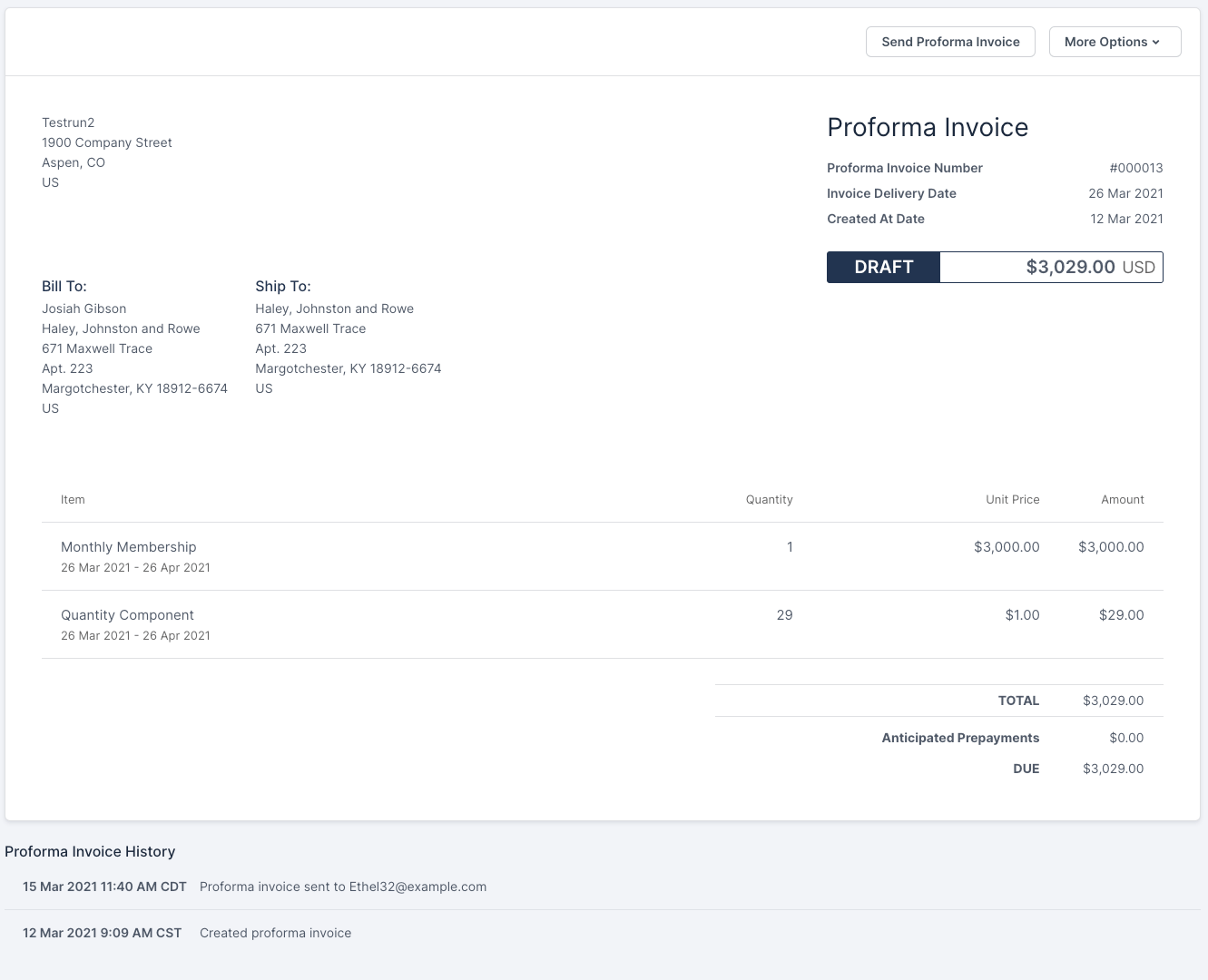
What a Proforma Invoice shows
A Proforma Invoice lets you and your customer preview the amount a subscription is expected to be billed at its next renewal, generated any time before that renewal happens. This is especially useful for subscriptions on longer billing cycles, when someone wants to know what the next bill looks like partway through the current period.
When you generate a Proforma Invoice, Maxio takes a snapshot of all the charges expected at the subscription's next renewal. This snapshot includes any Plan, Product, and proration charges, along with Coupons, Service Credits, and Prepayments already on the subscription, and it's used to create the Proforma Invoice.
If any of these charges or discounts change after you generate a Proforma Invoice, generate another one to reflect the new charges. For example, if a subscription has a $0 Plan with 3 Products worth $1 each, a Proforma Invoice shows an expected charge of $3 for the next billing. If one of those Products is then removed from the subscription, generating another Proforma Invoice shows the updated charge of $2 for the remaining 2 Products.
The Proforma Invoice uses the same layout and language customization settings enabled for your invoices.
Where to find Proforma Invoices in Advanced Billing
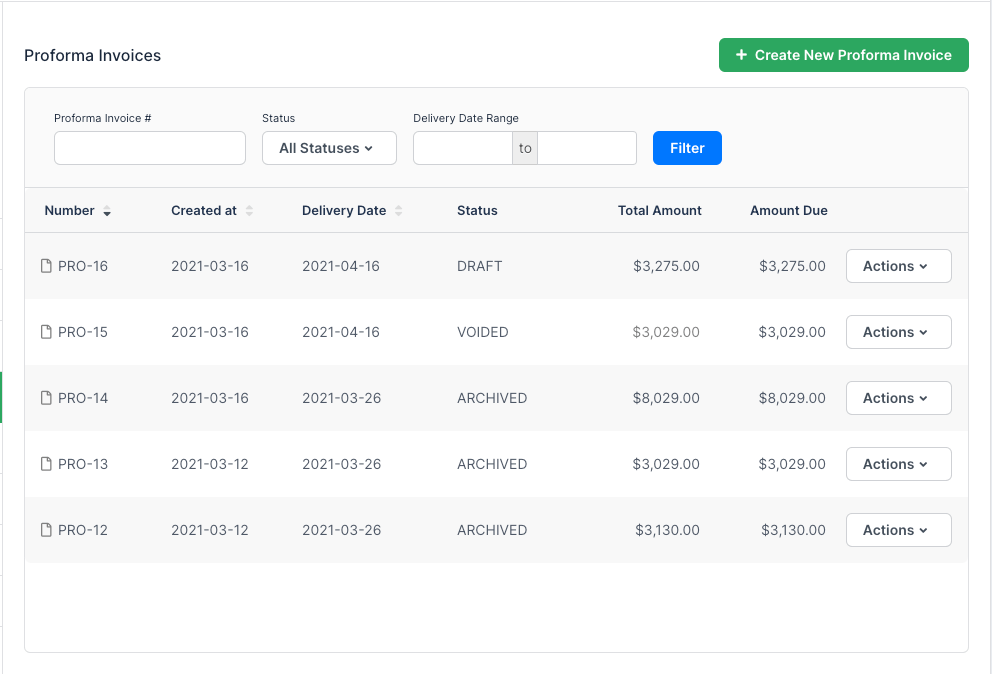
Find generated Proforma Invoices by navigating to a subscription and clicking into the Proforma Invoices tab.
When a subscription is in a group, its segment Proforma Invoices are visible from the subscription, but to view the full consolidated Proforma Invoice or generate a new one, visit the subscription group page instead.
Proforma Invoice communications
Send or share a created Proforma Invoice with your customer in a customized Proforma Invoice email, or by sharing its static URL or a PDF copy.
How Proforma Invoices relate to proforma preview
Like proforma preview, generating a Proforma Invoice creates a snapshot of a subscription's expected next billing. Unlike proforma preview, a Proforma Invoice is stored for later viewing. For more on proforma preview, see Previewing and Creating Proforma Invoices.
Limitations
A subscription in most states is eligible to generate a Proforma Invoice, but a few states aren't. This happens when a subscription doesn't have a defined next billing date, which occurs in these states:
- Canceled
- Expired
- On Hold
- Past Due
- Paused
- Suspended
- Trial Ended
- Unpaid
Prepaid subscriptions are ineligible to generate Proforma Invoices in any state.
Related information
To configure numbering, email templates, and automated generation rules for Proforma Invoices, see Configure Proforma Invoice Settings.
To generate, share, email, or void a Proforma Invoice, see Create and Manage Proforma Invoices.
Still need help?
Reach out and our support team will take it from here.