---
title: Understand How Custom Pricing Works
url: https://docs.maxio.com/billing/subscriptions/configuration/custom-pricing/understand-how-custom-pricing-works
applies_to: Advanced Billing
updated: 2026-08-29
---
# Understand How Custom Pricing Works
Use Custom Pricing to define a price for a Plan or Product that's specific to one Subscription. You define these prices during a Subscription action, such as updating pricing or quantity, and they *do not* appear in the Catalog.
Custom Pricing helps you manage sales-negotiated Subscriptions alongside self-service sign-up Subscriptions *without* expanding your Catalog unnecessarily. It also lets you define prices on demand, without a separate catalog workflow.
## Ways to use custom pricing
You can apply Custom Pricing in several ways:
- Through the API
- Through the Salesforce integration
- Through the HubSpot integration. See Set Custom Pricing on a HubSpot Deal for that flow.
- Through a Subscription page
- Through a combination of the above
> The rest of this article covers Custom Pricing through the Subscription page. For Custom Pricing through the Salesforce integration, contact your Customer Success Manager.
## Custom Pricing for Plans
You can set Custom Pricing for Plans using the following actions:
- Set Custom Pricing on a Subscription
- Change Plan
Custom Pricing for a Plan includes similar configurable attributes as a Plan Price Point, including name, price, interval, trial, setup fee, and expiration. Unlike a Plan Price Point in the Catalog, Custom Pricing supports only one currency, the currency of the Subscription.
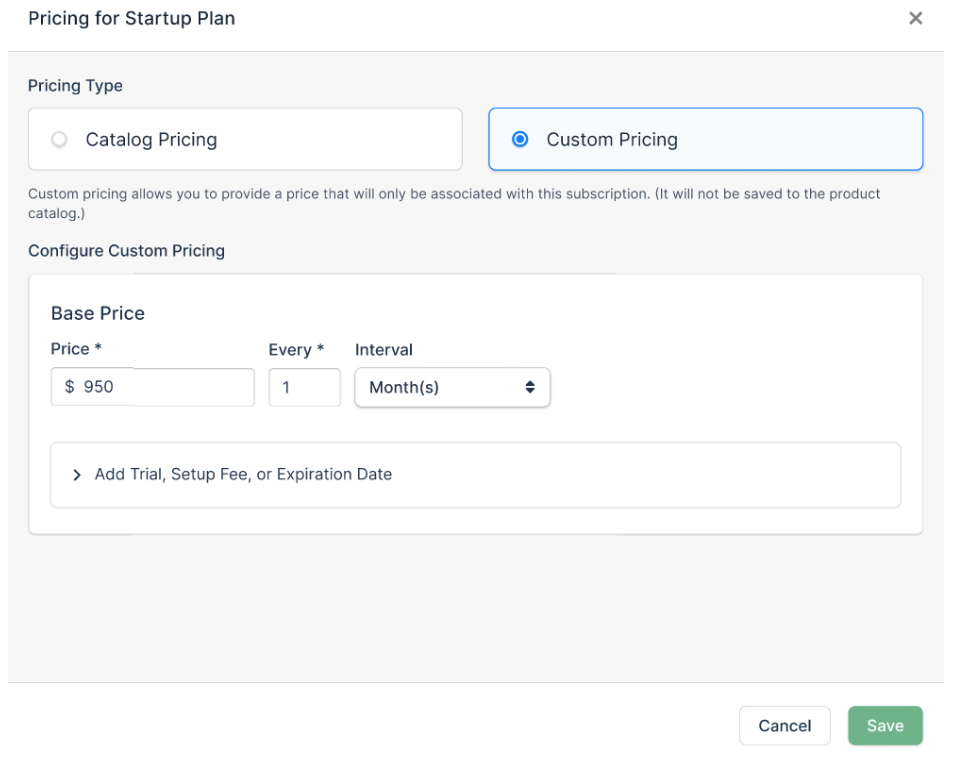
*Custom Pricing configuration for a Plan*
> **Important:** Maxio doesn't currently support an Upgrade/Downgrade migration to a Custom Price. You can perform an Upgrade or Downgrade a Subscription to a Price Point instead.
## Custom Pricing for Products
You can set Custom Pricing for Products using the following actions:
- Update Price Point
- Configure Custom Pricing for Products
Custom Pricing for a Product includes similar configurable attributes as a Product Price Point, including pricing scheme, unit price, price bracket start and end, and tax inclusive settings. Unlike a Product Price Point in the Catalog, Custom Pricing supports only the Subscription currency.