
TaxJar Integration Overview
Applies to: Advanced Billing
Last updated on Sep 20, 2026
BETA
This feature is currently in beta and may change over time. During the beta period, functionality, availability, and performance may vary.
To join the Beta program, request Beta access.
Use the TaxJar integration to calculate US sales tax for invoices, credit notes, refunds, and voids. Maxio sends customer, subscription or Contract, invoice, and catalog data to TaxJar so TaxJar can return realtime tax calculations and jurisdiction details.
The TaxJar integration must be enabled for your site by Maxio Support or your CSM before the TaxJar setup card appears in your tax settings.
Once it's enabled, the rest of the integration is covered across the remaining articles. Set Up TaxJar in Maxio Invoicing Suite connects your account, and Configure TaxJar Tax Calculation Data prepares the site, catalog, and customer data TaxJar needs before a rate can be accurate. How TaxJar Calculates Tax in Maxio explains what Maxio sends and what comes back on each eligible charge. To confirm the result before you bill, work through Create a Taxed Subscription with TaxJar or Create a Taxed Contract with TaxJar, and see TaxJar Troubleshooting and FAQs when a rate comes back wrong or missing.
Key capabilities
The TaxJar integration supports real-time tax calculation, tax metadata storage, and transaction synchronization from Maxio. These capabilities help keep invoices and tax reporting aligned across both systems.
- Single source of credentials: Site settings hold your TaxJar API key and let you test, update, or disable the connection from the Maxio UI.
- Preview and committed tax quotes: Maxio calls TaxJar for a soft quote when previewing taxes and commits the transaction when the charge is final.
- Automated invoice metadata: Successful TaxJar calls are converted into structured metadata, including TaxJar transaction IDs and jurisdiction breakdowns.
- Error transparency: TaxJar API failures are surfaced as user-friendly errors in the UI, logged internally, and reported to monitoring systems.
- Sandbox-safe testing: Sandbox credentials can be used to validate the connection and end-to-end behavior before going live.
What syncs
Maxio and TaxJar exchange tax calculation and transaction data when the integration is enabled. The direction of the sync depends on whether Maxio is sending transaction details or receiving tax calculation results.
| Direction | Data |
|---|---|
| Maxio to TaxJar | Invoices, invoice voids, refunds, credit notes, customer details, and catalog details when supported. |
| TaxJar to Maxio | Real-time tax calculation results and jurisdiction breakdowns. |
Prerequisites
Before using TaxJar with Maxio, confirm that your Maxio site and TaxJar account are ready. These requirements help prevent setup errors and failed tax calculations.
- The TaxJar integration add-on is enabled for your site.
- A valid tax origin address is configured in Maxio.
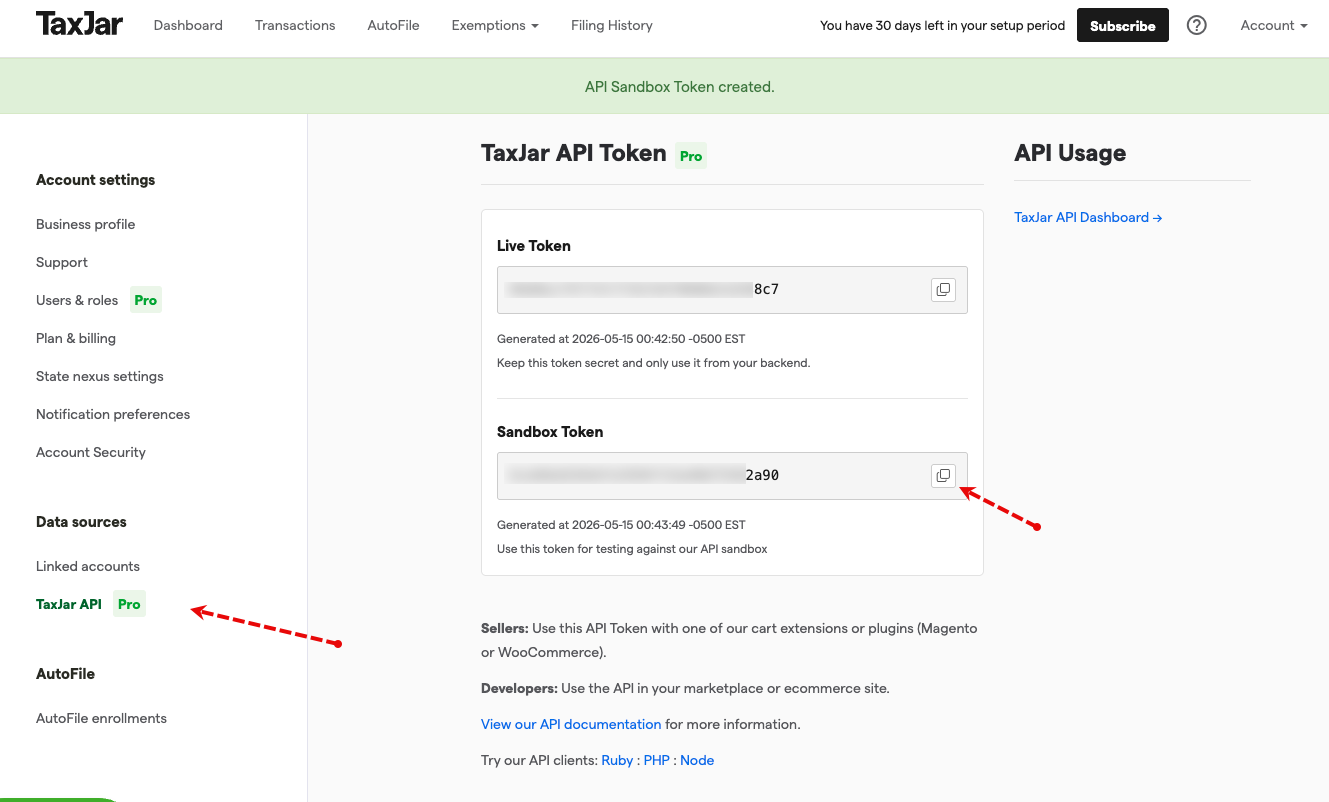
- Your TaxJar API key is available.
- Your TaxJar account has the regions and product categories you sell in configured.
- Products and components are marked taxable when tax should apply.
- TaxJar product tax codes are assigned when a product or component needs a specific tax category.
- Customer billing or shipping addresses are collected based on your site's tax address setting.
A site is considered fully configured for TaxJar when a valid tax origin address is set in Maxio and valid TaxJar API credentials have been saved.
Customer responsibilities
Even with the integration enabled, customers remain responsible for maintaining the tax settings that TaxJar uses to calculate, report, and file taxes.
- Product taxability decisions.
- Product tax code assignment.
- Customer address collection and completeness.
- Tax origin configuration.
- Nexus configuration.
- Filing cadence and AutoFile setup, if used.
Maxio handles the data flow. TaxJar handles the tax decisions.
Limitations
Review these limitations before enabling TaxJar. They can affect provider selection, supported workflows, and how tax filing is managed outside Maxio.
- TaxJar is US-focused. TaxJar is strongest for US sales tax. For broad international coverage, Anrok or Avalara may be a better fit.
- Only one tax provider can be active per site. Only one of TaxJar, Avalara, Anrok, Numeral, or Sphere can be active on a site at a time.
- AutoFile is managed in TaxJar. Filing is configured and executed inside TaxJar, not Maxio.
- Subscription groups are not supported in V1. Subscription group scenarios are out of scope for the initial release.
- Core to e-Bill is not supported. This release focuses on Maxio Invoicing Suite.
Still need help?
Reach out and our support team will take it from here.