
Understand Offers
Applies to: Advanced Billing
Last updated on Aug 26, 2026
Use Offers to package a Plan, Products, and Coupons into a single item a Customer can buy, combining the building blocks of your catalog so new pricing is easier to bring to market. Once you create an Offer, you can subscribe Customers directly to it without needing to store or remember all the details under the hood.
You can also present an Offer as a quote to a prospective Customer using Offer Signup Pages. See Create and Manage Offer Signup Pages.
Why use an offer
An Offer is a saved combination of catalog items you already have — a Plan with its Products and Coupons — not a new catalog object in its own right. The value is repeatability: a bundle your sales team sells regularly is defined once and then applied consistently, instead of being reassembled from its parts — and possibly assembled differently — on each new subscription.
Creating an offer
Create an Offer using the + Create Offer button on the Offers page (Catalog > Offers in the main navigation).
This brings up the Offer builder page.
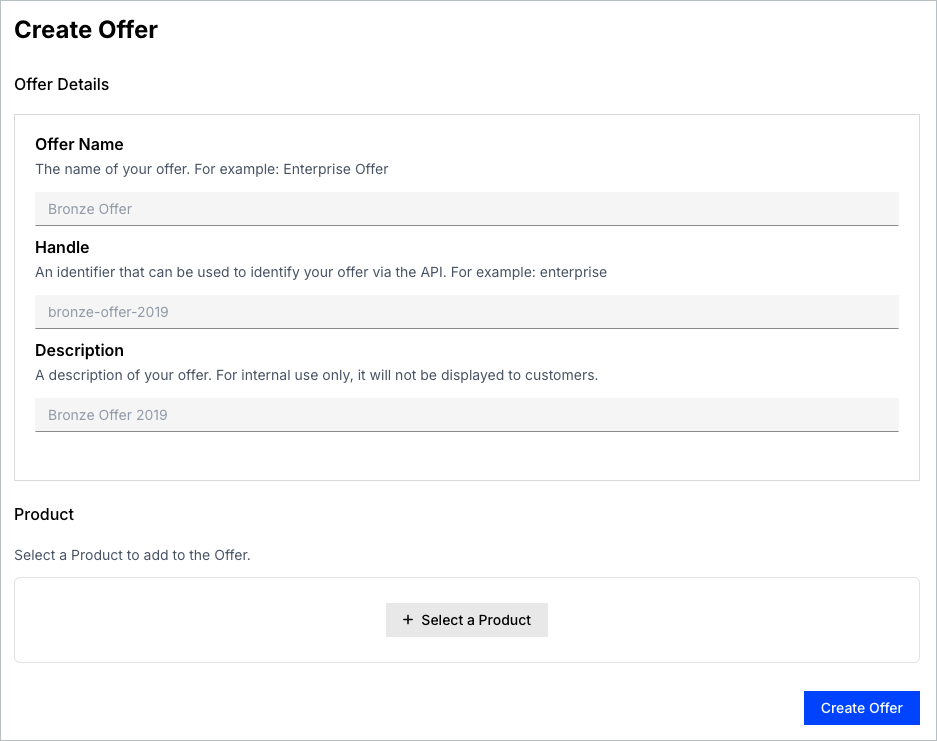
The basic parameters of an Offer are:
The Offer builder validates and saves the items you select when you click Create Offer.
The Handle is the Offer's stable identifier — it is what you reference the Offer by outside the user interface, so choose one you can live with rather than renaming it later.
Still need help?
Reach out and our support team will take it from here.