
Create and Manage Offer Signup Pages
Applies to: Advanced Billing
Last updated on Sep 17, 2026
Offer Signup Pages give a Customer a static, pre-configured signup link for an already-agreed-on deal, rather than a fully configurable public form. Create a page for each offer you want to send, edit it as the deal changes, and know that archiving its Product or Product Price Point automatically closes it to new signups.
Find Offer Signup Pages in the main navigation under Catalog > Offer Signup Pages.
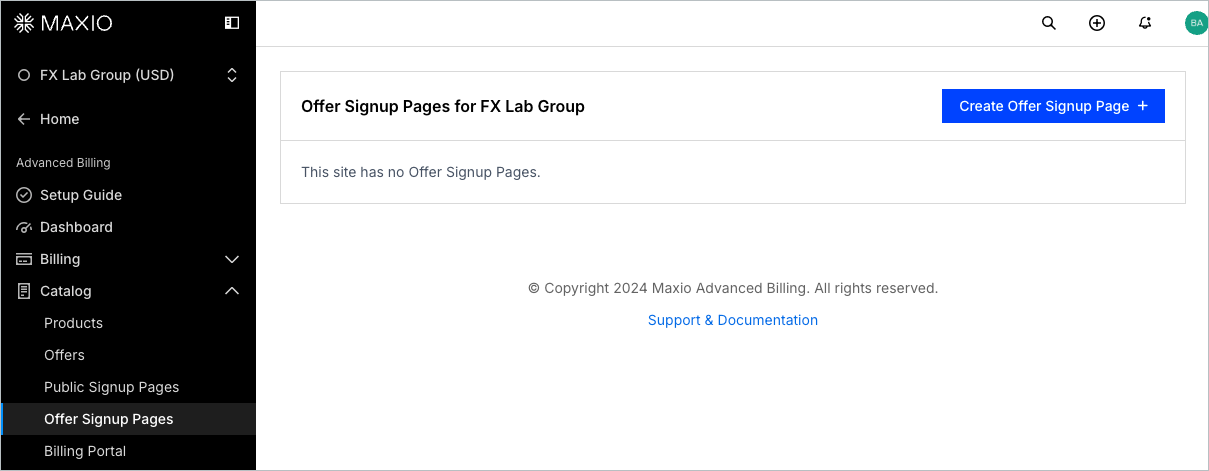
Each Offer Signup Page has its own list of possible actions as well as details such as the access URL. You can also create new Offer Signup Pages from this page.
Create an Offer Signup Page
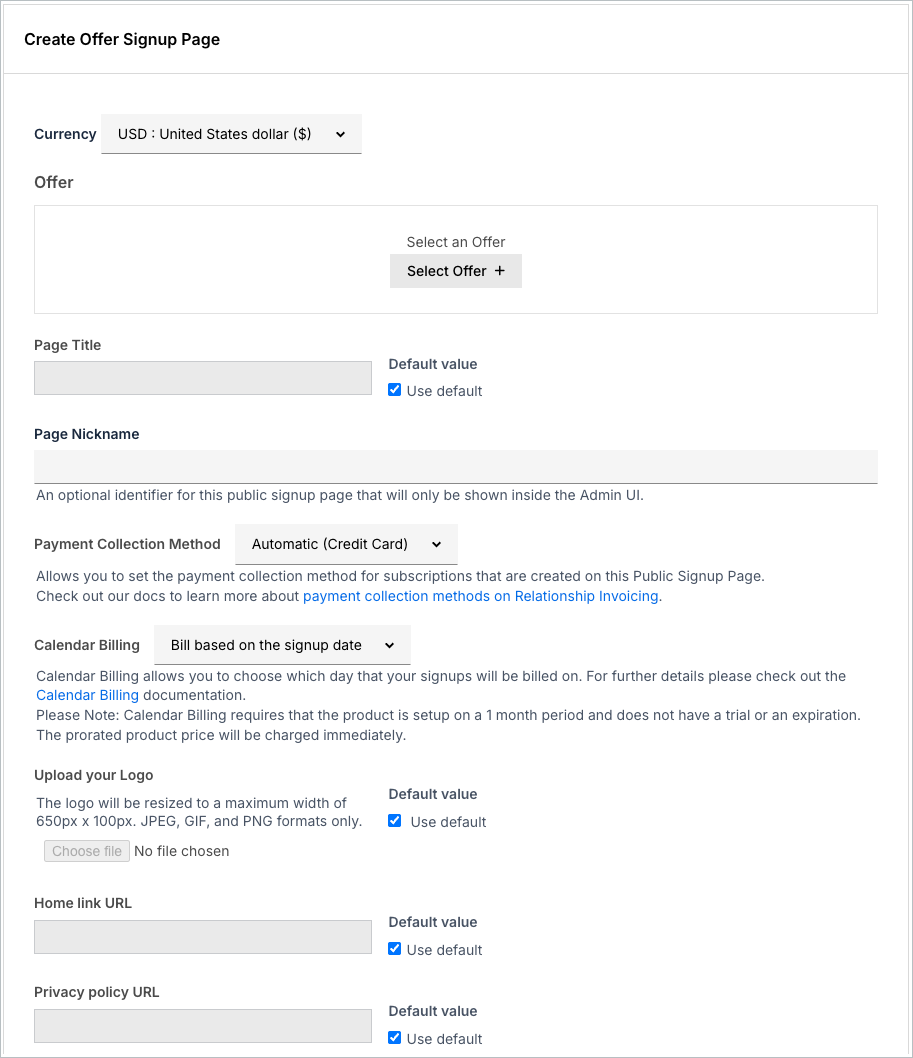
You can create a new Offer Signup Page by using the Create Offer Signup Page link within the Offer Signup Page section.
Edit an Offer Signup Page
You can edit an Offer Signup Page by selecting Edit from the actions menu.
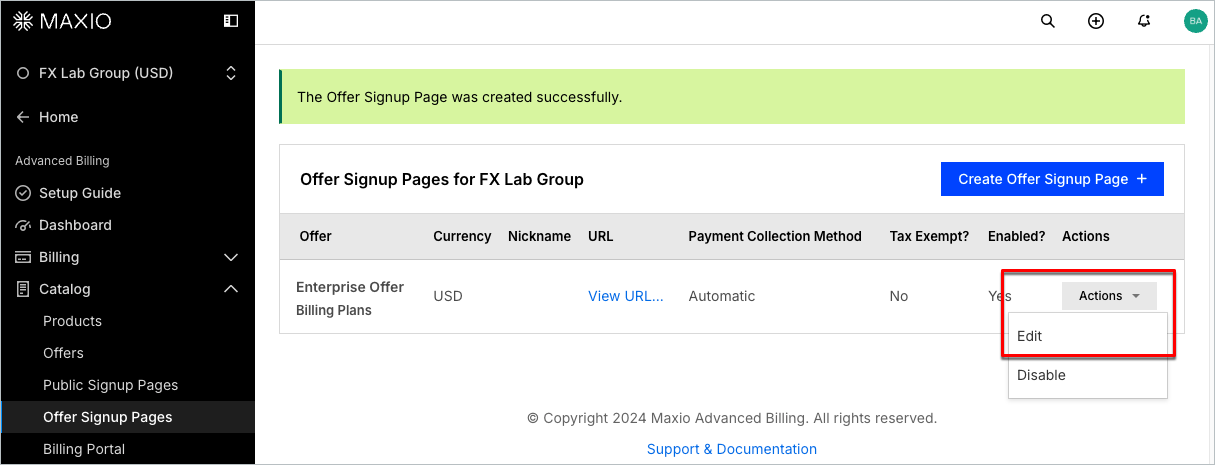
From the edit screen you can change any of the properties of the Offer Signup Page.
Important: Editing an Offer Signup Page doesn’t change its existing URL. If you already published or shared that URL, anyone using it will see your updated page, not a separate new one.
Custom CSS and JavaScript are available on an Offer Signup Page if your account has this feature enabled. If it isn’t, contact us or upgrade to a paid plan for access.
You can set a Return URL after successful signup from the Offer Signup Page settings to control where customers go after completing signup. Leave it blank to show the default receipt page instead.
Enable Security Question (CAPTCHA) is also available on an Offer Signup Page. It adds an invisible reCAPTCHA v3 check that scores each signup attempt and rejects any submission scoring below your site's minimum score, without showing the Customer a challenge. The minimum score applies to every signup page on the site and is set in Public Page Default Settings. See Enable a security question.
Block signups for archived Products
Offer Signup Pages do not allow customers to subscribe to archived Products or archived Product Price Points. When a Product or Product Price Point associated with an Offer Signup Page is archived, the page is no longer available for new signups and displays a "page not found" error.
To prevent new signups through an Offer Signup Page, archive the associated Product, Product Price Point, or Offer Signup Page.
Still need help?
Reach out and our support team will take it from here.