
Use Advanced Formulas with Metered Fields
Applies to: Advanced Billing
Last updated on Aug 28, 2026
BETA
This feature is currently in beta and may change over time. During the beta period, functionality, availability, and performance may vary.
To join the Beta program, request Beta access.
Combine multiple Meters into a single calculated value on a Metered Field, so customers see one meaningful number instead of several raw meter readings they'd have to add up themselves. Use a formula to simplify what appears on the invoice, apply thresholds, or calculate a derived metric like a ratio or net usage that no single Meter provides on its own.
By default, a Metered Field displays the raw aggregated value for each Meter you select. For example, instead of showing reads and writes as two separate rows, you could display a single Total I/O Metered Field driven by the formula [reads] + [writes].
Important: Advanced Formulas in Metered Fields require the
meter_formulafeature to be enabled on your site, in addition to Metered Fields. Contact Maxio Support to request access.
Enable a formula on a Metered Field
-
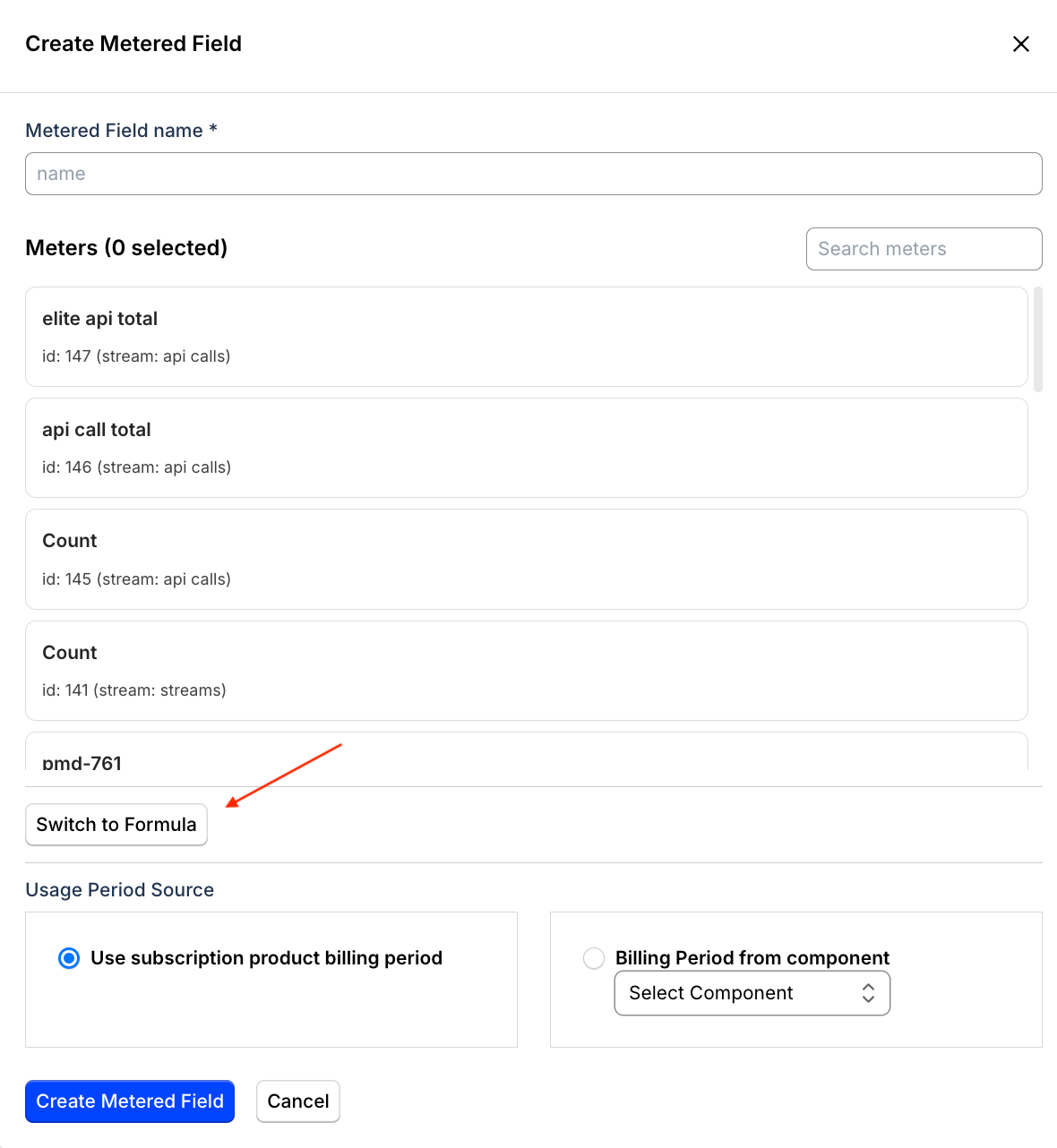
When creating or editing a Metered Field, click Switch Formula.
-
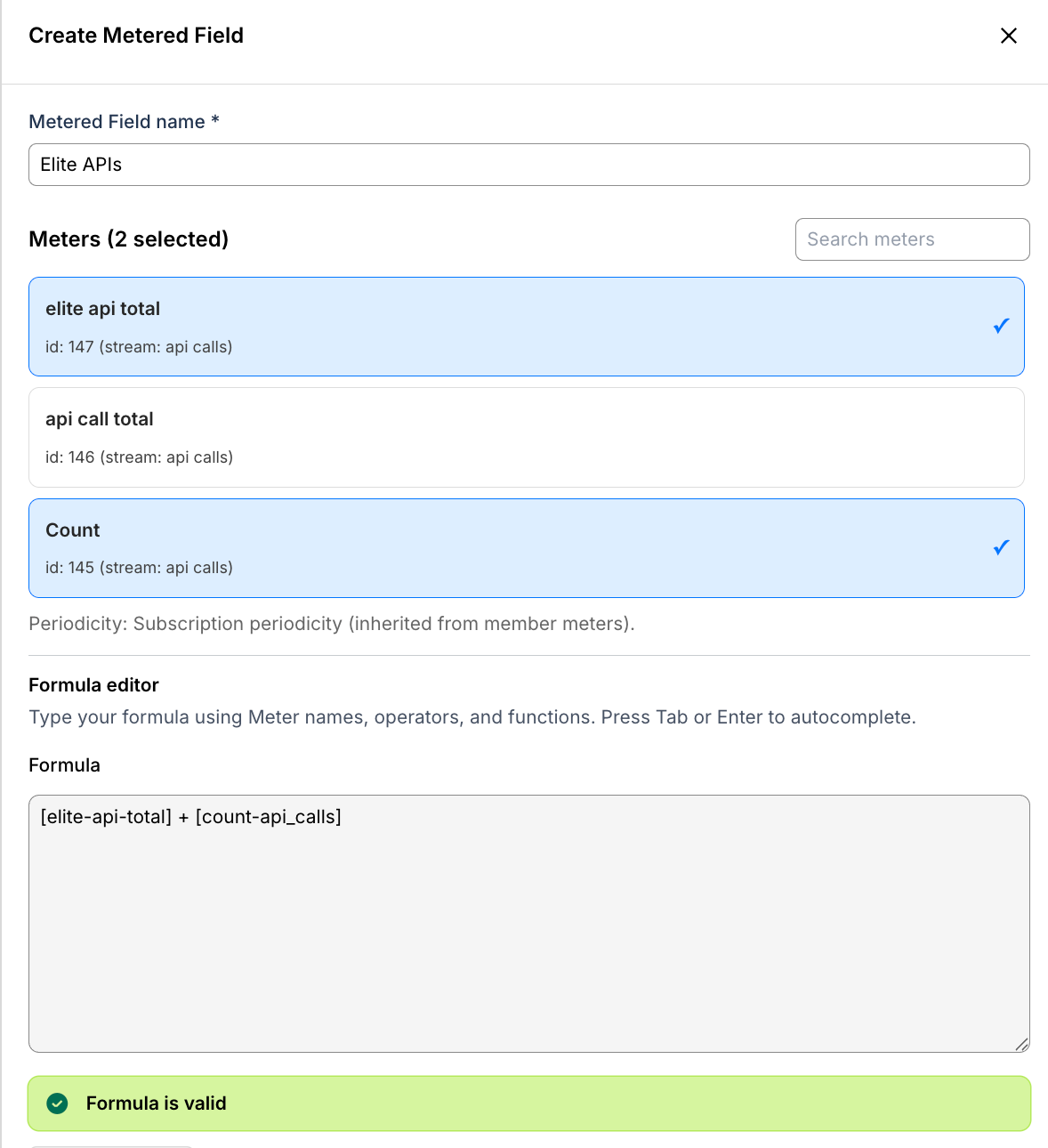
Click Select Meters to choose the member Meters to include in your formula. All Meters must belong to the same Stream.
-
Enter a formula expression using
[meter-handle]bracket notation, for example[reads] + [writes]orMAX([revenue] - [cost], 0). -
Click Validate to confirm the formula syntax and Meter references before saving.
-
Click Save.
Supported formula syntax
| Element | Syntax | Example |
|---|---|---|
| Meter reference | [meter-handle] | [api-calls], [storage-gb] |
| Addition | + | [reads] + [writes] |
| Subtraction | - | [revenue] - [cost] |
| Multiplication | * | [calls] * 0.01 |
| Division | / | [total] / [count] |
| Less than | < | [usage] < 1000 |
| Greater than | > | [usage] > 1000 |
| Absolute value | ABS(expr) | ABS([inbound] - [outbound]) |
| Minimum | MIN(a, b) | MIN([usage], 1000) |
| Maximum | MAX(a, b) | MAX([usage] - [included], 0) |
| Round | ROUND(expr, places) | ROUND([revenue] / [count], 2) |
| Conditional | IF(condition, value_if_true, value_if_false) | IF([usage] < 5000, 0, [usage]) |
Related information
To understand Metered Fields before configuring a formula, see Understand Metered Fields for Invoices.
To create and activate a Metered Field, see Create Metered Fields for Invoices.
For formula syntax used directly on a Meter (not within a Metered Field), see Use Advanced Formulas Between Meters.
Still need help?
Reach out and our support team will take it from here.