
Set Product Price Points
Applies to: Advanced Billing
Last updated on Aug 25, 2026
Record which Price Point applies when you allocate a Product on a Subscription that's already running.
Using product price points
This section covers recording Price Point-based Products on current Subscriptions. For this section to be useful to your organization, you must already be using Price Points. If you're not sure what Price Points are in Advanced Billing, see the Understand Products article.
Recording product usage
When recording usage for a Subscription for the first time, Advanced Billing automatically selects the default Price Point for the existing Product settings.
As an example, take a look at the Product Price Point below and the Subscription example. Advanced Billing gives you the option of using the default Price Point or selecting any additional Price Points when you record Products.
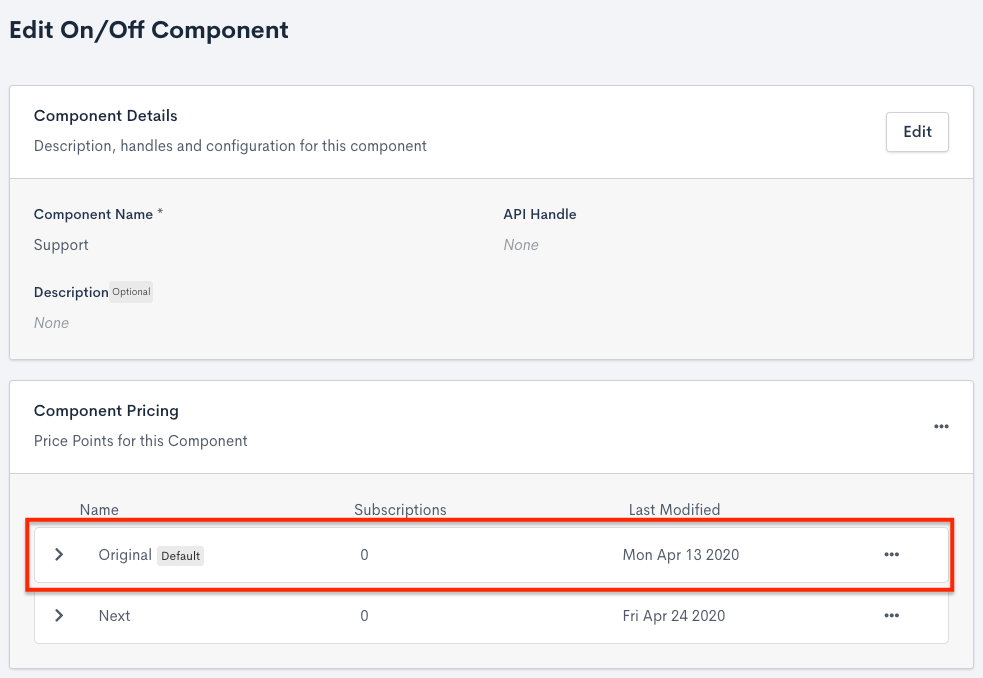
$10.00 is the default Price Point on the Product
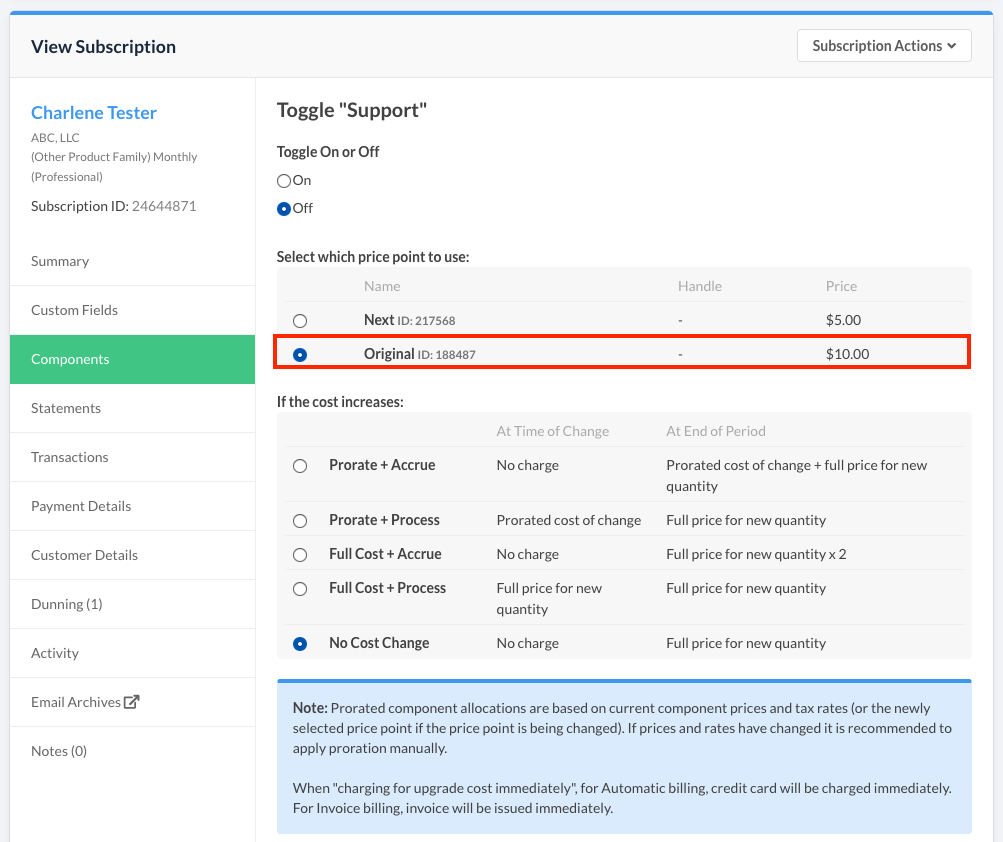
$10.00 is the default option on the Subscription
Price point limitations
Merchants may only record one Price Point per Product for a subscriber's recurring period.
Quantity product example
- A subscriber has a quantity-based Product called Standard associated with their monthly Subscription.
- 10 units are recorded on the 10th of the month, at the Standard Price Point.
- 20 units are recorded on the 15th of the month, at the Special Price Point.
- All 20 units are now recorded at the Special Price Point.
- Previously recorded units still reflect that they were originally recorded at a different Price Point.
- However, the total amount due on the Subscription reflects the cost of all units, calculated using the most recent, Special, Price Point.
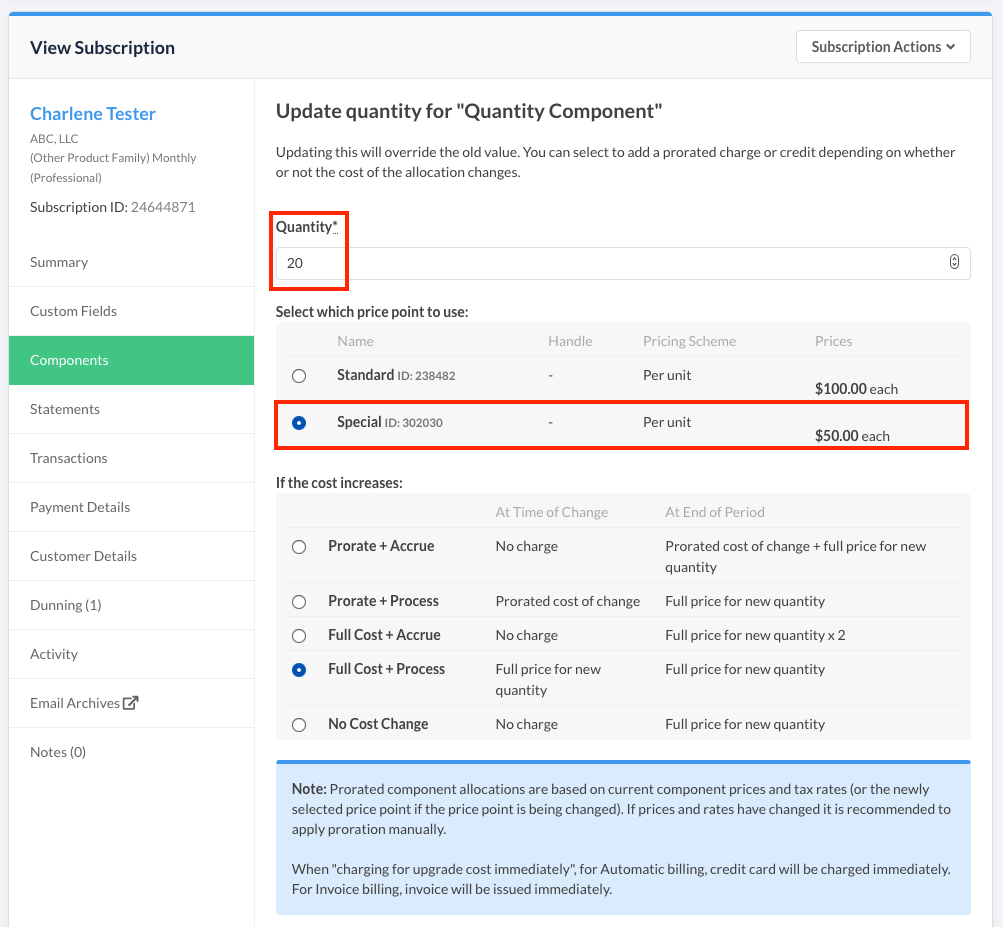
Recording a new Price Point on an existing Subscription
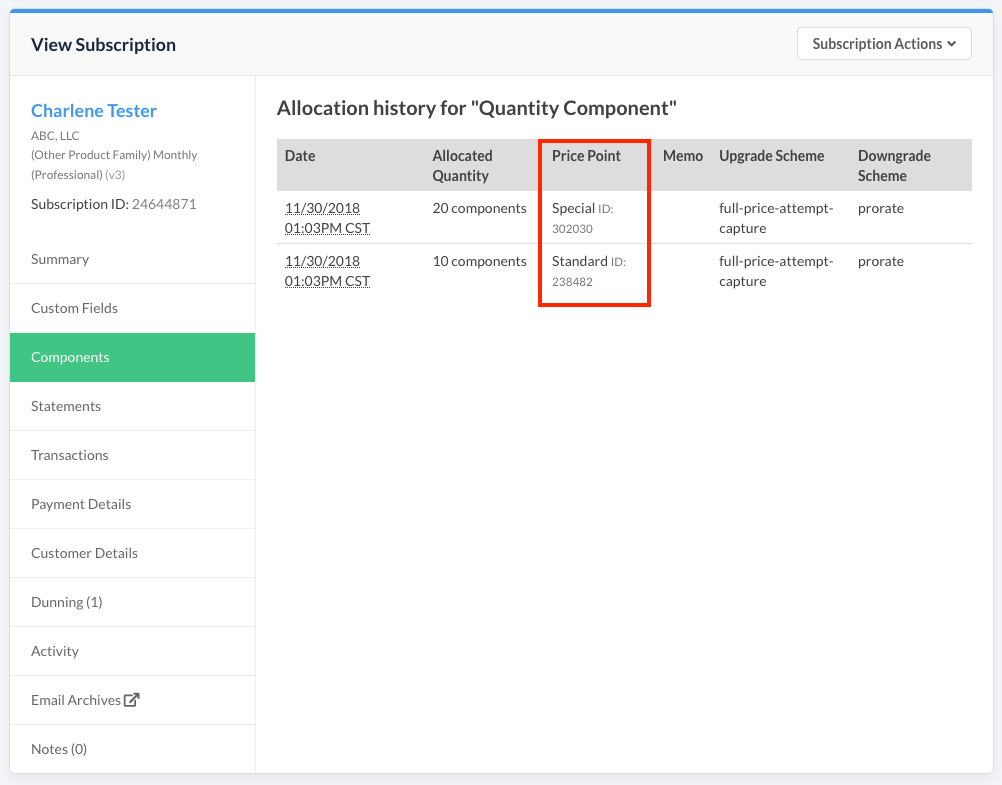
Evidence of previous Price Points recorded
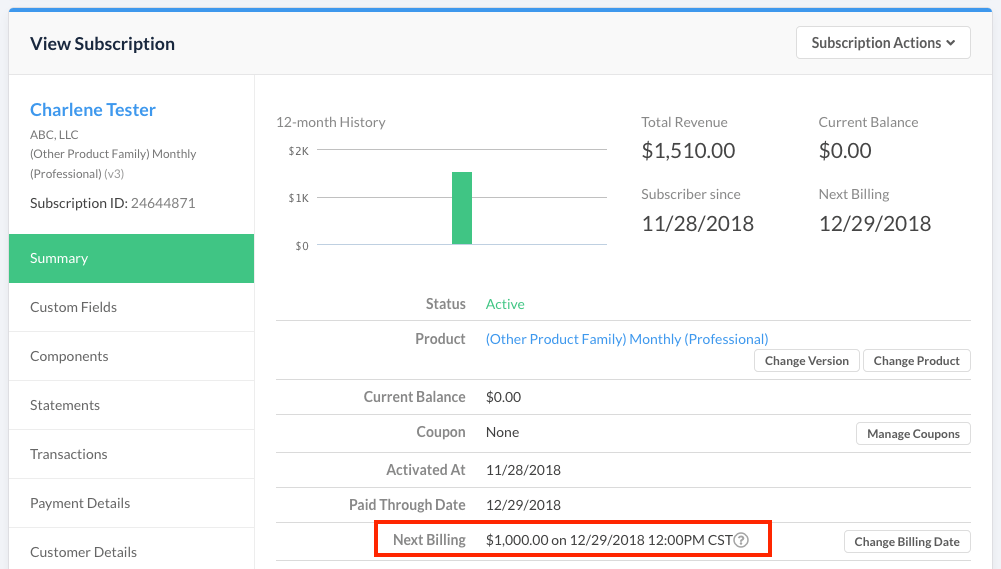
Total next billing based on Product total
Changing the default price point
If you change the current default Price Point on a Product, the Subscription's current Price Point isn't affected. The Subscription remains associated with the previously recorded Price Point.
Updating the price point
The Price Point used on a Product can be updated when allocating a new quantity, or changed separately from the main Products (line items) view.
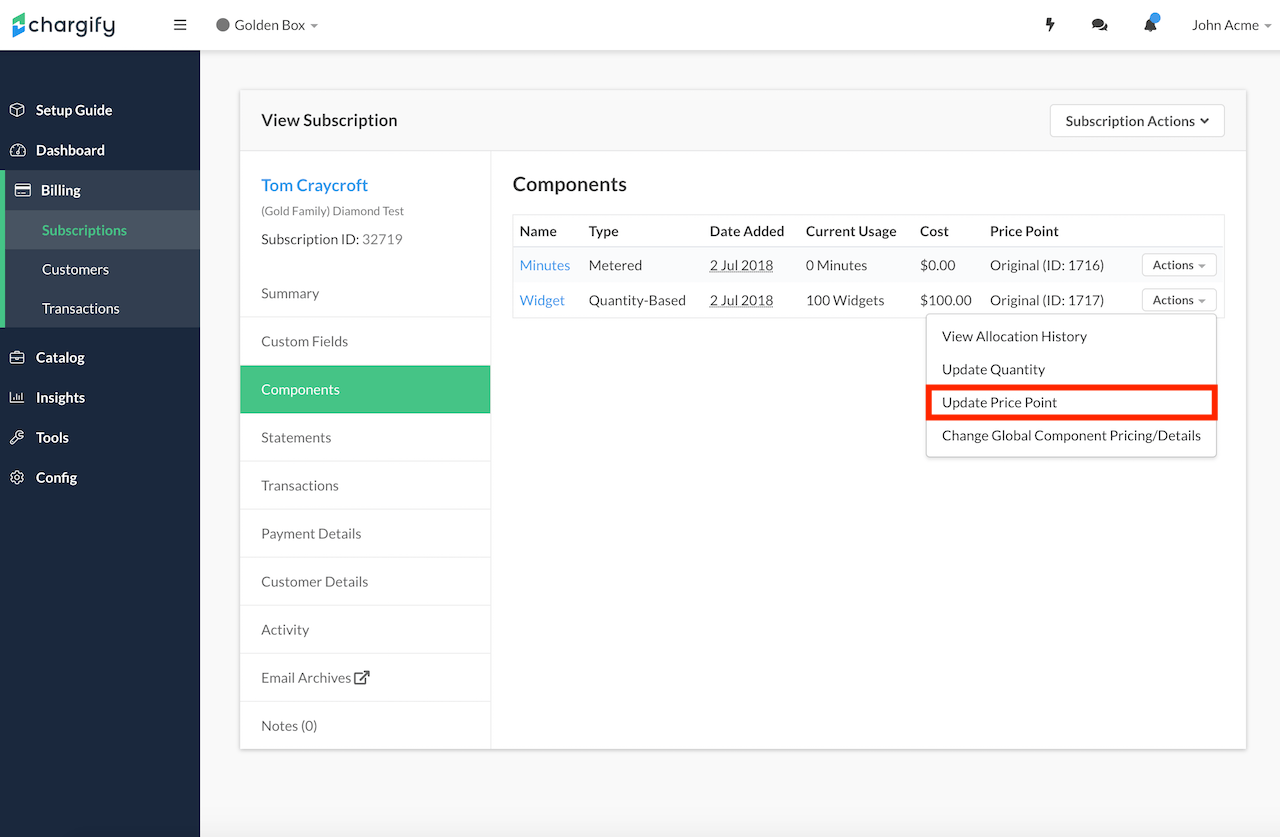
Select Update Price Point
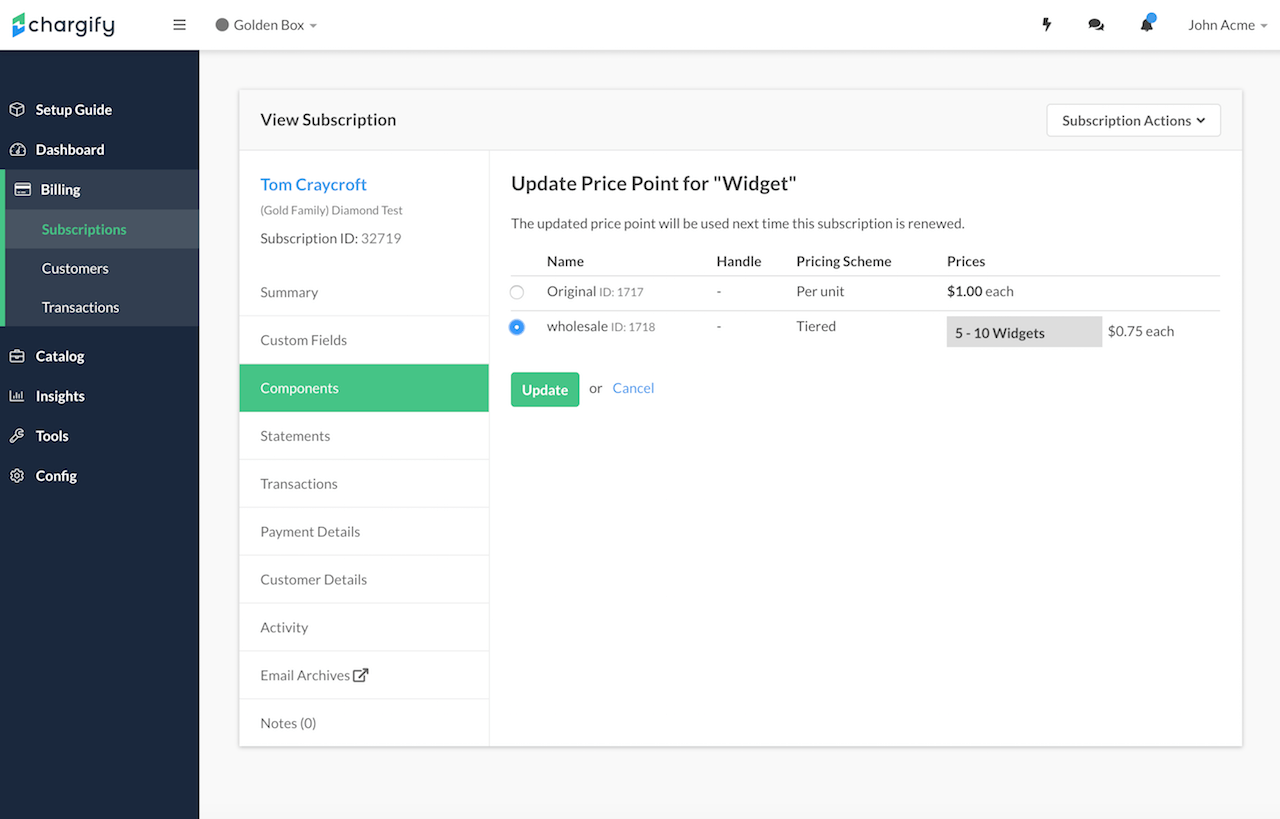
Select the new Price Point
Still need help?
Reach out and our support team will take it from here.