
Sync QuickBooks Payments and Deposits
Applies to: Maxio Core
Last updated on Aug 24, 2026
If you have Stripe or Stax enabled as a payment processor for your e-Bills, your Payments and Deposits sync from Stripe or Stax into Maxio, then into QuickBooks. Syncing Deposits means you don't need to manually enter individual payments and expenses in QuickBooks; you match the synced Deposit record to a bank transaction in QuickBooks instead. See Sync Stripe 1Way Payments and Deposits to QuickBooks. For general sync behavior, see Sync QuickBooks Data.
Deposit account prerequisite
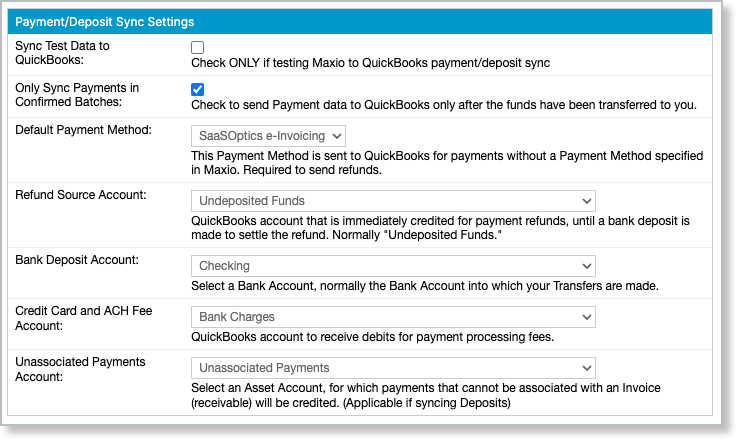
Before Deposits can sync, assign these three accounts in Configure QuickBooks Integration Settings: Bank Deposit Account, Credit Card and ACH Fee Account, and Unassociated Payments Account. If any of these aren't set, Maxio shows a "QuickBooks Accounts for Deposits Unset" alert on your QuickBooks landing page and won't sync Deposits.
Auto-merge duplicate payments
QuickBooks Online only. The Auto-merge duplicate payments on invoices setting merges a QuickBooks Online payment with an existing Invoice payment already in Maxio when the amount and date match, instead of creating a separate payment record.
How fees split out of a Deposit
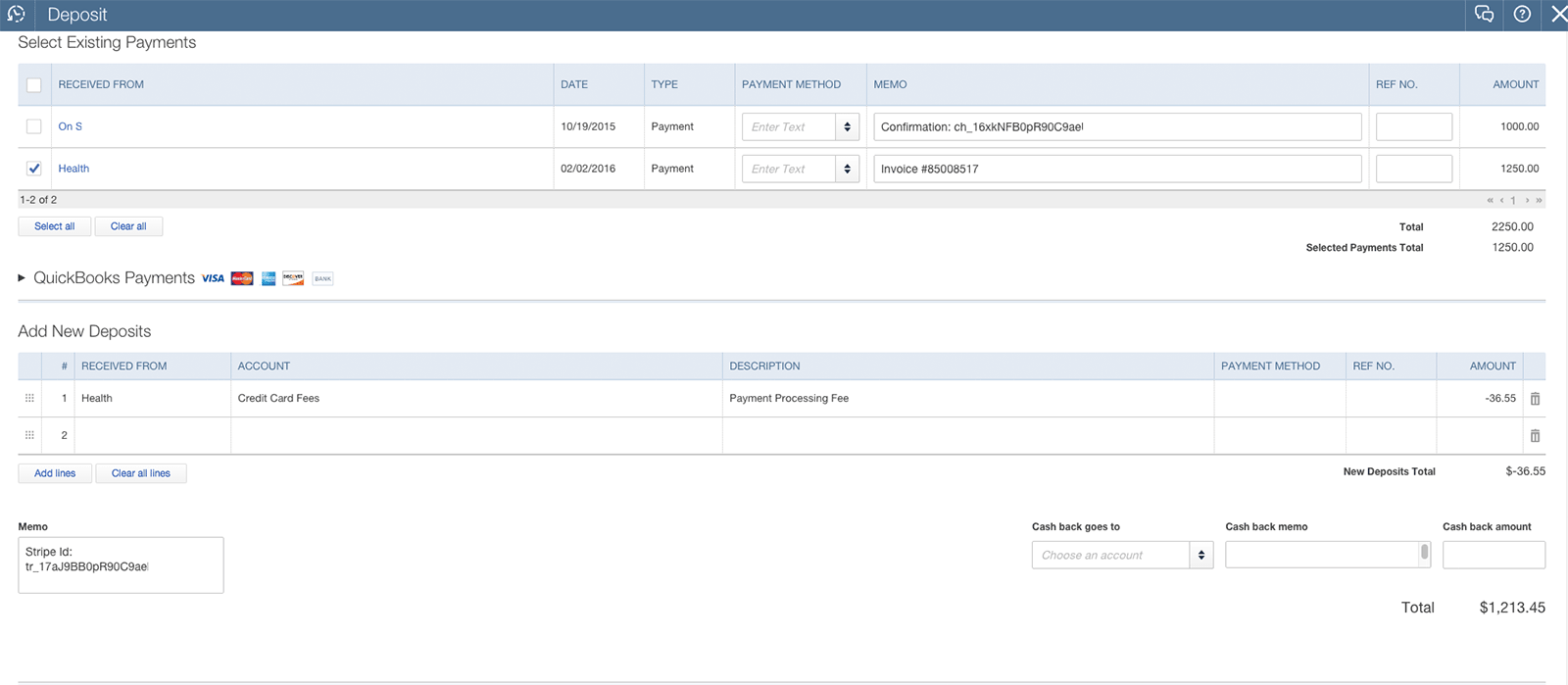
Once your Deposit accounts are configured and a Deposit hasn't been manually marked Do not sync, it syncs from Maxio to QuickBooks on your next sync with no additional action needed. The synced Deposit record automatically separates the credit card and ACH processing fees from the gross payment amounts, sends the fees to your designated Fee Account, and leaves the Net Deposit amount behind.
QuickBooks Desktop: Undeposited Funds
QuickBooks Desktop has a Use Undeposited Funds for Deposits preference (Payments > Company Preferences). When checked, every Payment, whether entered directly in QuickBooks or synced from Maxio, posts to Undeposited Funds. When unchecked, Payments post to whichever account was most recently used to receive a payment in QuickBooks, which can end up being a bank account instead of Undeposited Funds. If a Payment has already posted directly to a bank account this way, a Deposit containing that Payment can fail to sync, and you'll see a sync error. To avoid this, set QuickBooks Desktop to always use Undeposited Funds for Payments.
Sync timing
The billing server syncs ACH-cleared Payment and Deposit information into your Maxio account every 15 minutes, or immediately when you manually sync (Admin > e-Bill > Sync > Sync Now). Stripe and Stax deliver a single Deposit per day to the billing server, roughly on an hourly cadence; a Deposit can contain both cleared credit card charges (typically settling about two days after the charge) and approved ACH payments (which can take up to five days to clear).
Payments synced through Stripe show as "Payment Pending" in Maxio's Payments and e-Bill Activity tables until the payment clears, with the balance shown as the full amount. Once cleared, both tables update to "Payment Received" and the amount applies to the Invoice balance; the next QuickBooks sync then reflects that balance change on the QuickBooks Invoice.
Related information
For the full set of sync conditions across all record types, see Sync QuickBooks Data.
For the settings that control this behavior, see Configure QuickBooks Integration Settings.
Still need help?
Reach out and our support team will take it from here.