
Manage Plan Price Points
Applies to: Advanced Billing
Last updated on Aug 27, 2026
Once you've set up your Plan price points, you can change which one is the default, edit an existing price point, move subscriptions between price points, or archive one you no longer need.
Default price point
Every Plan has a default Plan price point that's used for cases when a price point isn't explicitly passed. For example, when signing up a subscription or performing a Plan change, the default Plan price point is used unless you select a different price point.
To make a price point the default
- Edit the Plan to view its price points.
- Open the actions dropdown on the price point you want to make the default.
- Select Make Default.
Editing price points
You can edit any of a Plan's price points from its price point listing.
To edit a price point
- Edit the Plan to view its price points.
- Open the actions dropdown on the price point you want to edit.
- Select Edit.
Editing a price point affects all subscriptions currently using that price point. The frequency of a price point can only be edited if no subscriptions are currently using it. If you need to edit the frequency, create a new price point and move the subscriptions to it.
Editing a price point's expiration doesn't affect the expiration date on any canceled subscriptions assigned to the price point.
Moving subscriptions
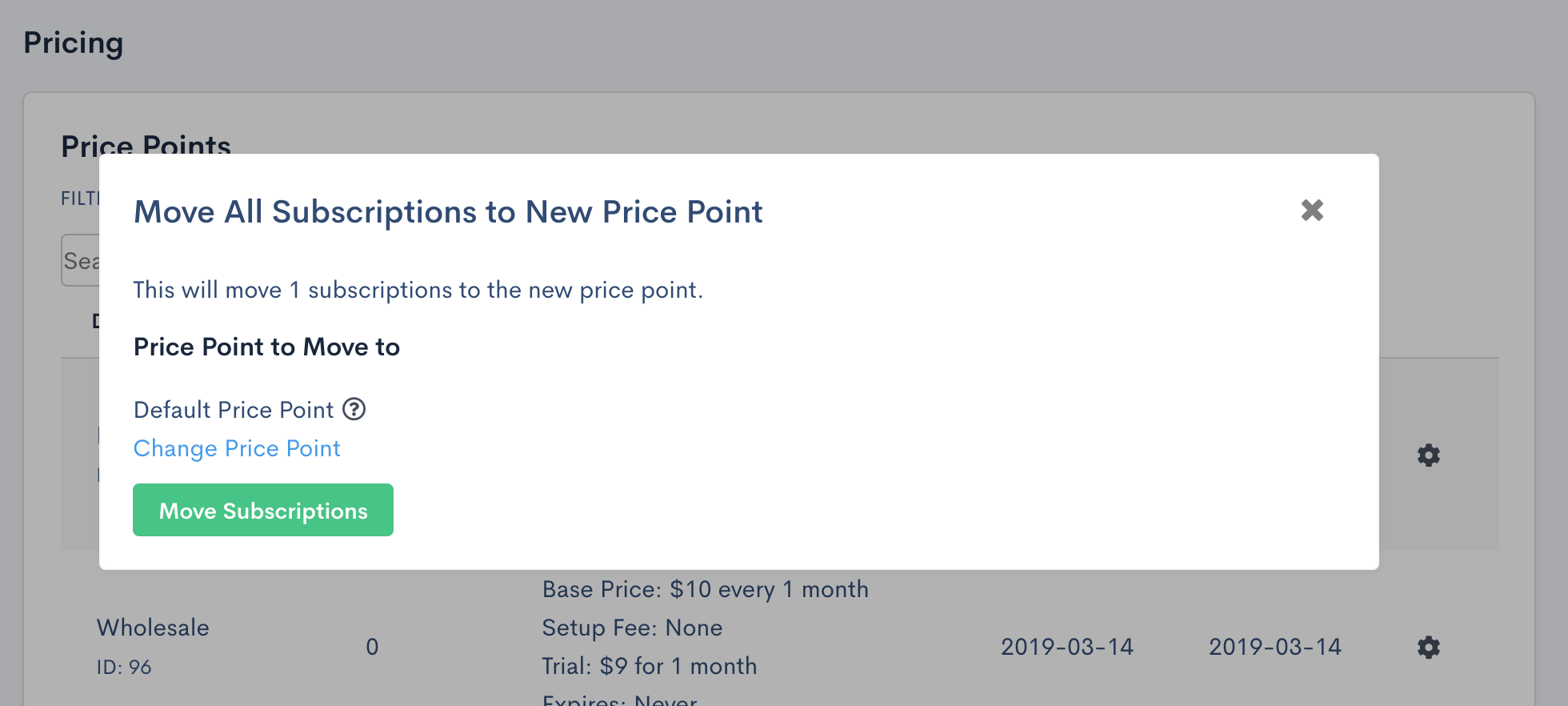
Subscriptions can be bulk moved between price points from the price point listing.
To move subscriptions to another price point
- Edit the Plan to view its price points.
- Open the actions dropdown on the price point the subscriptions are currently using.
- Select Move Subscriptions.
You can only move all subscriptions from one price point to another this way. If you need to change specific subscriptions, do that individually on each subscription via the "Plan Change" option.
Archiving price points
Price points that are no longer needed can be archived from the price point listing.
To archive a price point
- Edit the Plan to view its price points.
- Open the actions dropdown on the price point you want to archive.
- Select Archive.
If subscriptions are still using the price point, they continue to use it, but new subscriptions can't subscribe to the archived price point. To bring an archived price point back, open its actions dropdown and select Unarchive.
Plan versions and price points
Plan price points replace Plan versions. A Plan version was a copy of a Plan that Advanced Billing generated every time a versioned field on a Plan was edited: price, recurring period, trial price, trial period, setup fee, or expiration. Once a new version was generated, all subscriptions created for the Plan used the new version going forward. Subscriptions already on a previous version stayed there unless they were moved.
Price points give you more flexibility, by letting you:
- define multiple price points per Plan, each with different pricing and frequencies
- set a default price point to use when one isn't explicitly selected
- move subscriptions between price points
- archive or unarchive price points as needed
When the change to price points was introduced, every existing version was converted to a price point and given the name of its version number. A Plan version that was version 2, for example, became a price point named "v2."
Related information
To create the price points this article manages, see Setting Up Plan Price Points.
Still need help?
Reach out and our support team will take it from here.