
Organize Product Families
Applies to: Advanced Billing
Last updated on Aug 27, 2026
Manage Product Families in Advanced Billing to structure your catalog, group related Plans, and keep your offerings organized. The Product Families page features a compact layout that makes it easier to scan and manage your catalog at a glance.
What is a product family?
A Product Family groups related Plans that represent different "feature levels" of the same service or offering. You can usually upgrade and downgrade between Plans within the same Product Family. If you're building a web app with different tiers, a Product Family typically represents your app, and each Plan represents one of those tiers.
Creating product families
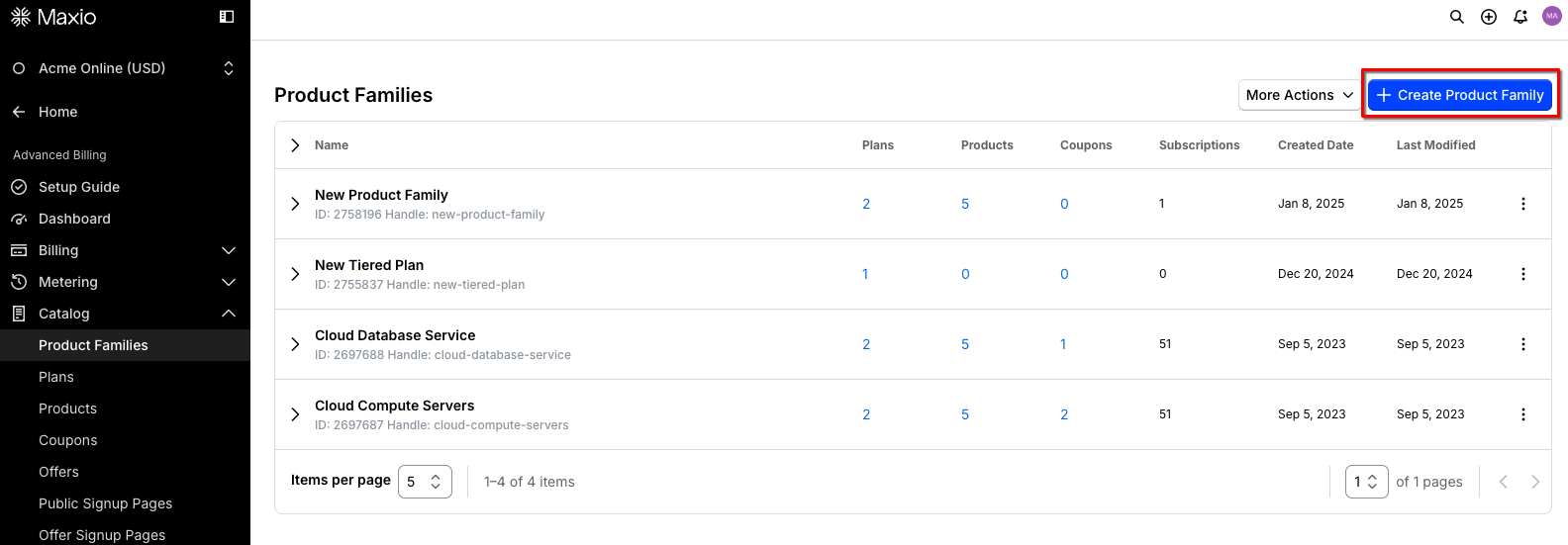
Product Families are created in your Catalog, Advanced Billing > Catalog > Product Families. Click Create Product Family to create a new Product Family in your site.
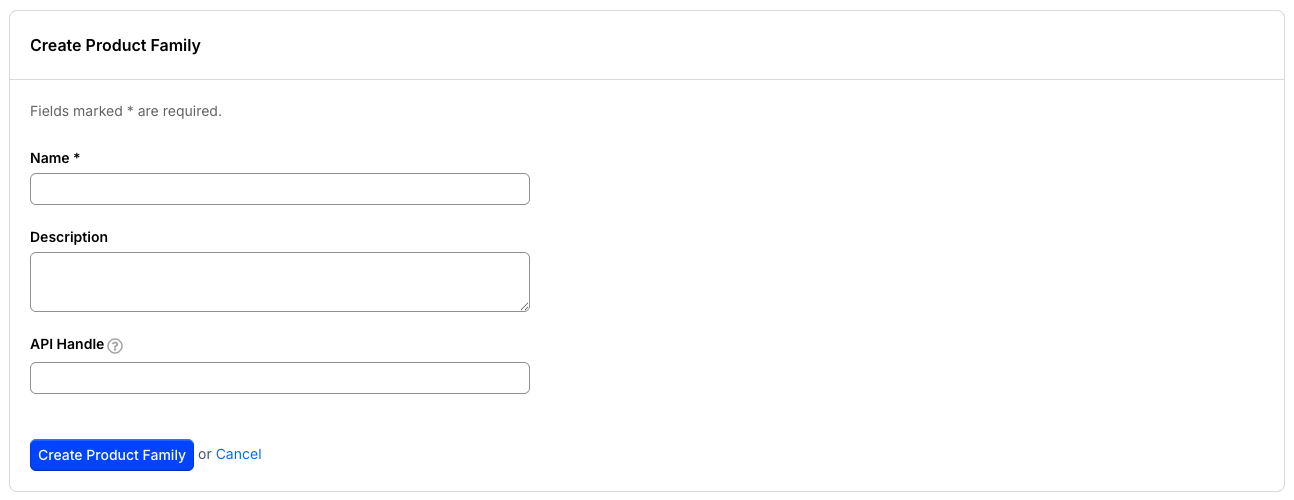
When you create a new Product Family, you can define a Name, Description, and API Handle. Description and API Handle are optional, name is required. If you leave the API Handle blank, Advanced Billing generates one for you from the Name — as you type the Name, the API Handle field previews the value it will use, and that value is committed to the field once you move on from the Name, unless you've already typed your own handle. If your site has surcharging exemptions enabled, you can also choose whether to enable surcharging for the family. See Exempt product families from surcharging for more information.
Edit product families
You can edit any aspect of a Product Family. Click Edit Family to rename the family or edit its description.
Archiving families
If you're done with an entire Product Family, you can choose to archive it. Select Archive Family on the family you want to archive. This removes it from view and makes it inaccessible to your future subscribers. Once a family is archived, you'll need to contact support@maxio.com to have it restored. You can't delete a Product Family.
How to structure product families and plans
Let's say we're Acme Corporation, and we have two web applications:
- Project management suite called "AcmeProjects"
- CRM called "AcmeCRM"
Our Acme brand is strong, and our customers often sign up for both of our services. In this case, we might make a single site called "Acme," and two Product Families:
- AcmeProjects
- AcmeCRM
This way, our customers might be able to sign up for both services, and we treat them as one customer/user/login on both our own site and on Advanced Billing. We would be able to compare sales data directly between AcmeProjects and AcmeCRM. Our customer's credit cards would show charges from the same entity (Acme Corp) for both Plans.
On the other hand, let's consider a case where the AcmeProjects and AcmeCRM brands are strong on their own right, and we wish to keep them more separated. Perhaps we have two different merchant accounts and we want the credit card charges to show up separately as AcmeProjects and AcmeCRM. In this case, we might create two sites, each with its own subdomain and one Product Family within each.
Related information
To learn about the Plans that live inside a Product Family, see Understand Plans.
Still need help?
Reach out and our support team will take it from here.