
Understand the Subscription Preview
Applies to: Advanced Billing
Last updated on Aug 27, 2026
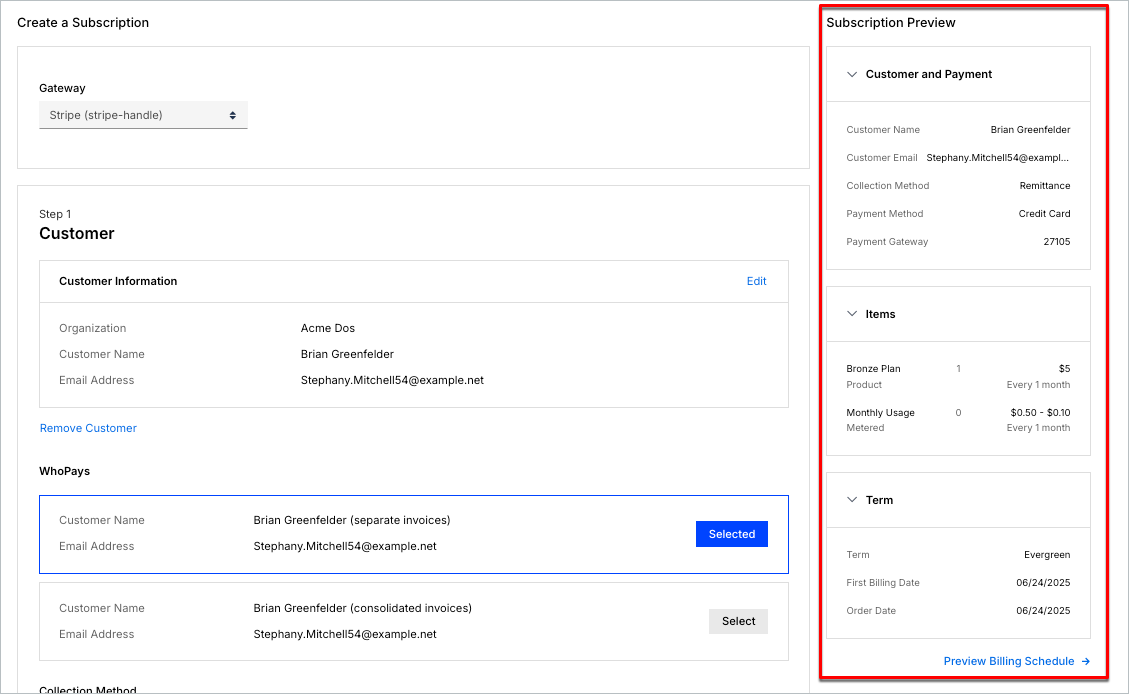
Use the Subscription Preview to check what a new Subscription will actually bill before you create it. It's a real-time summary of the upcoming charges, covering the Customer and payment method, Subscription items, and the term length.
What the preview shows
The Subscription Preview sidebar appears alongside the Subscription form as you build it. Every change to a Plan, a Product's quantity, or a coupon is reflected immediately in the totals. You don't have to save and reopen the Subscription to see its effect.
Preview the billing schedule
Select Preview Billing Schedule in the sidebar to open a summary of the next six billing dates: the term's start date plus five renewals. Each date lists its line items (Plans, Products, and their prices), not one combined total.
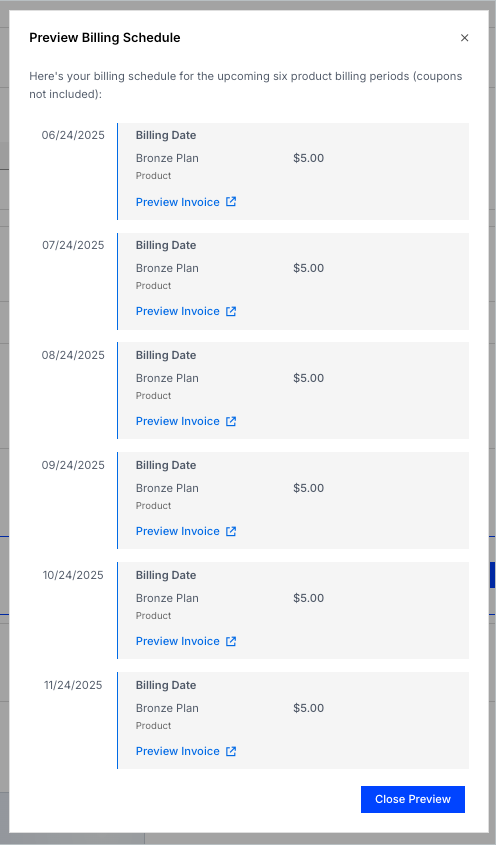
The schedule is where a mistake in term length or billing interval becomes obvious: the dates either fall where you expect them to, or they don't.
Important: Preview Billing Schedule and the Proforma Invoice drill-down below only appear on sites using invoice-centric billing.
Drill into a single period
From the billing schedule, select Preview Invoice to open a Proforma Invoice for that period in a new tab, showing itemized Plans, Products, coupons, and taxes.
Everything shown across the preview is an estimate based on the Subscription as currently configured. Amounts can still change before the real Invoice is issued if the Subscription, its usage, or its coupons change in the meantime.
Related information
To start building the Subscription this preview reflects, see Create a Subscription.
Still need help?
Reach out and our support team will take it from here.