
Avalara ELR Troubleshooting and FAQs
Applies to: Advanced Billing
Last updated on Aug 29, 2026
Use this article to resolve Avalara ELR submission failures, and to answer common questions about the integration.
Troubleshooting
If a submission fails or automatic sync doesn't behave as expected, check these common issues first.
A submission fails
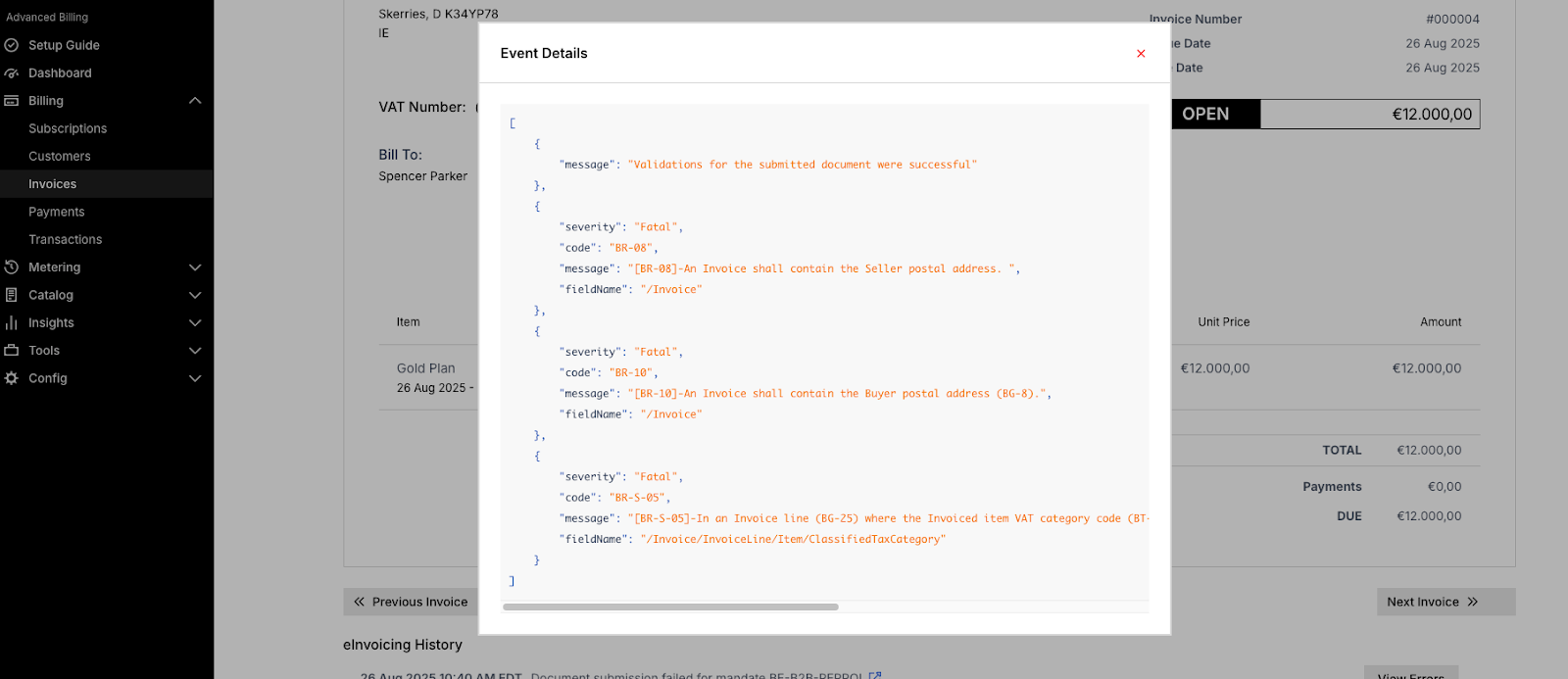
Open the document's eInvoicing History panel and click View Errors to review the error's code, message, and field name in the Rejection Message details. Common causes include:
- A missing or invalid VAT/GST ID.
- Incorrect or incomplete address data.
- A mismatched mandate or format mapping.
Once the issue is resolved, submit the document again by clicking Submit to eInvoicing. The button re-enables for resubmission as soon as the document's status is Failed; there's no separate retry action.
Submissions keep failing
Verify your Avalara credentials haven't expired using Test Connection on the eInvoicing settings page, and review Avalara's own logs for additional detail.
Frequently asked questions
Answers to common questions about the Avalara ELR integration.
Can one invoice be submitted to more than one mandate?
Yes. If more than one mandate applies to a document, Maxio submits to each one independently and reports success or failure separately per mandate.
Can I resubmit a document that's already been submitted?
Only if its status for that mandate is currently Failed. Otherwise, resubmission is blocked with the error "Document already submitted for eInvoicing mandate [mandate name]."
Can I submit a canceled invoice or credit note?
No. Maxio blocks the submission with the error "Document is canceled and cannot be submitted to eInvoicing."
Related information
To submit documents manually or configure a sync schedule, see Using the Avalara ELR Integration.
For an overview of what the Avalara ELR integration does, see Avalara ELR Integration Overview.
Still need help?
Reach out and our support team will take it from here.