
Understand eCheck (ACH/EFT) Payments
Applies to: Advanced Billing
Last updated on Sep 19, 2026
Accept ACH bank transfers from your customers using the checking-account payment method, also known as eCheck, EFT, or ECP. eCheck (ACH/EFT) is available for the Authorize.Net, Forte, BlueSnap, and Stripe gateways.
eCheck basics
ACH stands for Automated Clearing House. Some gateways and companies use EFT (electronic funds transfer), ECP (electronic check processing), or eCheck instead; this guide uses these terms interchangeably.
ACH is currently only supported in the US for Authorize.Net, Stripe, and BlueSnap. Forte EFT is available in both the US and Canada. For Forte in Canada, enter the Canadian routing number in EFT format: 0YYYXXXXX (a leading zero, then YYY for the financial institution number, and XXXXX for the transit number).
Confirm the following before enabling eCheck (ACH/EFT):
- You must use Authorize.Net or Forte or Stripe or BlueSnap as your payment gateway.
- For Authorize.Net, Stripe, or BlueSnap, you must be a US-based merchant, billing US-based customers.
- If you’re already using Advanced Billing with Authorize.Net as your payment gateway, you need to get approved for ACH/eCheck processing through your Authorize.Net account.
- You can apply for an Authorize.Net account or create a Stripe account if you do not have one.
- Alternately, you can apply for an eCheck-only account with Authorize.Net.
Which gateway?
Depending on which gateway you are using, Advanced Billing has created separate guides to walk you through the process of working with ACH. Authorize.Net user? See the Authorize.Net Gateway Setup Guide. Forte user? See the Forte (Beta) Gateway Setup Guide. BlueSnap user? See the BlueSnap Gateway Setup Guide. Stripe user? See Set Up and Collect ACH Payments with Stripe.
How ACH payments work in Advanced Billing
It’s not possible for a brand new subscriber to enter ACH-based information on a Public Signup Page.
Allowing a brand new subscriber to enter bank account info on a Public Signup Page is not a permitted workflow. Before using ACH as a payment method, the payment method and/or subscriber must be verified before funds can be withdrawn from their bank account. The verification path varies based on the gateway. This is the main reason we’ve created separate guides for using ACH with Advanced Billing.
The following is a high-level overview of how ACH works with Advanced Billing:
- Your customer signs up for your product using the product’s Public Signup Page.
- They aren’t permitted to enter bank account information on that form. Instead, they need to do one of the following:
- Sign up using a credit card
- Sign up for a free product
- Sign up for a paid product that has a free trial period
The ideal situation is to have them sign up for your product using a credit card. At a later point, prompt them to enter their banking information and begin using ACH.
Authorization agreement
ACH customers must agree to authorization terms when entering their bank account in Advanced Billing. You are required to obtain permission from the customer prior to debiting their account.
To help with this, Advanced Billing displays ACH Authorization Agreement text on the Self-Service Page where subscribers enter their bank account information. If you use another method to collect bank account information, you need to take care of presenting the terms and obtaining the customer’s permission.
The other ways to collect bank account information are:
- API
- The Advanced Billing application, entered by an operator
Advanced Billing also emails your customer a copy of this agreement. To have this agreement automatically sent to your subscribers, configure the option to send ACH Authorization Agreement Email in Configure Email Settings.
Emails when anything changes
ACH guidelines require you to notify your customer if there is any change to the recurring amount to be taken, or to the date it’s taken. In other words, notify them of any change at all since you last told them what to expect.
We also recommend that you turn on the Upcoming Renewal Email in your site settings. This email tells customers the amount they’re about to be charged, 3 days before the charge occurs.
Multiple payment profiles
Your customer can have credit cards AND bank account info on file. You or they simply choose which profile is the active payment method for a specific subscription.
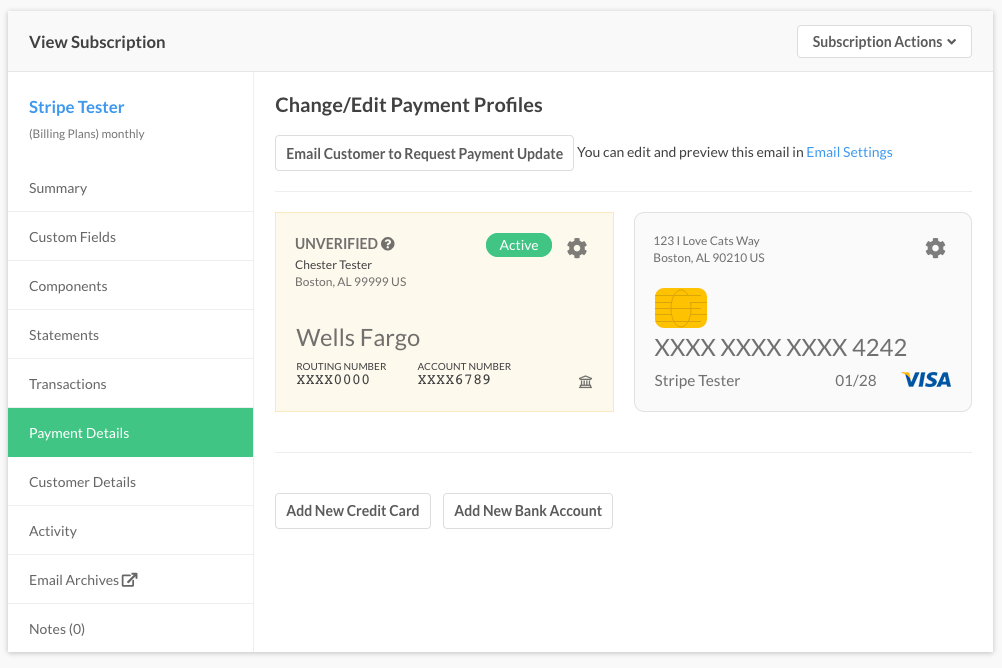
Example of multiple payment profiles in a subscription
Retries when ACH payments fail
ACH guidelines dictate tighter rules for retrying failed ACH payments (versus credit cards). So we created a separate dunning/retry system for ACH payments. You set up a different retry schedule and emails for customers paying via ACH.
Note that the guidelines do not allow you to try more than 3 times, and after 3 failed attempts, we must forever stop trying to collect on that arrangement. If your customer cannot pay after 3 tries, collection attempts stop permanently for that payment plan. You need to go back to them and start over.
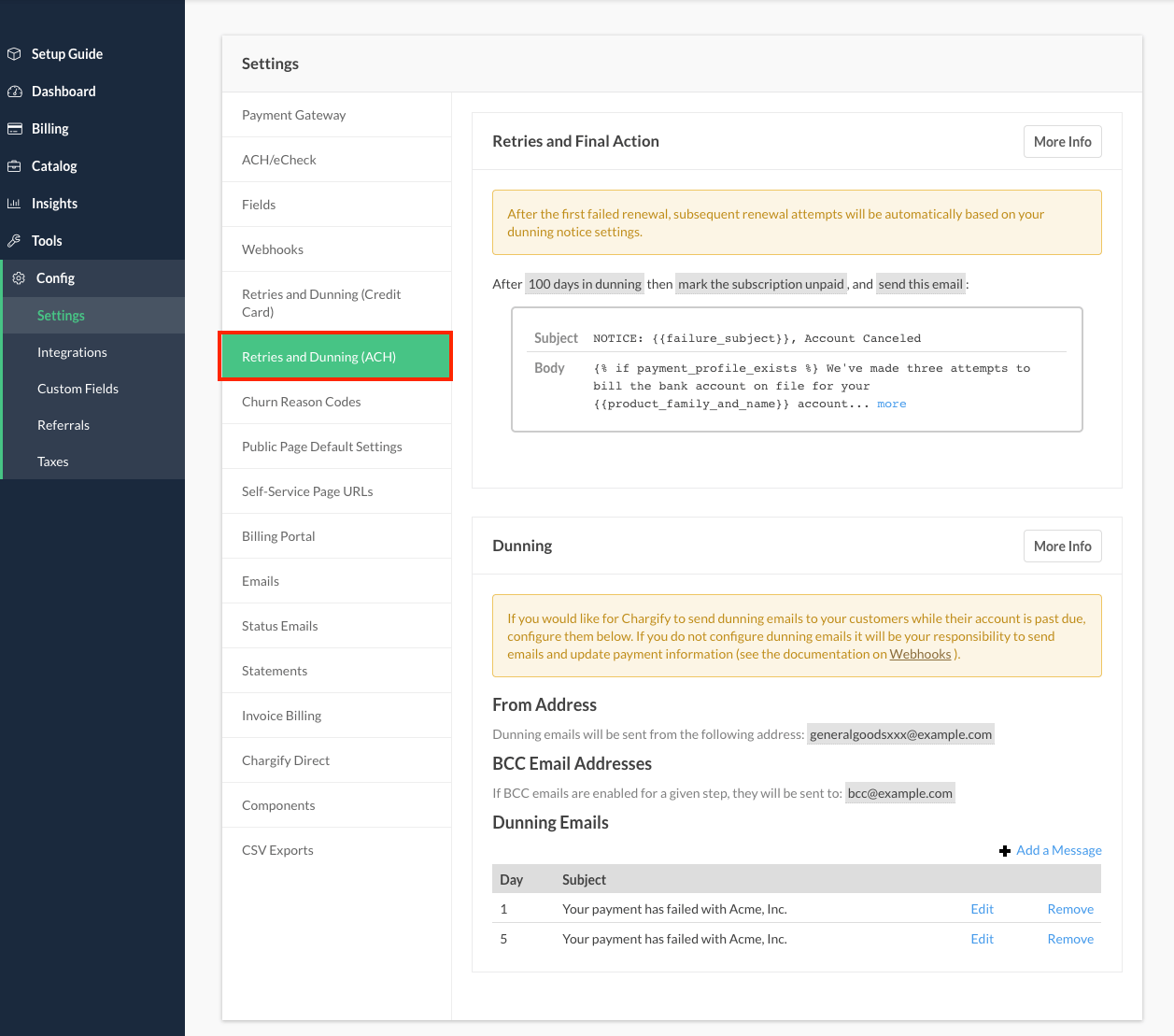
Dunning settings for ACH payment method subscribers
ACH testing
If you are using the Advanced Billing test gateway, you may use a simulated bank account and routing numbers of your choice.
Authorize.Net
Maxio recommends during the testing phase to use Authorize.Net’s suggested eCheck/ACH routing numbers, accounts & verification process. Authorize.Net’s eCheck/ACH documentation contains accurate information on test data for Advanced Billing merchants to use.
Forte
Maxio recommends during the testing phase to use Forte’s suggested eCheck/ACH routing numbers, accounts & verification process. Forte’s API documentation contains an example bank account you can use.
BlueSnap
While your site is in test mode connected to a BlueSnap sandbox, you may use the test bank account and routing numbers listed in BlueSnap’s eCheck/ACH documentation.
Next steps
To enable eCheck (ACH/EFT) for your site and start collecting payments, see Set Up and Collect eCheck (ACH/EFT) Payments.
Related information
If you’re using the Advanced Billing test gateway, see Understand the Test Gateway for simulated bank account and routing numbers to use during testing.
Still need help?
Reach out and our support team will take it from here.