
Move a Contract to Another Customer or Register
Applies to: Maxio Core
Last updated on Aug 28, 2026
You can move a Contract to a different Customer or Register once it meets a set of eligibility checks. Contracts serve as containers for key records like Transactions and invoices. A Customer can have one or more Contracts and each Contract can hold one or more Transactions and invoices.
Move a Contract
To move a Contract to another Customer or Register.
-
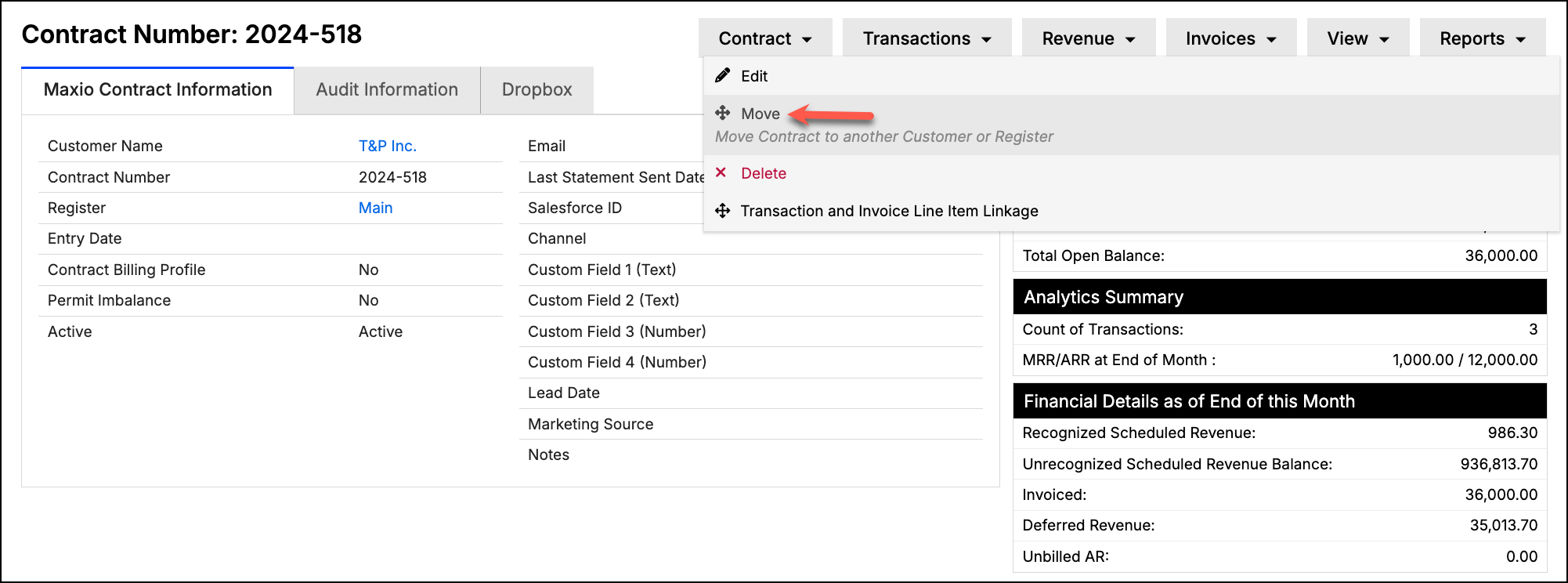
Navigate to the Contract and select Move from the Contract drop-down menu.
-
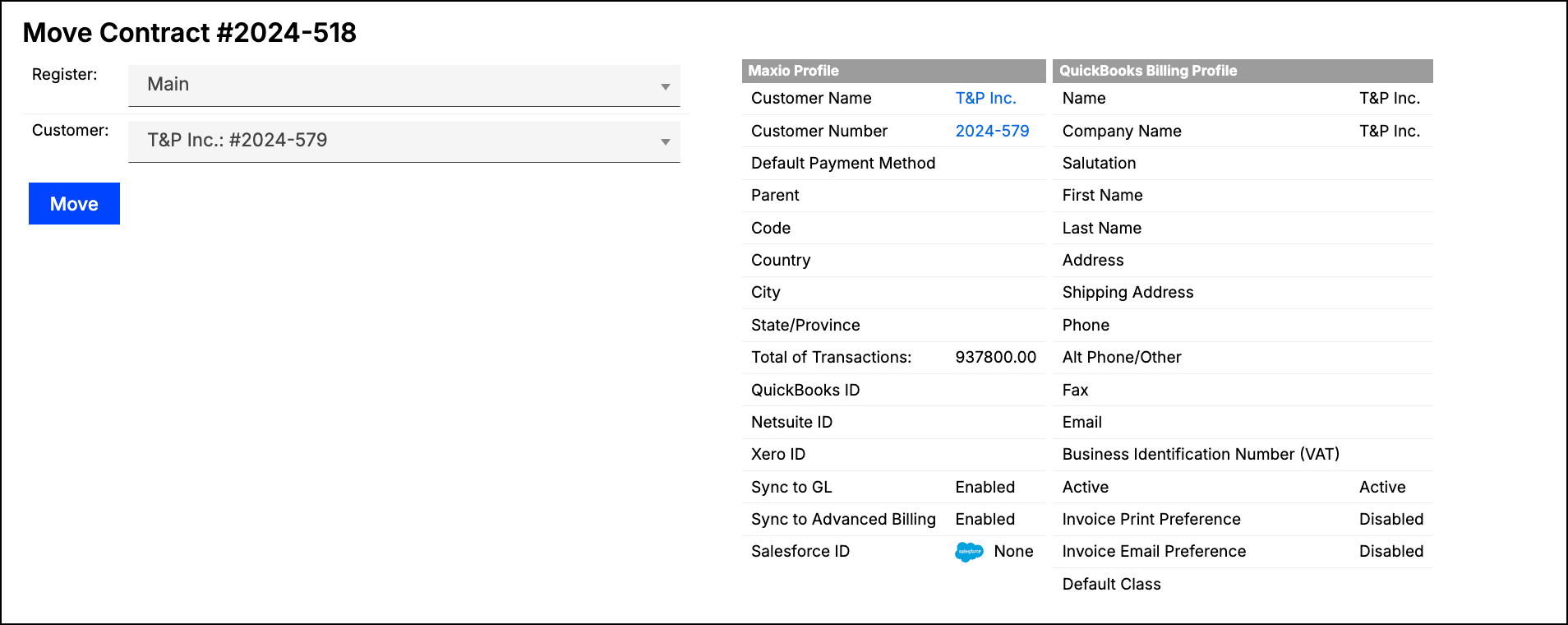
Select the new Register and/or Customer you want to move the Contract to.
-
Click Move.
Reassign to another Customer
You can move a contract to a different customer as long as the transactions and invoices in the contract comply with the following items:
- No transaction has invoice line items synced with the general ledger
- No invoice has synced with the general ledger
- No transaction has revenues or invoice line items in the Close Period
- No invoice is in the Close Period
- No transaction is locked due to the Transaction Lock Date
- The contract is not synced as a QuickBooks Job
- If your account uses Use Committed Invoice Sequencing, the contract has no committed invoices
Reassign to another Register
You can also move a contract to another register as long as the transactions and invoices in the contract comply with the following:
- No transaction has revenues or invoice line items in the Close Period
- No invoice is in the Close Period
- No transaction is locked due to the Transaction Lock
- If your account uses Use Committed Invoice Sequencing, the contract has no committed invoices
You can also edit a contract to change its register.
Related information
For a conceptual overview of how Contracts work in Maxio, see Understand Contracts.
Still need help?
Reach out and our support team will take it from here.