
Understand Contracts
Applies to: Maxio Core
Last updated on Aug 29, 2026
Contracts serve as containers for key records like Transactions and Invoices. A Customer can have one or more Contracts, and each Contract can hold one or more Transactions and Invoices. The Contract is the object around which deferred revenue and unbilled AR calculations are performed in all finance reports. A contract belongs to only one Customer, and a Contract exists in only one register.
If you don't use Contracts in your business, Maxio will automatically create them for you during the Transaction creation process.
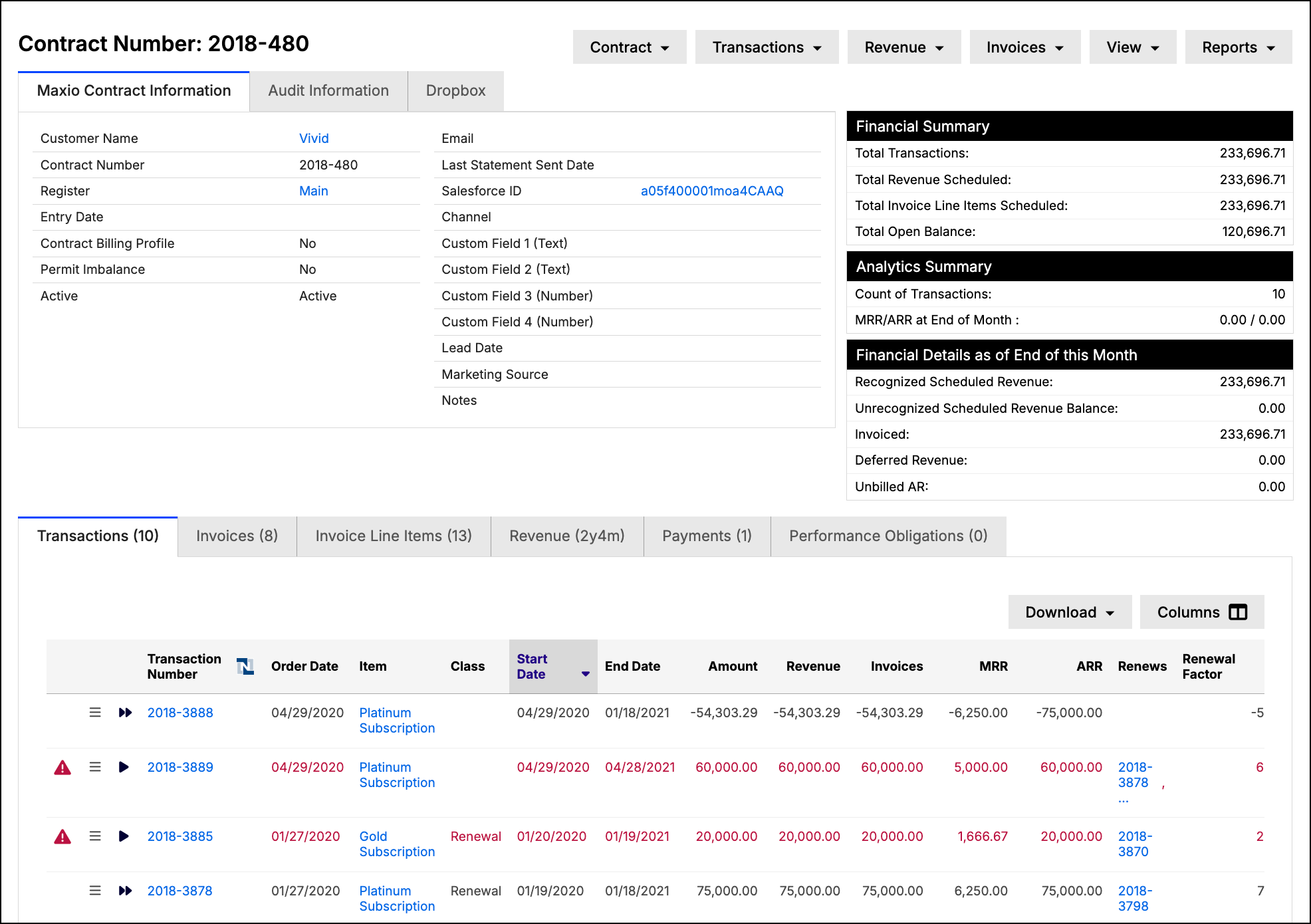
Contracts are typically created when you add transactions or process sales orders. See Using Multiple Contracts for guidance on when to create a new contract versus reusing an existing one.
Working with Contracts
You have the following options available for managing your Contracts, each with its own help article:
Additional notes and caveats
- When choosing filtered views from the contract screen:
- Only recurring transactions are shown.
- You cannot toggle to the invoice view.
- The totals displayed for the Transactions, Revenues and Invoices are not affected. The totals always include the total value for the Contract.
- While you can add an invoice directly to a contract, the preferred method is to create Invoices through the creation or editing of Transactions.
- In the analytics summary, the transactions total is a total of all transactions, while the MRR/ARR total is the sum of MRR/ARR for all recurring transactions as of the end of the month. Excludes non-recurring TXs even if such TXs have MRR/ARR values.
- For a single contract, you will have only Deferred Revenue or Unbilled AR, but never both.
- System-generated contract numbers are created by adding a sequential number to the Generated Number Prefix specified in your Account Settings.
Still need help?
Reach out and our support team will take it from here.