
Understand Scheduled Renewal
Applies to: Advanced Billing
Last updated on Aug 27, 2026
Manually configure a Term Subscription's next renewal instead of relying on Auto-Renewal, then choose exactly when it locks in. A Renewal keeps a Term Subscription active beyond its current term; without one configured, a Term Subscription expires when its current term ends.
Important: Scheduled Renewal requires Term Subscriptions and this feature enabled for your site. Contact support@maxio.com for assistance. In the product UI, this option appears as Manual One-Time when you choose a renewal type.
Check a subscription's term and renewal status
From the Subscription page, the Term section shows the Subscription's term and renewal status at a glance.
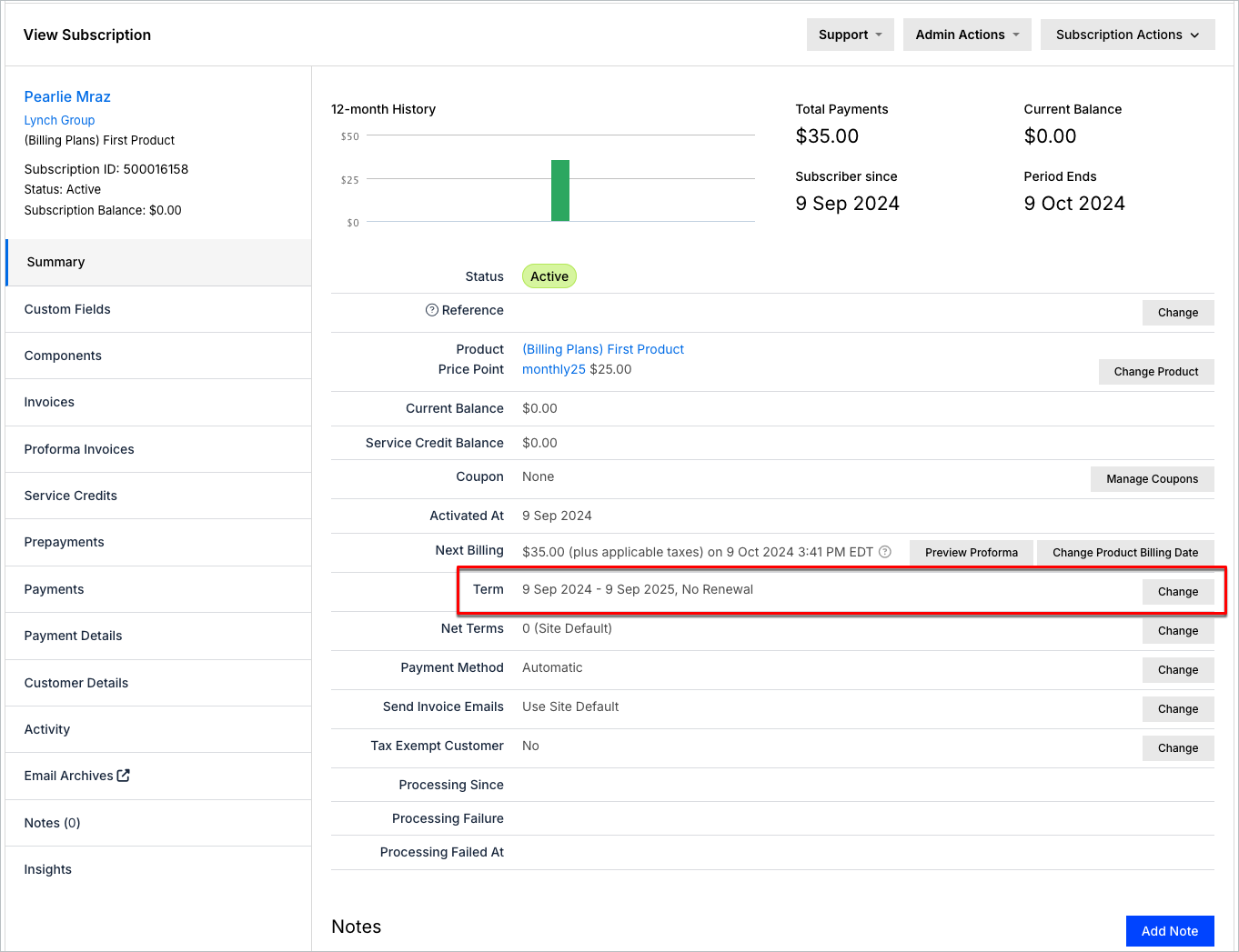
Select Change to add or edit a Renewal.
Renewal status reference
The Renewal status appears next to Renewal Setup.
-
Draft: The Renewal is being edited and hasn't been saved. Draft changes persist even if you navigate away.
-
Scheduled: The Renewal is saved but not yet locked in; lock-in is scheduled for a future date.

-
Pending: The Renewal is saved and locked in, but its term hasn't started.
Changes in the Renewal only appear on the Subscription once its current term ends and the Renewal becomes the new current term. For example, a Component price increase in the Renewal doesn't show in the Subscription's Components table until then.
Next steps
Ready to configure one? See Set Up a Scheduled Renewal.
Related information
For how a Subscription renews automatically instead, see Understand Auto-Renewal.
For how Scheduled Renewal and Auto-Renewal compare, see Choose Between Auto-Renewal and Scheduled Renewal.
Still need help?
Reach out and our support team will take it from here.