
Loading article…
Loading article…
Last updated on Aug 28, 2026
The Payment Method Reference List includes all Payment Methods that can be entered as a Customer's default method in Maxio. If you have a GL Integration enabled, this Reference List is populated with your existing GL Payment Methods during the sync process. Payment Methods that originate from your GL cannot be edited or deleted in Maxio, but changes made to those methods in the GL sync into Maxio.
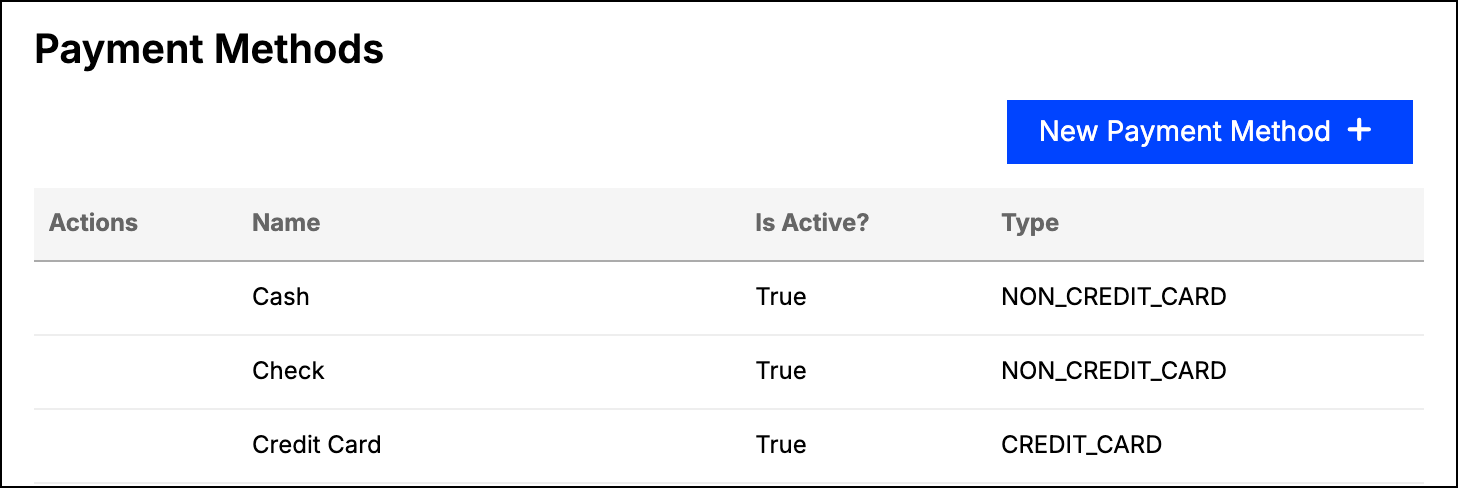
The list shows each method's Name, Is Active?, and Type. If NetSuite or QuickBooks is enabled, it also shows that system's identifier for the method. Inactive methods sort to the bottom of the list.
In addition to the GL Payment Methods, you can create your own custom Payment Methods for use in Maxio. Creating, editing, and deleting Payment Methods requires Admin permissions.
Click New Payment Method on the Payment Methods screen.
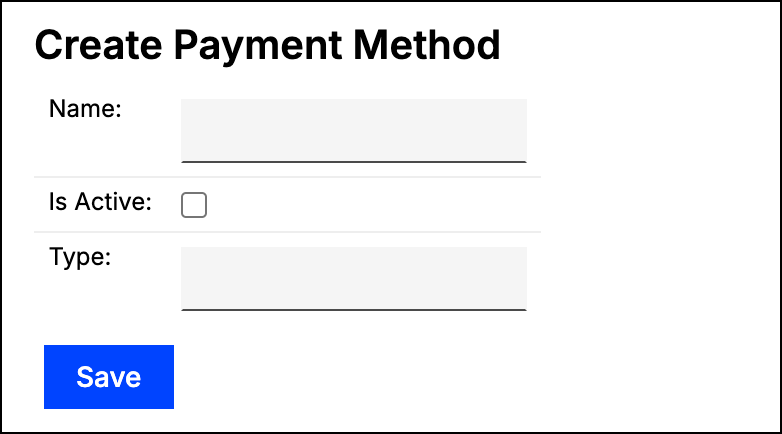
Address the following fields:
Click Save at the bottom of the screen.
You can edit or delete a Payment Method using the menu icon next to it. That menu appears only for Payment Methods created in Maxio: a method carrying a QuickBooks or NetSuite identifier cannot be edited or deleted here.
Payment Methods created in QuickBooks Desktop, QuickBooks Online, and Maxio all have a Name, an Active setting, and a Type, but there are differences worth knowing. QuickBooks Online differs from Desktop in how Payment Methods are handled, and Maxio Payment Methods were designed to be compatible with both configurations.
| Behavior | QuickBooks Online | QuickBooks Desktop | Maxio |
|---|---|---|---|
| Editable in Maxio? | No | No | Yes |
| Deletion supported? | No. In QuickBooks Online, Payment Methods can only be made Inactive. They cannot be deleted from QuickBooks, and therefore cannot be deleted from Maxio. A Payment Method that QuickBooks Online has marked as deleted syncs into Maxio with (deleted) in its name, and is marked Inactive in the Reference List. | Yes. In QuickBooks Desktop, Payment Methods can be deleted or made Inactive. Methods deleted in QuickBooks Desktop are deleted in Maxio as well. Inactive Payment Methods sync into Maxio and are marked Inactive in the Reference List. | Yes, using the menu icon next to the method. |
| Default Payment Methods |
|
| None. Maxio Payment Methods must be created manually; there are no pre-populated options. |
| Supported Types | QuickBooks Online has a checkbox, This is a Credit Card, in place of a Type field, which effectively offers two options:
|
| Any. Type is a free text field, rather than a checkbox as in QuickBooks Online or a picklist as in QuickBooks Desktop. |
Still need help?
Reach out and our support team will take it from here.