
How Invoice Payments Behave
Applies to: Advanced Billing
Last updated on Aug 26, 2026
Understand the rules behind invoice payments in Advanced Billing: when credit card payment is blocked, how prepayments and service credits get consumed automatically, and how they apply to a consolidated invoice. See Record and Manage Invoice Payments to record a payment, prepayment, or service credit.
How credit card payment restrictions work
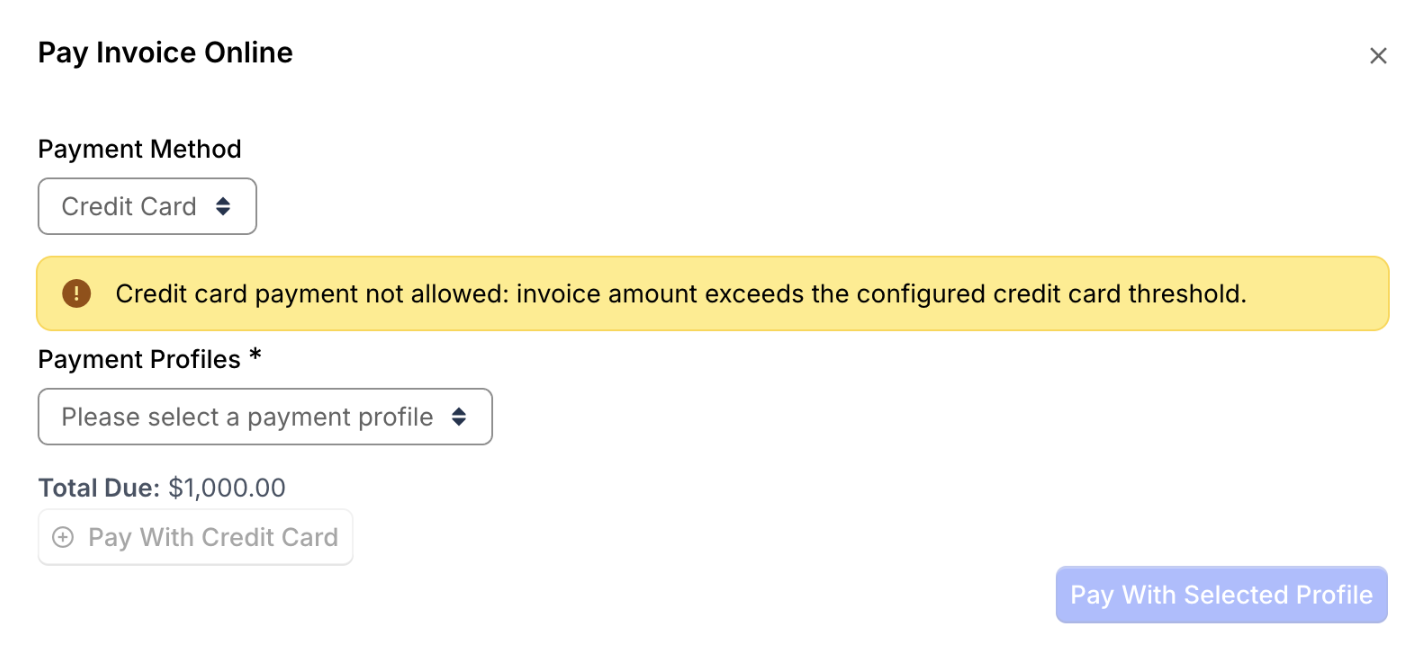
When a Customer attempts to pay an Invoice by credit card, Maxio checks payment restrictions upfront. If the Invoice amount exceeds the configured credit card threshold or falls outside the allowed payment window, the Credit Card option is disabled and an immediate warning is displayed. This helps users understand when credit card payment is unavailable, reducing failed payment attempts and confusion during checkout.
How prepayments are consumed
When Advanced Billing issues Invoices under either the automatic or remittance payment collection method, the prepayment balance is consumed automatically. The prepayment balance is debited until there is none left.
You may also opt to apply any existing prepayment balance to an open Invoice manually, by clicking Record Payment and choosing Apply Prepayment.
How credit notes work
Credits are applied as credit notes (also sometimes known as credit memos or credit invoices). A credit note is like a reverse Invoice: it contains line items representing the amount credited to specific items (Products and Components), and sometimes must also account for amounts already discounted or taxes already paid.
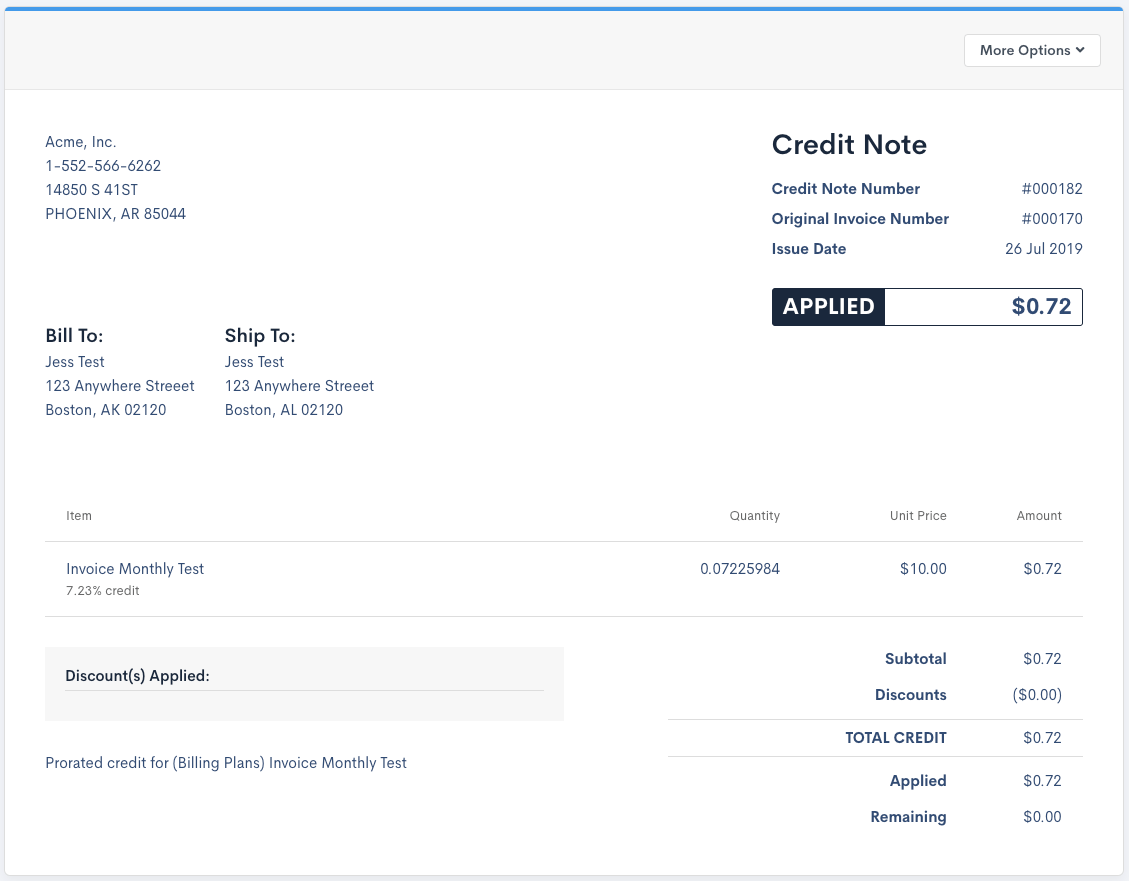
When credit has been applied to an Invoice, the Invoice's own Credit Notes section shows the applied credit note.
How prepayments and service credits work with subscription groups
Both prepayments and service credits can automatically apply to an Invoice at renewal, regardless of payment collection method. That said, they only apply to the Subscription's segment that the prepayment or service credit was originally recorded against, not the whole consolidated Invoice.
Prepayments can only be recorded on the primary Subscription, not on other group members, since the primary Subscription is responsible for when the consolidated Invoice is issued.
While prepayments aren't an option for member Subscriptions, you can apply a service credit to an individual member Subscription instead. This lets the member Subscription's segment be automatically paid before the overall consolidated Invoice is issued.
You can still apply a primary Subscription's prepayment or service credit to the amount due on the whole consolidated Invoice, but this must be done manually: when recording a payment on a consolidated Invoice, choose Apply prepayment from the subscription group (or the equivalent service credit option) rather than the Subscription-level option.
Related information
For details on the credit card threshold and payment window that gate online card payments, see Set a Credit Card Threshold.
Still need help?
Reach out and our support team will take it from here.