
View Subscription Self-Service Page
Applies to: Advanced Billing
Last updated on Aug 28, 2026
Select View self-service page on a Subscription to see exactly what the subscriber sees. A self-service page is a secure Advanced Billing-hosted page where a subscriber updates their own payment details, without you handling their card data.
Open the page
Find View self-service page in the Subscription Actions menu on a Subscription's page.
This action navigates your current tab away from Advanced Billing to the subscriber's self-service page; it doesn't sign you out, but it does replace whatever you were looking at. Open a new tab first if you want to keep your place in Advanced Billing.
To open a subscriber's self-service page
- Click Subscription Actions.
- Select View self-service page.
Selecting View self-service page takes you to the subscriber's secure self-service page, where you can update the credit card on file for that Subscriber. Your Advanced Billing session stays active; you've just navigated the current tab away from it.
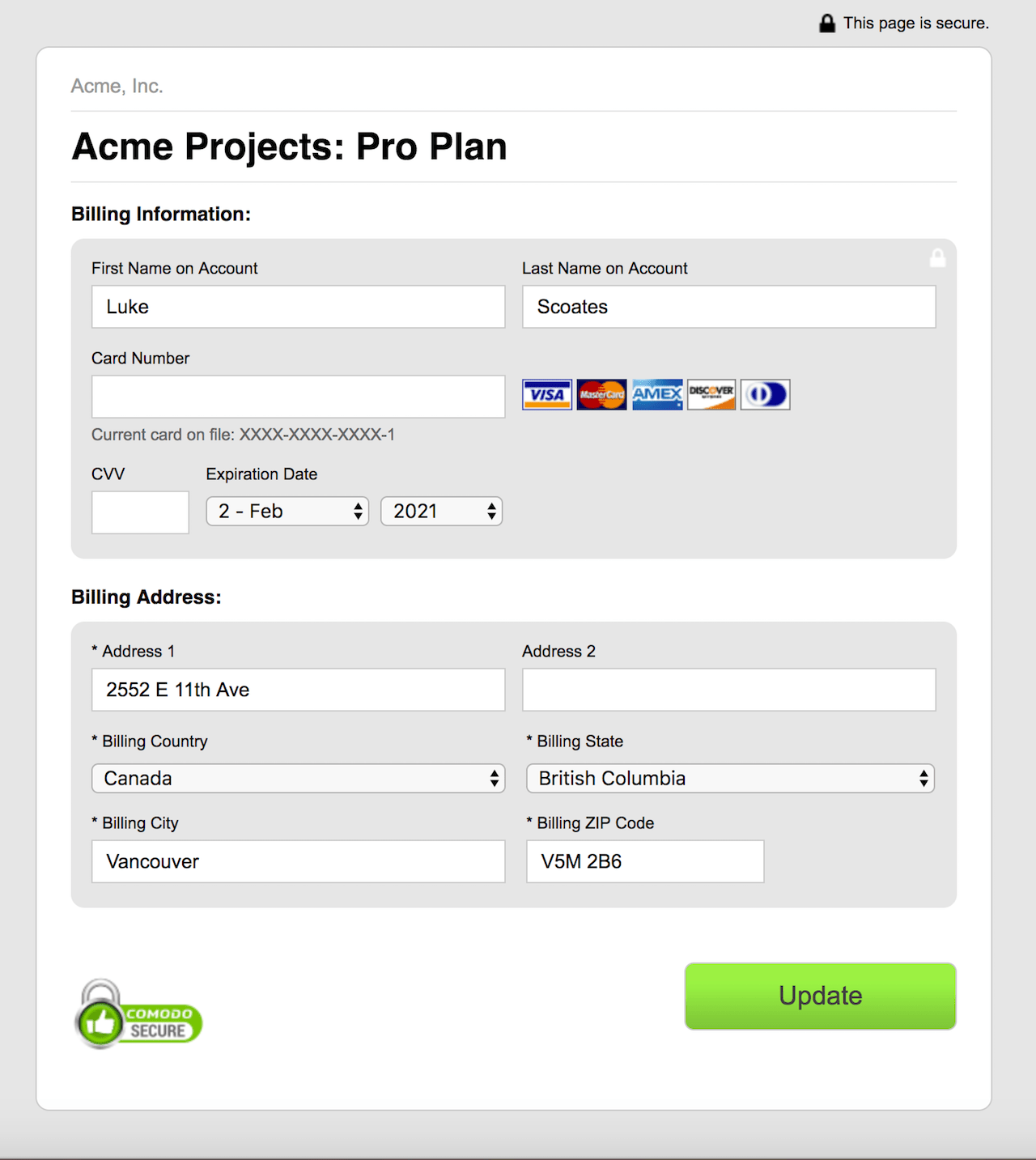
Send the page to a Customer
This is a useful URL to send to your Customer directly if they need to update their payment method. Sending the link is usually preferable to collecting card details yourself: the Customer enters them into Advanced Billing's secure page, so the details never pass through your hands or your support tooling.
Please be aware that this article covers one of the many actions available for managing your subscriptions.
Related information
For more on self-service pages, see Understand Self-Service Pages.
To have Advanced Billing email this same page to the Customer directly, see Update Subscription Payment Method.
For the full list of subscription actions, see Subscription Actions Overview.
Still need help?
Reach out and our support team will take it from here.