
Understand Site Settings
Applies to: Advanced Billing
Last updated on Sep 19, 2026
A site is the container for one set of products, subscriptions, and customers, and almost everything about how that site behaves is decided in its settings. Settings are configured per site, so a test site and a live site are independent: a setting you verify on a test site is not carried over to the live one, so configure each site separately.
Where site settings live
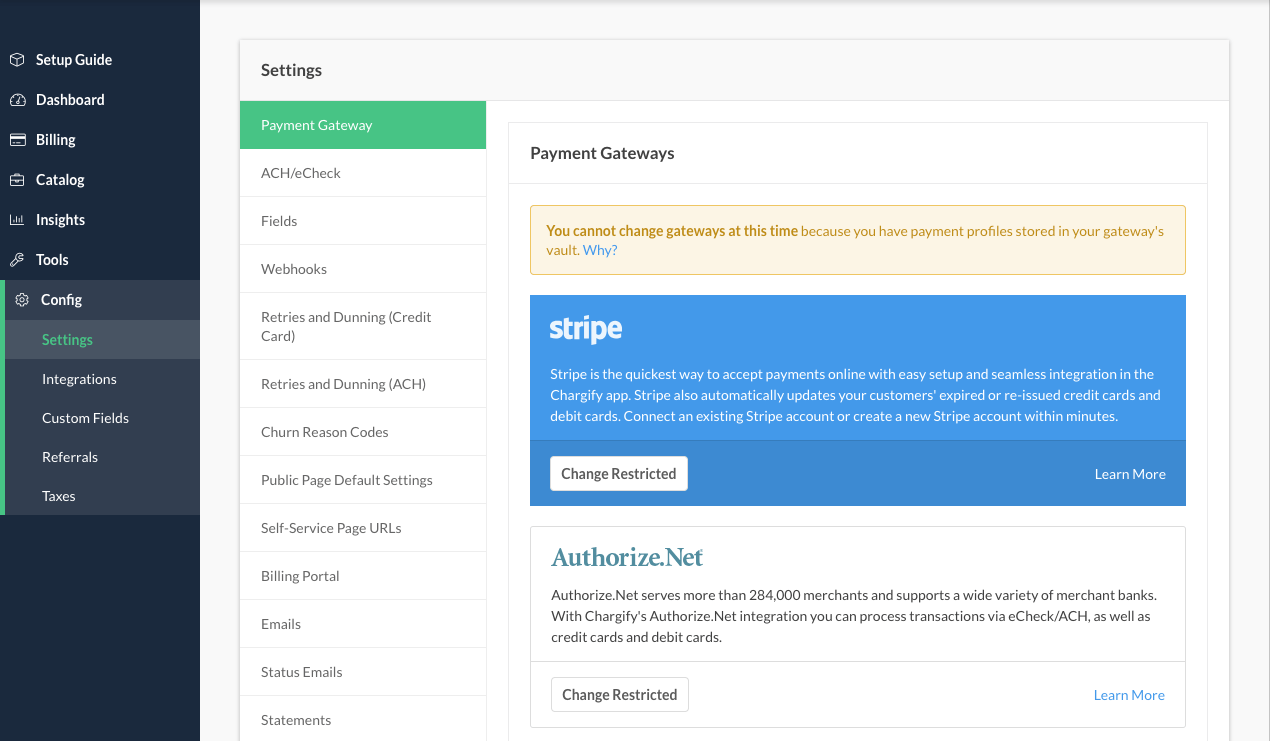
Go to Config > Settings for the site you want, and check your selections before you start selling.
What site settings control
Your Site Settings control the behavior of the following:
- Select a Gateway
- Configure Field Requirements
- Configure and Test Webhooks
- Retries and Dunning
- Public Page Default Settings
- Generate Self-Service Page URLs
- Billing Portal
- Configure Email Settings
- Configure Status Emails
- Statements
- Invoice Billing
- Component Proration
- Configure CSV Export Settings
Settings to check before you start selling
Some of these are harder to change once real subscriptions exist. The gateway determines whether you can take money at all; field requirements and public page defaults shape the records every new subscriber creates; and dunning decides what happens the first time a payment fails. Confirming those four before your first live signup avoids reworking existing data later.
Related information
For the settings that live under Config rather than on the Site record, see Understand Advanced Billing Site Settings.
To change the Site name, subdomain, and other identifying details, see Edit Site Details.
To set the currency a Site bills in, see Configure Site Currency.
Still need help?
Reach out and our support team will take it from here.