
Set Up Multi-Site Reporting for Analytics
Applies to: Maxio Core
Last updated on Sep 19, 2026
Multi-Site Reporting lets you consolidate Subscription metrics from multiple sites into a single report. Use it with the Advanced Subscription Momentum Report to compare momentum, counts, and renewals across sites.
Before you begin
Multi-Site Reporting is a paid Add-On. For more on Add-Ons, see Extend Maxio with Add-Ons. To enable Multi-Site Reporting for your account, see Contacting Support.
Add Multi-Site to a report
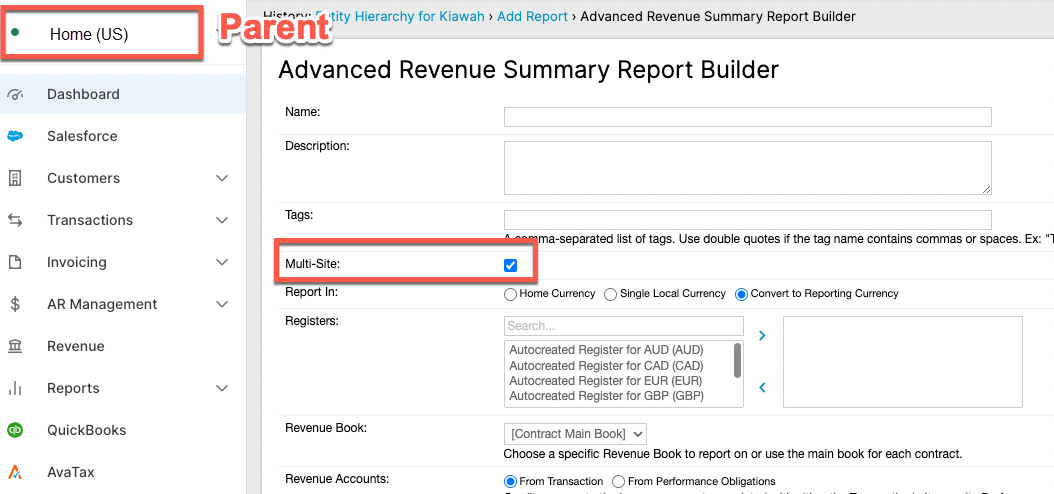
Multi-Site is available on several report types, including Advanced Revenue Summary and AR Aging. The following steps cover the Advanced Subscription Momentum Report specifically, from the parent account.
To add Multi-Site to an Advanced Subscription Momentum Report
-
Start a new Advanced Subscription Momentum Report. See Configuring the Advanced Subscription Momentum Report for the full configuration walkthrough.
-
On the General Settings step, select Multi-Site.
-
In the Instances to Include field, search for the sites you want and move them from the left list to the right using the arrow buttons. Use the up and down arrows next to the right-hand list to set the sites' display order in the report.

-
Continue configuring and save the report as usual.
Maxio automatically adds a Multi-Entity Site grouping to the report; you don't need to add it as a column yourself.
Multi-site reporting covers most Advanced Subscription Momentum Report sections, including Momentum, Momentum Moving Average, Committed Roll Forward, Committed Momentum, Customer Count, and Customer and Transaction Renewals. Net Dollar Retention has partial support.
Related information
For a conceptual overview of the report you can use Multi-Site with, see Advanced Subscription Momentum Report Overview.
To understand what consolidation does for a group finance team — one currency, what is and is not summed, FX translation rows, and Metrics Policy ownership across entities — see What You Can Do with Multi-Entity Reporting.
Still need help?
Reach out and our support team will take it from here.