
Loading article…
Loading article…
Last updated on Aug 29, 2026
Advanced Billing provides configurable email settings that allow you to control billing notifications, renewal reminders, Subscription communications, and Customer email templates. Go to Config > Settings > Emails to enable each email, choose which products it applies to, and manage its timing. Changing these settings requires the Setup permission.
Important: Customize each email after you enable it. The default templates carry only basic details, so review and update the wording before real Customers receive them.
When enabling email settings, you can select which products trigger email notifications. Emails are sent only for the selected products.
The BCC Email Setting allows you to send a blind copy of Customer emails to one or more internal email addresses. Toggle this setting on or off and enter multiple email addresses separated by commas.
This setting does not cover dunning/retry emails; those are managed in Retries & Dunning.
Send notifications when a Subscription is created. Configure emails to Customers, internal users, or both. Apply settings to all products or selected products.
You receive an internal email only if “Emails to my Customers” is also enabled.
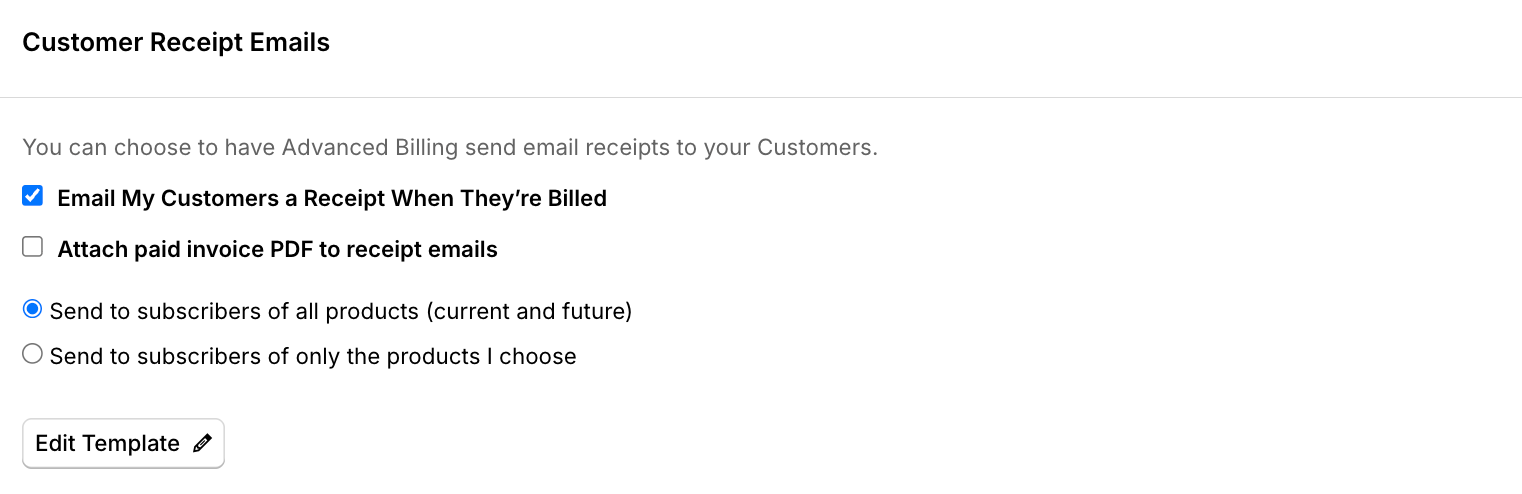
Configure whether Customers receive receipt emails after billing events. Apply to all products or selected products. Templates are customizable.
Receipt emails are also generated for external payments not processed through your gateway.
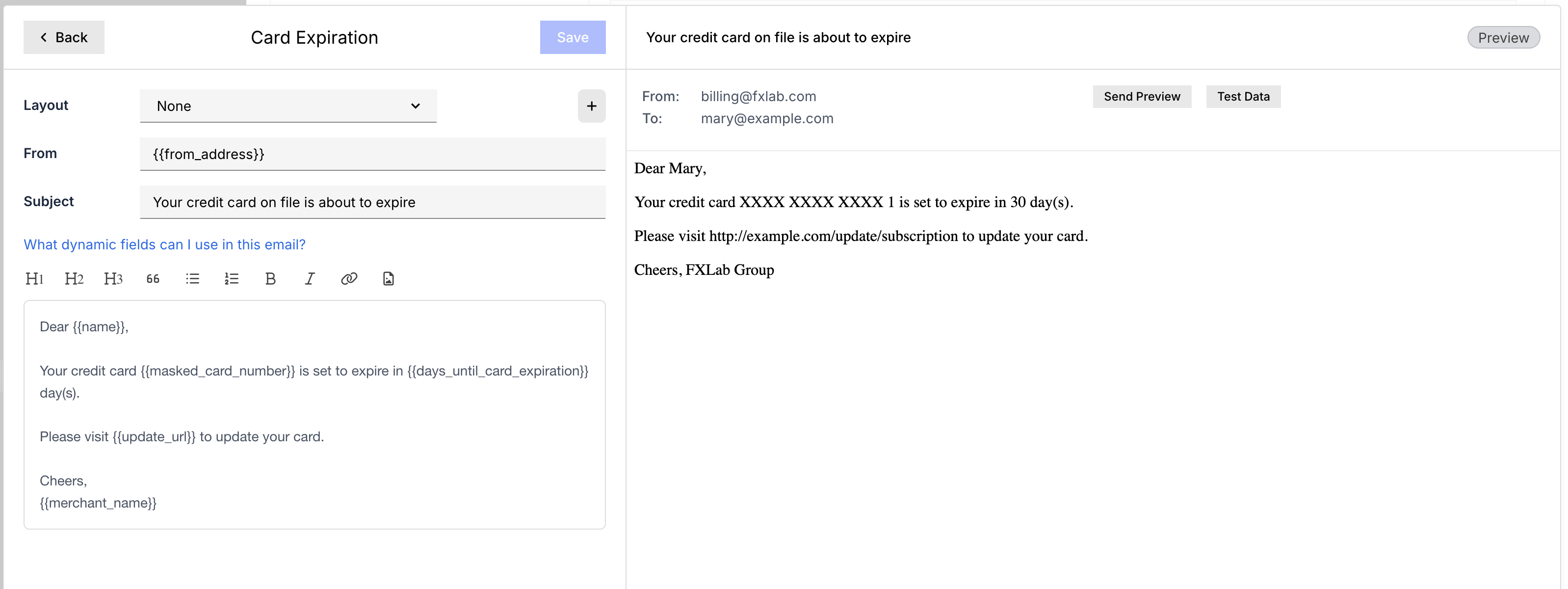
Notify Customers when their payment method is about to expire. Advanced Billing sends these three times during the month the card expires: on the 1st, on the 15th, and exactly one week before the end of the month.
Only live Subscriptions with a credit card whose expiry falls in the current month receive these emails.
Send automated notifications before a trial Subscription converts to paid. Set the number of days prior to trial end, default is three days. Configure per product or for all products. Templates are fully customizable.
If you see an activity entry such as “End of trial for trial ending on …”, the trial is ending. Whether an email is sent depends on your End of Trial Email settings and enabled products.
Notify Customers before a Subscription renews. Configure email timing globally or by product and product price point. You may create multiple timing rules.
If a Subscription is in a trial period, Advanced Billing does not send Upcoming Invoice emails. To notify Customers before a trial converts to paid, configure End of Trial Emails.
To create a custom rule:
If Upcoming Invoice Emails are disabled, the “upcoming renewal notice” event is still generated using the configured default timing.
By default, Subscriptions in an Awaiting Signup state still receive Upcoming Invoice emails, even though Trialing Subscriptions do not.
To stop Upcoming Invoice emails from going to Customers who have not yet completed signup, check Don't send this email to subscriptions that are trialing or awaiting signup in the Upcoming Invoice Emails section. This is off by default, so existing behavior is unchanged unless you enable it.
This setting applies whether you send Upcoming Invoice Emails to all products or use custom rules for individual products. A Subscription that moves into a trialing or awaiting signup state after an email was scheduled is still excluded at send time.
Automatically send a confirmation email when a Subscription is canceled. Configure this setting for all products or selected products. You can also customize the email template.
Enable this option to send confirmation that a Subscription Term has renewed. This is good for annual/term-based plans where Customers expect renewal notice.
You have the option to send to Subscribers of all products or of only the products you choose.
Ask a Customer to update their card or billing details securely. These are triggered when you send them, for example from a Subscription's payment details workflow, rather than on a schedule. See Update Payment Request Emails for how to customize the template.
If you plan to use HTML layouts in your email templates, follow the formatting requirements in the Build HTML Email Layouts help article. Layouts that don't meet them are rejected.
Available for sites using Authorize.Net or Stripe with ACH enabled. Sends a copy of the authorization agreement after a Customer adds a bank account using the self-service page.
Available for sites using Stripe with ACH enabled. Sends a request for Customers to verify their bank account.
Customize the wording of the email that asks Customers to update their payment details.
Customize the Direct Debit Instruction email template. Available for sites using GoCardless with the Becs NZ Scheme enabled in the Direct Debit settings.
For the Liquid variables you can use, see the Customize Email Templates help article.
When enabled, this receipt email applies to prepaid Subscriptions instead of the standard receipt email. Available for Relationship Invoicing sites with prepaid Subscriptions enabled.
Send an email when a prepaid Subscription is suspended due to a depleted prepayment balance. Available for Relationship Invoicing sites with prepaid Subscriptions enabled.
Send an email when a suspended prepaid Subscription is reactivated. Available for Relationship Invoicing sites with prepaid Subscriptions enabled.
By default, Customers receive a summary of the Invoice with a link to the Advanced Billing hosted Invoice page. You can customize the template content.
Still need help?
Reach out and our support team will take it from here.