
Advanced Billing Integration Overview
Applies to: Advanced Billing · Maxio Core
Last updated on Sep 19, 2026
Maxio Core's integration with Advanced Billing allows you to sync subscription details to generate financial records (Customers, Contracts, Invoices, Transactions, etc.), which can be used for revenue recognition and reporting. The integration also enables you to sync certain financial records from and to your GL and CRM. To establish the connection in the first place, see Connect Maxio Core to Advanced Billing. Each synced Maxio Core customer stores the Advanced Billing identifier it is matched to, which you can correct if the two get out of step — see Edit the Advanced Billing ID.
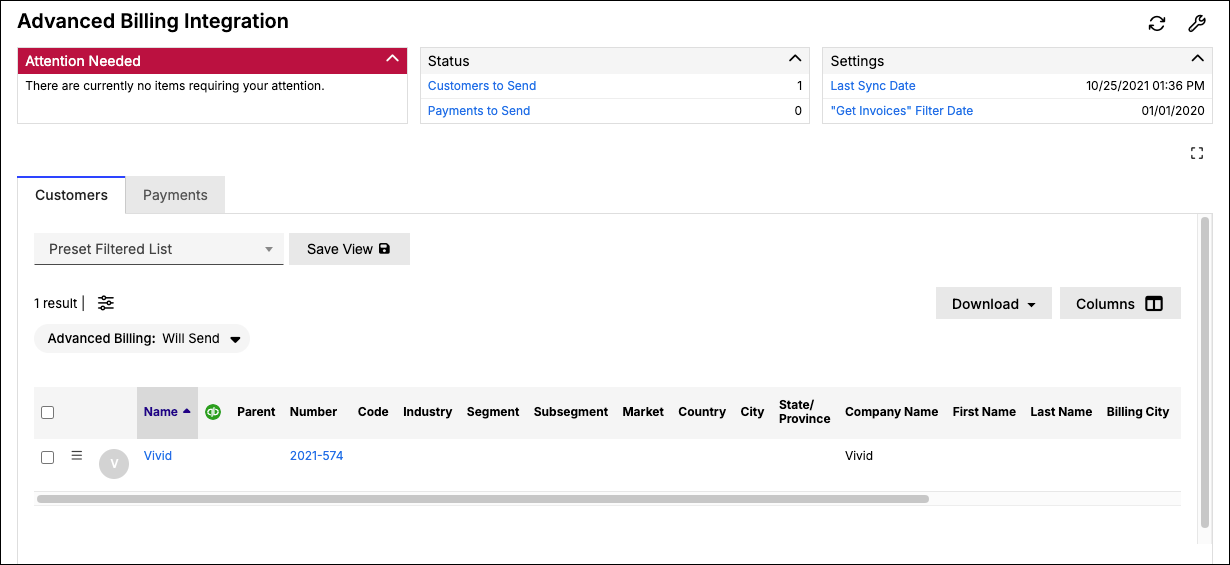
Day to day, some records are read and acted on from either side: see View Subscriptions for reaching a subscription's Advanced Billing detail from Maxio Core, and Cancel Transactions for how a cancellation on one side lands on the other.
Please be aware that this article is related to Advanced Billing. Together, Maxio Core and Advanced Billing offer full-suite subscription management and financial operations for all SaaS business models.
You can learn more about Advanced Billing by checking out the articles in the Advanced Billing Overview and Resources section of the help center.
Sync regularly, check regularly
During the configuration phase, you chose your sync automation preferences. If you chose manual syncing only, be sure to regularly visit the Advanced Billing home page to initiate the sync. Your sync frequency will determine just how up-to-date your data is in Maxio Core.
Whether you sync manually or automatically, check the Advanced Billing home page regularly for any alerts or actions you need to take.
Typical data flow
The flow of data from Advanced Billing to Maxio Core typically happens in the following way:
- In Advanced Billing, create a Subscription for one of your customers (via signup page, API, or manual process).
- Execute a sync with Advanced Billing in Maxio Core (either manual or automatic). This brings in the subscription's Customer, Contract, Invoices, and any Payment data. Please note that the sync works off of Invoices. If a Subscription is for a future date, it will not sync until an Invoice is generated.
- Maxio Core uses the synced Invoice Line Items to generate Transactions, which include Revenue, MRR, and ARR.
- You can then run reports in Maxio Core using this data, including consolidated journal entries for your general ledger (GL). Also, the various financial records created from the process can then be synced into your connected GL and CRM.
Related information
To move data between the two systems as it changes rather than waiting for a scheduled sync, see Enable Instantaneous Data Sync.
For answers to common questions about what Advanced Billing does for SaaS and other subscription business models, see Advanced Billing FAQs.
Still need help?
Reach out and our support team will take it from here.