
Understand How Languages Apply to Invoices
Applies to: Advanced Billing
Last updated on Sep 19, 2026
Advanced Billing builds each invoice by layering translations, starting from its own English defaults and applying progressively more specific matches on top.
How the layering works
A more specific layer replaces a value only where it actually defines one. Anything it leaves blank falls through to the layer beneath, so a single invoice can draw its wording from several Languages at once.
The layers, most specific first
Advanced Billing checks each layer in turn and takes the first one that defines the field.
| Priority | Layer | Applies when |
|---|---|---|
| 1 | Full locale custom translations | The customer's locale exactly matches a Language's full locale, such as es-MX |
| 2 | Language-code translations | The customer's language matches a Language's code, such as es-MX matching a base es. Your own overrides for that code sit on top of any Maxio-provided translations for it. |
| 3 | Site primary translations | Set by you as the site's primary Language |
| 4 | Maxio English defaults | Nothing above supplies a value |
Read it as an overlay rather than a race: layer 1 wins for the fields it defines, layer 2 fills the gaps layer 1 left, and so on down to English.
Full locale match
This is the most specific match Advanced Billing can find, so it wins over every other layer.
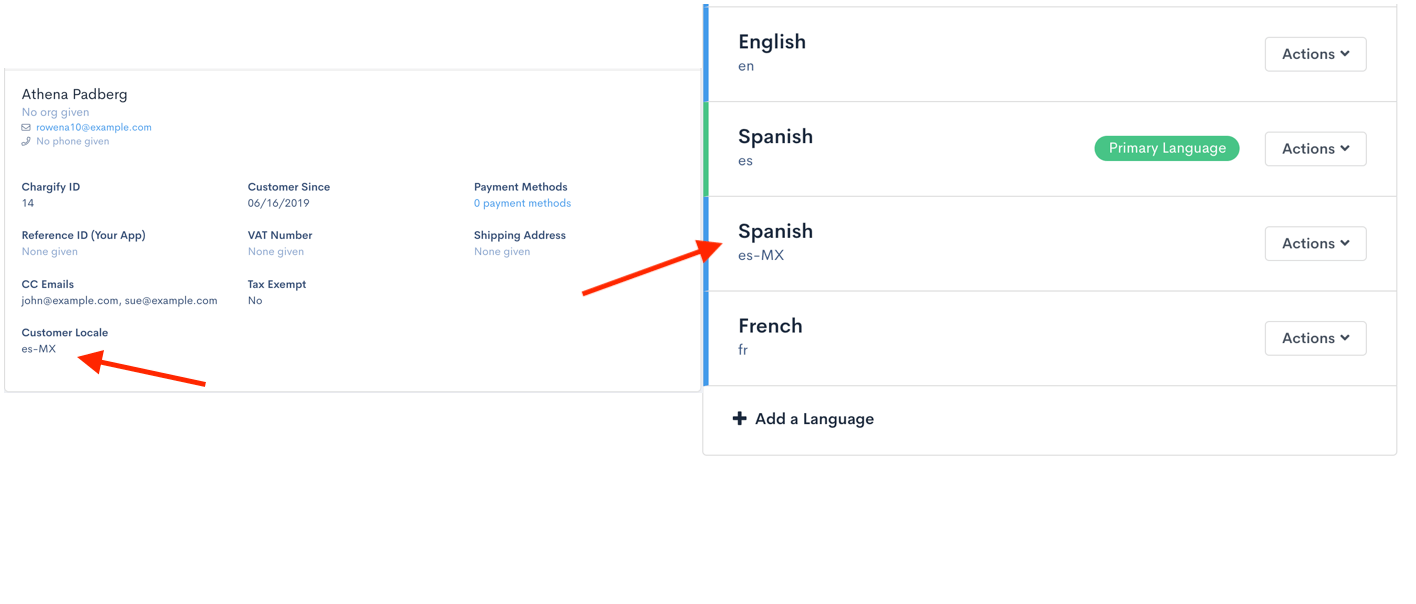
When a customer's locale matches a Language's full locale exactly, such as es-MX, that Language's overrides are used for every field it defines.
Language-code match
When no full locale matches, Advanced Billing falls back to the language code alone.
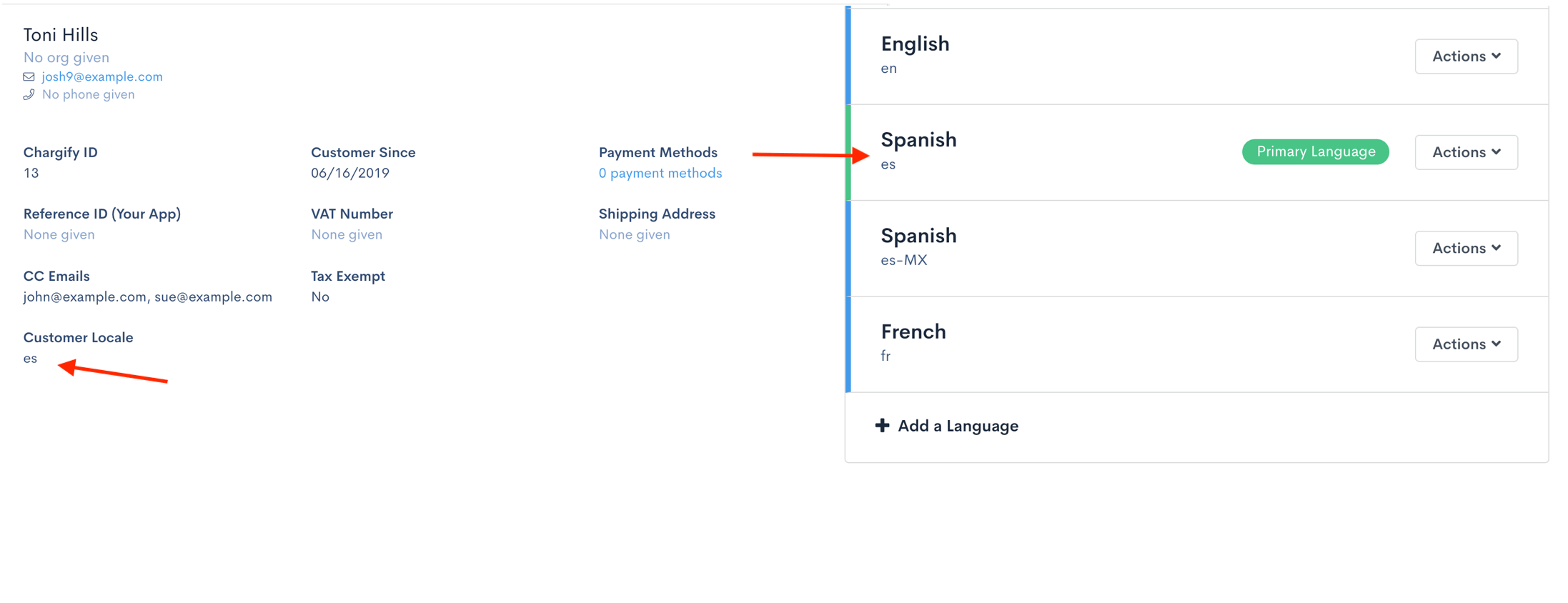
Where the full locale supplies nothing, Advanced Billing looks for a Language matching just the language code. A customer with es-MX matches a base es Language. Your own overrides for that code take precedence over Maxio's provided translations for the same language.
Maxio-provided base translations
Maxio ships its own translations for a handful of common languages, used when your own Languages leave a field unresolved.
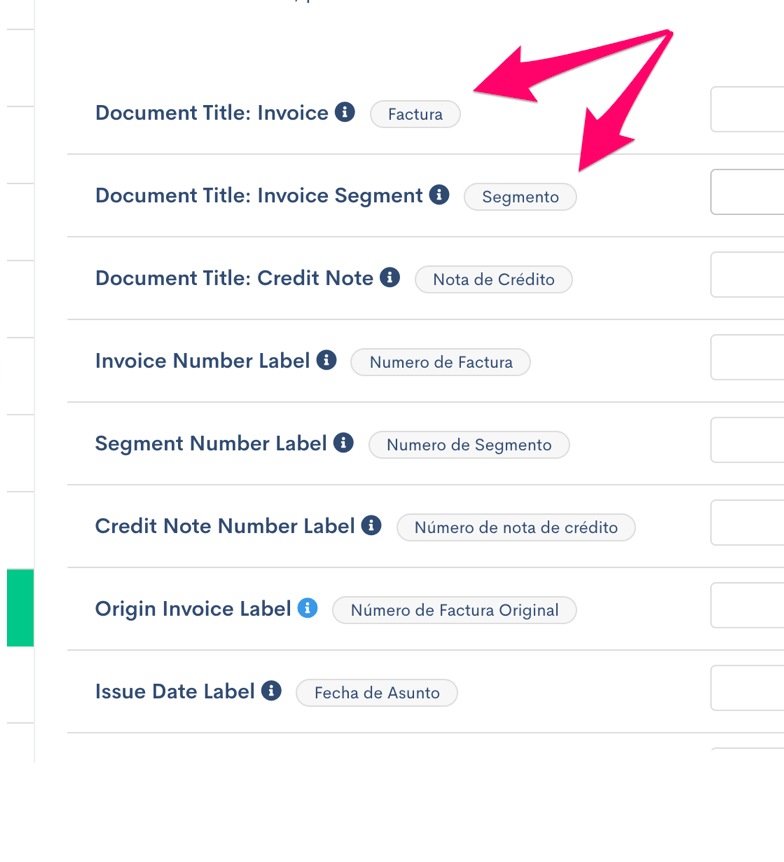
Maxio ships full base translations for English (en), Spanish (es), French (fr), and Polish (pl). If a customer's language is one of these and neither layer above supplies a value, the Maxio translation is used.
Site primary translations
When nothing more specific applies, Advanced Billing falls back to the Language you've marked as the site's primary.
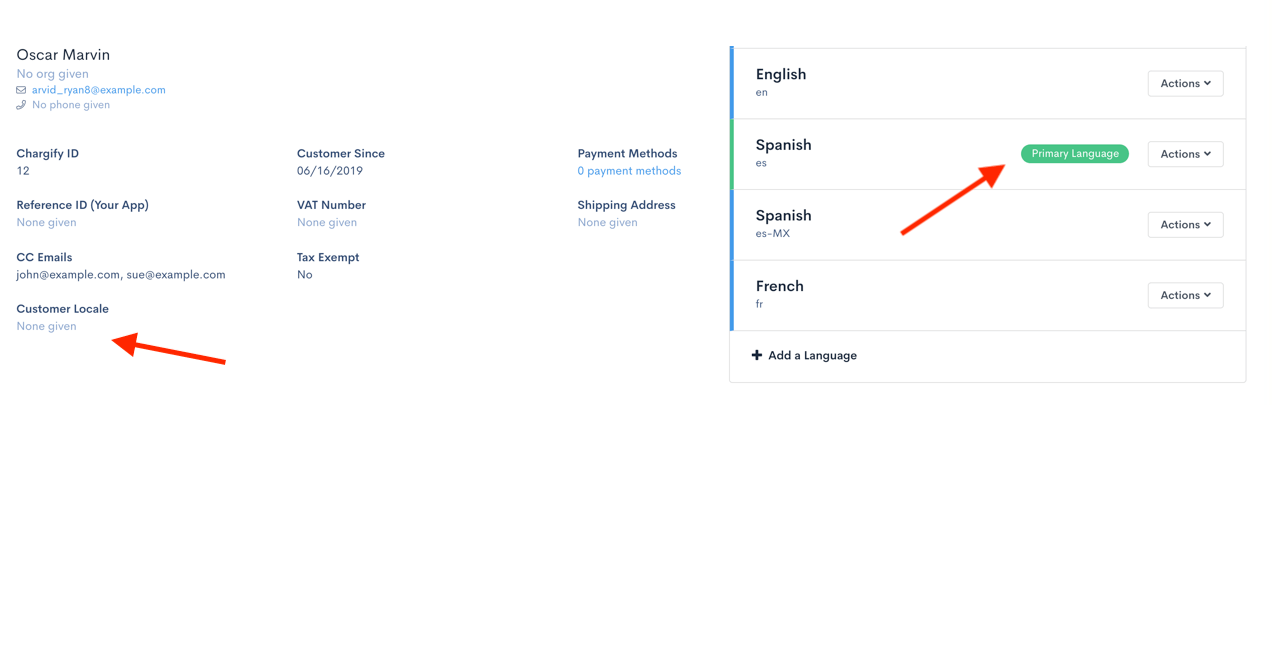
For any field still unresolved, and for customers with no locale set at all, Advanced Billing uses the Language you marked as the site primary.
Maxio application default
Anything not supplied by any layer above falls back to Maxio's English defaults.
Example: layering regional overrides on a base language
Suppose you sell into Central America. You create a Spanish - Base Language and override most invoice fields, and you have customers in Mexico, Costa Rica, and Belize with locales es-MX, es-CR, and es-BZ.
Your Spanish - Base translations suit all three, except for a few fields such as Billing Address and Shipping Address. So you create Language Locales for es-MX, es-CR, and es-BZ, select Customize Language, and override only those address fields for each region.
Those customers then see their region-specific wording for the address fields, and the Spanish - Base wording everywhere else. Where Spanish - Base defines nothing, they see Maxio's provided Spanish translations.
Had the same setup been for Italian, which has no Maxio-provided base translations, those customers would instead see the site primary translations for missing values, and Maxio's English defaults for anything still unresolved.
Related information
For how the pieces referenced here fit together, see the Understand Multi-Lingual Invoices help article.
For how to create Languages and set one as primary, see the Create and Customize Languages help article.
Still need help?
Reach out and our support team will take it from here.