
Managing Service Credits
Applies to: Advanced Billing
Last updated on Aug 27, 2026
A service credit reduces what a subscriber owes on an open invoice without money changing hands. The Service Credits tab of the subscription summary shows the subscription's current service credit balance, the history of credits given and deducted, and the controls to adjust that balance yourself.
Where to find it
Click Service Credits on the side of the subscription summary. The service credit balance shown is the amount of credit the subscription currently holds.
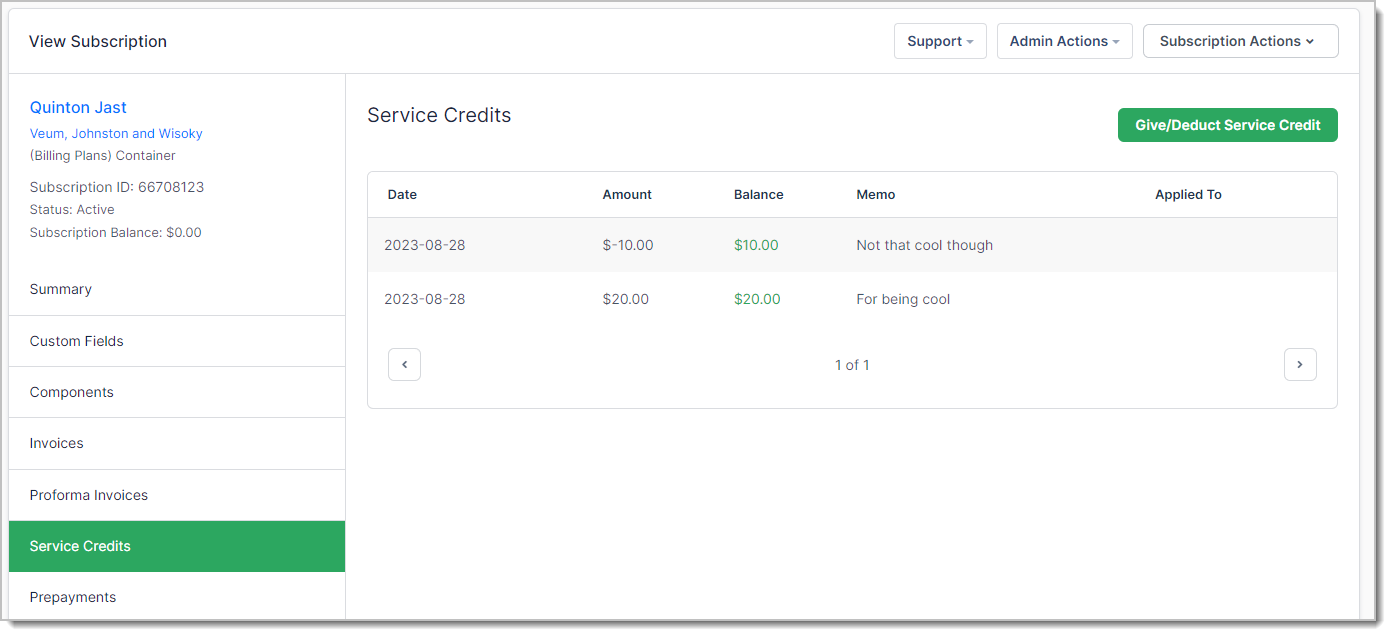
Give or deduct service credits
Use Give/Deduct Service Credit on this tab, or the equivalent entry in the Subscription Actions menu, to adjust the balance. Both routes reach the same action.
The tab below the button records every previous adjustment, so the current balance can always be traced back through the credits that produced it.
How credits are applied
Service credits are applied to invoices as credit notes, reducing the invoice's due amount in the same way a payment does. They can be applied to an open invoice manually, or left to apply automatically against the next invoice the subscription issues.
For the full behavior of service credits, including how they interact with refunds, see Give, Deduct, and Apply Service Credits.
Please be aware that this article is related to Advanced Billing's Subscription Summary function. The subscription summary is the place to perform all tasks necessary to manage customers’ purchases through Advanced Billing.
You can learn more about the Subscription Summary by checking out this help article: Subscription Summary Overview.
Still need help?
Reach out and our support team will take it from here.