
Viewing Subscription Invoices
Applies to: Advanced Billing
Last updated on Aug 26, 2026
The Invoices tab of the subscription summary lists every invoice raised against that one subscription, current and past, so you can check what a subscriber has been billed without leaving the subscription.
Where to find it
Click Invoices on the side of the subscription summary. If the subscription has no invoices yet, the tab is empty — invoices appear here once the subscription generates its first one.
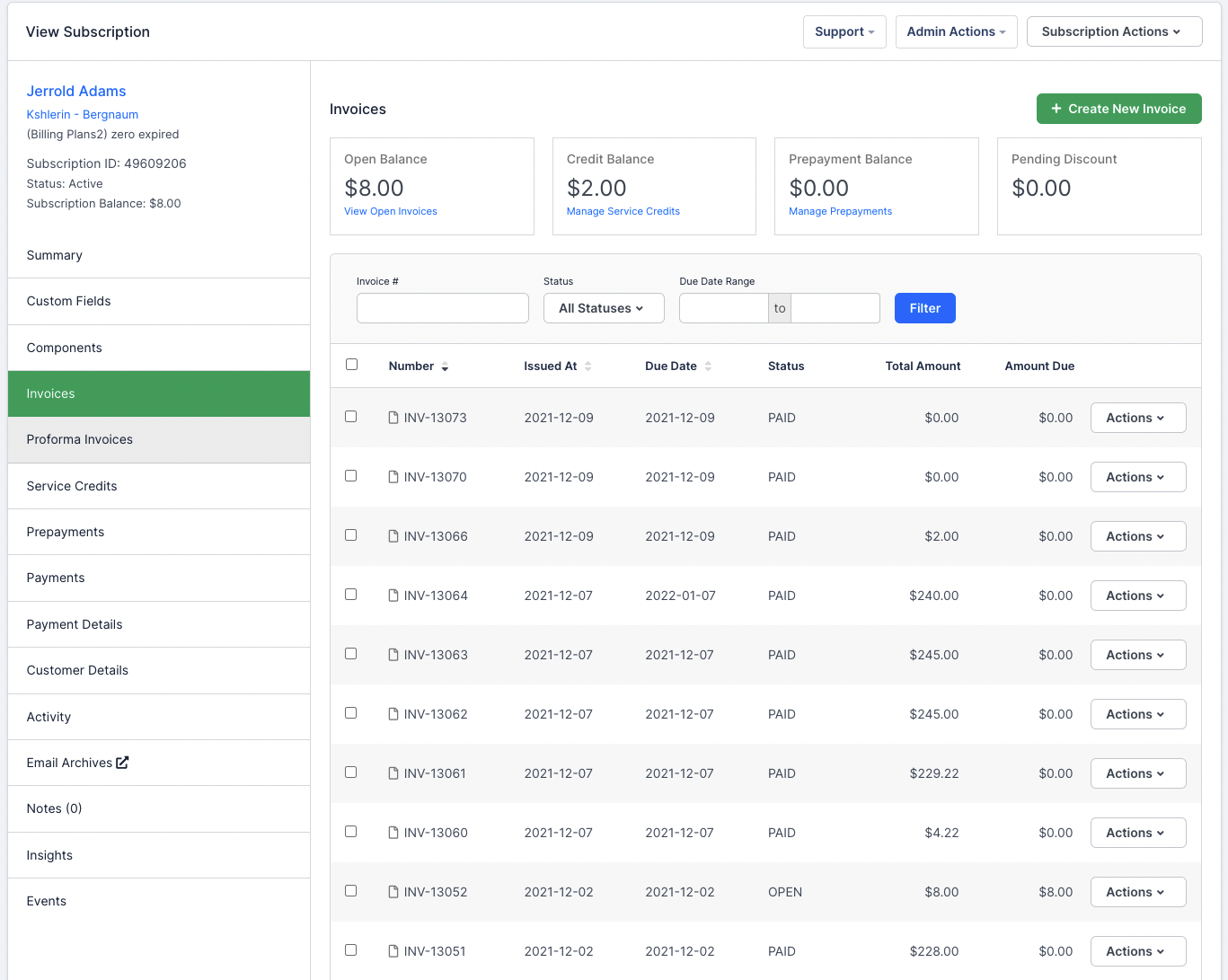
What the tab shows
Above the list, a row of balance tiles summarizes the subscription's invoice position at a glance. Below them, each invoice appears as its own row; open one to see its line items, taxes, discounts, and payment status.
Because the tab is scoped to a single subscription, it does not show invoices belonging to the customer's other subscriptions. If a customer owns more than one subscription, each has its own summary and its own Invoices tab.
Create an invoice from the tab
Create New Invoice raises a one-off invoice against this subscription, separate from the invoices its billing schedule generates automatically. For the full detail on invoice creation, delivery, and payment, see Get Started with Invoicing.
Please be aware that this article is related to Advanced Billing's Subscription Summary function. The subscription summary is the place to perform all tasks necessary to manage customers’ purchases through Advanced Billing.
You can learn more about the Subscription Summary by checking out this help article: Subscription Summary Overview.
Still need help?
Reach out and our support team will take it from here.